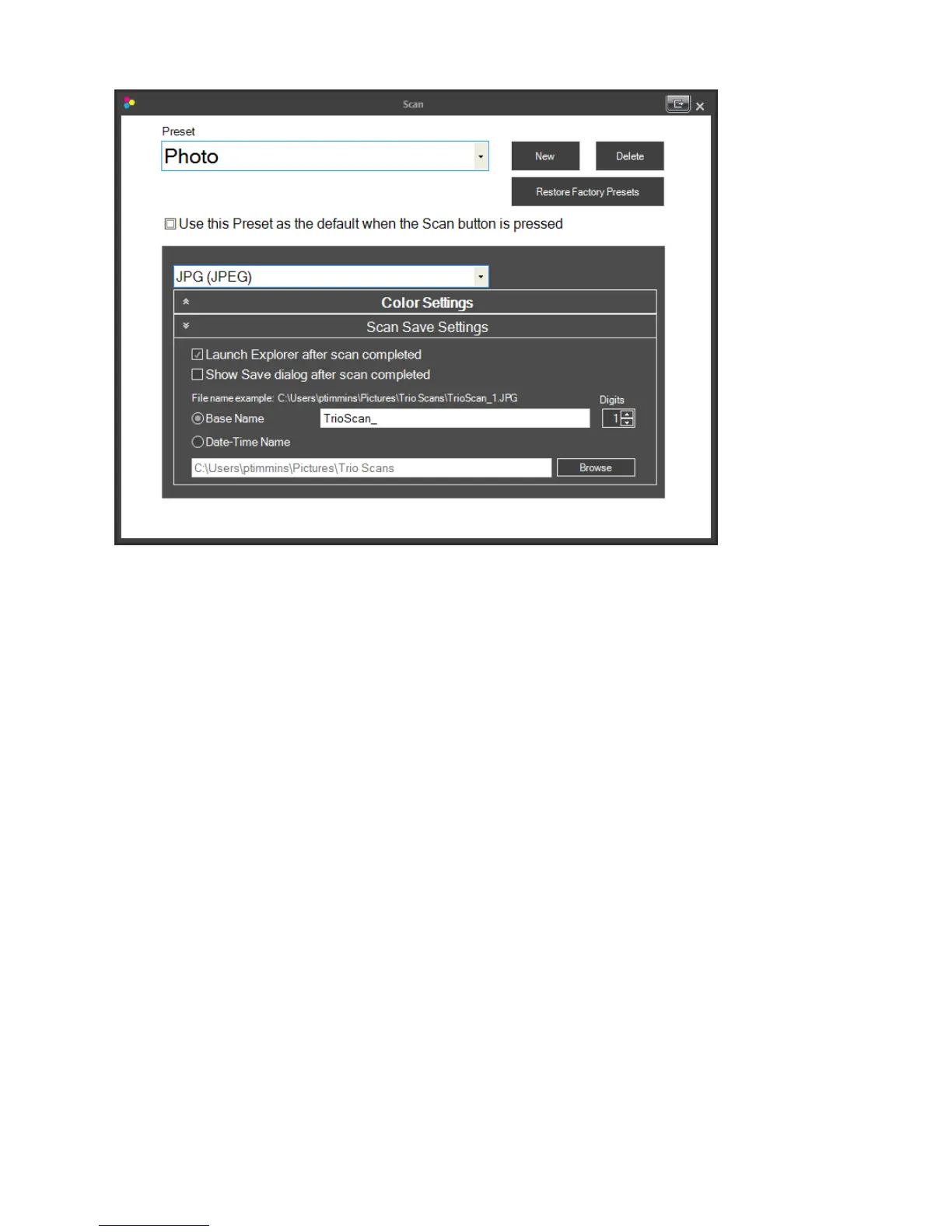
LaunchExplorerafterscaniscompleted.
Page|33
AWindowsExplorerwindowwillopenafterthescanis
completewiththealreadysavedfilehig hlighted.Thiswillallowyoutoeasilymoveafiletoanew
locationafterithasbeenscanned.Forexample,ifyouarescanningreceiptsyoumaywanttofileeach
receiptinadifferentfolderlocationdependingonthetypeofreceipt.
ShowSavedialogafterscaniscompleted.AWindowsExplorersavedialogwindowwillappearafter
thescanwhichwillallowyoutochangethelocationandfilenameofthescannedimage.Thiswillonly
appearifyouhaveuncheckedthe“Showadvancedscandialogaftereveryscan”boxonthemain
scannersettingswindow.
FilenamePrefixes.Youcanchangetheprefixthat will automaticallybeaddedtothefilenameofthe
scannedimage.Anyprefixthatiscreatedcanalwaysbechangedifyouhavechecked“ShowSavedialog
afterscancompleted”or“Showadvancedscandialogaftereveryscan.”Anexampleofthefilename
whichwillbecreatedisalsoshowninthiswindow.
• BaseName.Youmaychangetheprefixnametoanynameoranamethatcorrespondstoa
Presetname.Forexample,youmayhaveaPresetcreatedforphotos.Inthiscaseyoumayalso
wanttochangetheBaseNametoPhotos.Everytimeyouscanaphotousingthephotopreset,
thePhotoprefixwillbeused.Aftertheprefix anumberwillautomaticallybeadded.
• Digits. Setthenumberofdigitsthat willbeusedtodisplaythenumberaftertheBaseName.
• Date‐TimeName.SelectthisoptionifyouwantaDateandTimeStampusedasyourfilename
insteadoftheBaseName.
DefaultSaveLocation.Clickbrowsetoestablishthedefaultsavelocationforscanneditems.



 To Next Page