ColorMode:
• None.Nocoloreffectsmodewillbeused.
• Perceptual.Createsarealisticcoloreffect.
• Saturation.Createsasaturatedcoloreffect.
• RelativeColorimetric.(Default)Createsabalancedcoloreffect.
• AbsoluteColorimetric.Createsawarmercoloreffect.
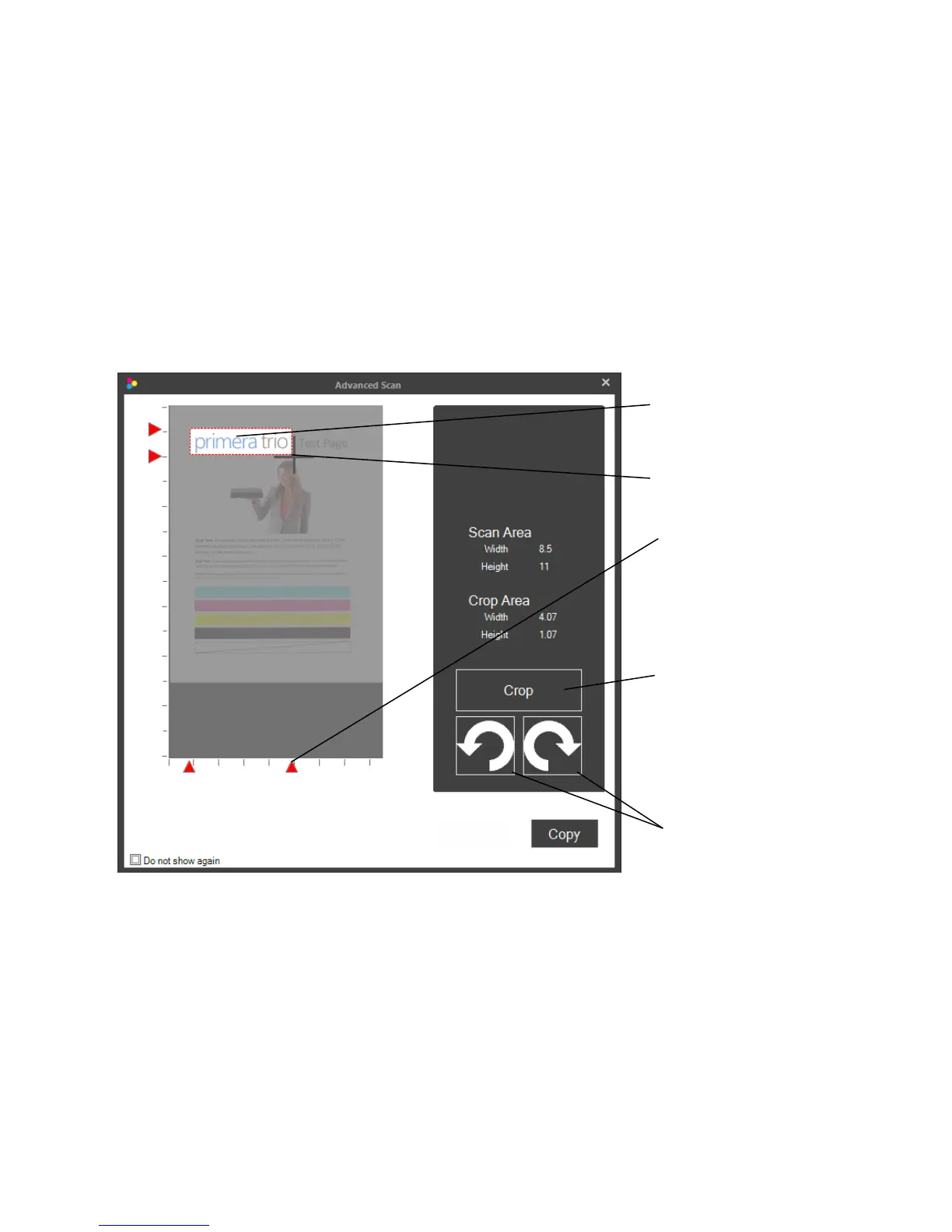
ShowAdvancedCopyDialog.Ifthisoptionischeckedtheadvancededitingwindowwillbedisplay
beforetheprintingstarts.Thiswillallowyoutocrop,rotateandnamethescanfilebeforeitisprinted.
CropArea
MarqueeSelector
Clickanddragthe
selectorarrows
Page|43
Rotate.Torotatetheimageclickeithertherightorleftrotationbuttons.
Crop.Tocrop,usethemarqueeselectortodraw
aboxaroundtheareayouwouldliketocrop.Tostart
drawingthebox,pressandholdtheleftmousebutton.Continuetoholdtheleftmousebuttonand
movethemousetodrawthebox.Whenyouaresatisfiedwiththelocationofthebox,letgooftheleft
mousebutton.Ifyouwanttotryagain simplyrepeattheprocess.Youmayalsoclickanddragthered
arrowstocroptheimage.Onceyouarereadytoprintpressthe“Copy”button.
ScanAreaSize.Clickedittosetthescanareatomatchtheareaofthedocumentorphotoyouwould
liketoscan.Ifyouwanttoscanatahighresolutionyoucangreatlyreduceyourscanningtimeifyou
CropButton
RotateButtons


 To Next Page