EasyManua.ls Logo

Primus RF18 - User Manual

Primus RF18
136 pages
Print Icon
To Next Page IconTo Next Page
Loading...
INDUSTRIAL WASHER EXTRACTORS
HIGH SPIN WASHER EXTRACTORS:
6 kg 33 kg
7 kg 40 kg
10 kg 55 kg
16 kg 120 kg
22 kg
RIGID MOUNTED WASHER EXTRACTORS:
6 kg 18 kg
7 kg 22 kg
10 kg 27 kg
13 kg 35 kg
16 kg 43 kg
HIGH SPIN HYGIENIC BARRIER WASHER EXTRACTORS:
16 kg 66 kg
26 kg 90 kg
33 kg 140 kg
44 kg 180 kg
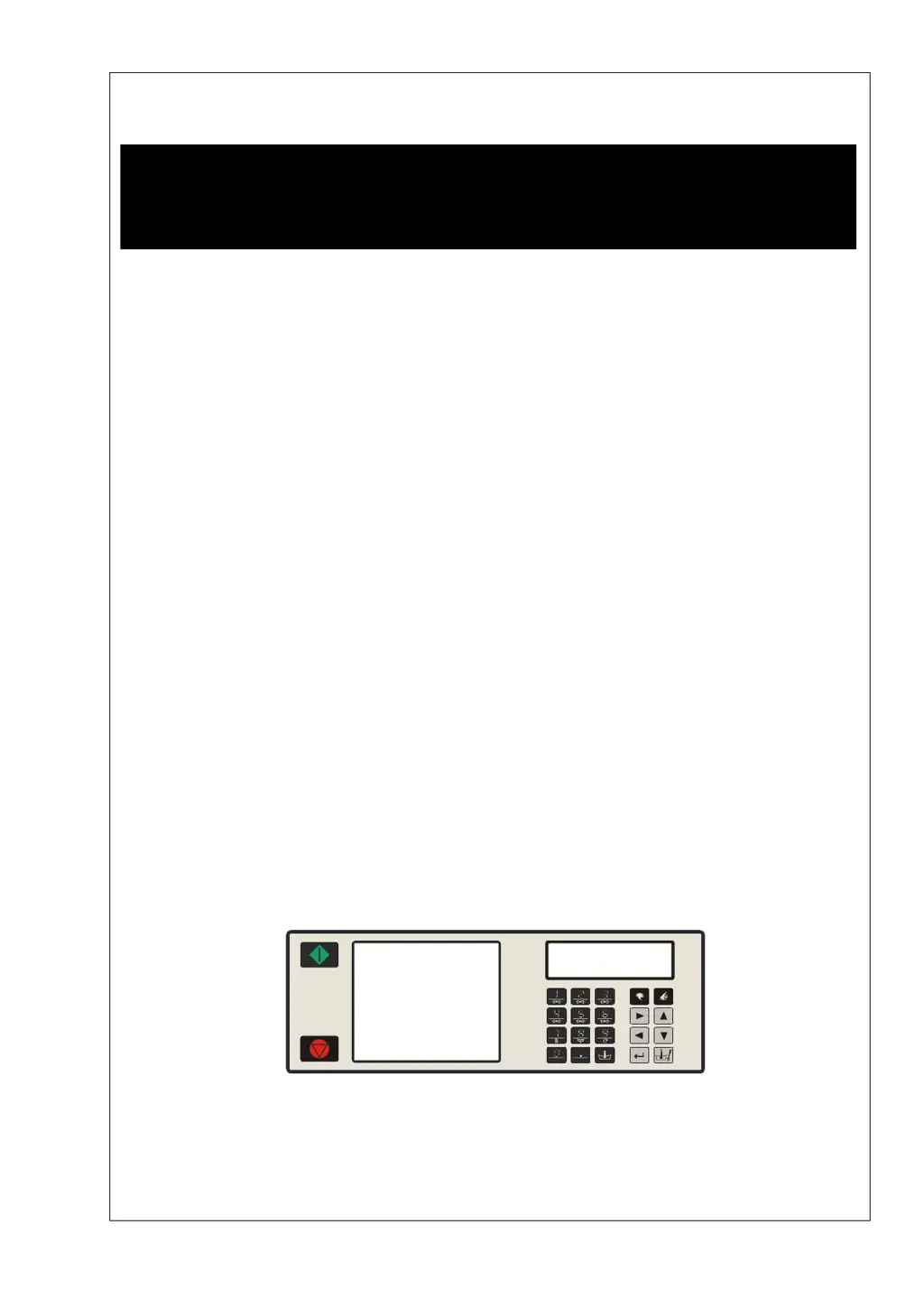
PROGRAMMING MANUAL
FULL CONTROL
100962 G
Publication date: 24 Jun 2008
SELECT PROGRAM
ABCDEFGHKLMNOPQR
100521

Table of Contents

Questions and Answers

  • L
    Lisa ReynoldsAug 19, 2025
    How to fix a Primus RF18 Scrubber with a display that won't light up?
    • J
      Jennifer WuAug 19, 2025
      If the display of your Primus Scrubber is not illuminated when you switch on the power, consider the following: * Ensure the external power supply is switched on and providing power to the machine. * Deactivate the emergency button. * Check and properly connect the power connector on the board, ensuring correct wiring. * Inspect the fuse on the electronic board; replace it if burned. Also, verify that input signals or the +16Vdc Supply Signal are not touching the cabinet. * If there's no EPROM on the electronic board, install the correct EPROM with the software.
  • M
    Mr. Brandon CardenasAug 21, 2025
    What to do if my Primus Scrubber keyboard buttons aren't working?
    • P
      pamelahallAug 21, 2025
      If your Primus Scrubber is not responding when you press the keyboard buttons, here are some things to check: * Make sure the input connector “A” is securely connected and inspect the wiring between the connector and the key-switch. * Ensure the key switch is set to “Run mode.” * Verify that the connector “K” of the keyboard is properly connected.
  • J
    Jason CollinsAug 23, 2025
    How to improve the display brightness on a Primus Scrubber?
    • L
      lovejordanAug 23, 2025
      If the display on your Primus Scrubber is illuminated but hard to read, adjust the brightness setting in the Configuration Menu until the display is clear and bright.
  • J
    Jennifer AllenAug 26, 2025
    Why is the drum not turning in my Primus Scrubber?
    • M
      michael73Aug 26, 2025
      If the drum in your Primus Scrubber isn't turning and no error message is displayed, check the following: * Inspect the belt for any breaks and check its tension; replace or adjust as needed. * Check the motor voltage applied. * Assess whether the motor is still functional. * Check the inverter.
  • J
    Joseph GriffinAug 27, 2025
    How to resolve a 'Heating Failure' error on a Primus RF18?
    • H
      hwalkerAug 28, 2025
      If you're encountering a 'Heating Failure' (Failure 13) error on your Primus Scrubber, check if the heating contactor is activated. If it's not, repair the wiring or replace the contactor.
  • B
    Bruce HuffAug 29, 2025
    What causes outputs to not activate when starting a program on a Primus RF18 Scrubber?
    • A
      Aaron NguyenAug 30, 2025
      If you start a program on your Primus Scrubber, but the outputs aren't activating, ensure that connectors “R” and “Q” are correctly connected and not inverted. Pin “Q10” must be supplied with 220Vac when the door is closed.
  • B
    Bruce CookSep 1, 2025
    How do I fix a wrong water level issue on my Primus Scrubber?
    • M
      Miss Lisa JamesSep 1, 2025
      If you're experiencing a wrong water level issue with your Primus Scrubber, make sure the programmed water levels are correct and that the right machine type is selected in the Configuration Menu. You can reinitialize standard water levels by programming new values or reloading the Standard Wash programs.
  • J
    Jennifer GregorySep 3, 2025
    What should I do if my Primus RF18 Scrubber shows an 'Overfill Failure'?
    • J
      Jeffery SalasSep 3, 2025
      If your Primus Scrubber displays an 'Overfill Failure' (Failure 12), the water inlet valves might be broken. Try cleaning or replacing the water inlet valve diaphragms.
  • E
    Ellen DavisSep 5, 2025
    How to troubleshoot a 'Fill Failure' on a Primus Scrubber?
    • C
      Christopher MaySep 5, 2025
      If you're facing a 'Fill Failure' (Failure 11) on your Primus Scrubber, start by checking if the external water valves are open. If they are closed, open the water inlet valves to allow water to flow into the machine.
  • A
    Andrew RobertsonSep 7, 2025
    What to do if my Primus Scrubber displays a 'Too Hot' error?
    • J
      Jack LiuSep 8, 2025
      If your Primus Scrubber shows a 'Too Hot' (Failure 15) error, verify that the correct water inlet valves have been programmed. Ensure you're programming both hot and cold water inlet valves for the wash sequence.

Summary

Warnings and Symbols

Warnings

General safety warnings and precautions for operating the machine.

Basic Description of Controls

The Creation of a Wash Program

Explains the step-by-step process of creating a new wash program.

Programming the Functions

Covers programming various machine functions like temperature, inlets, and water levels.

Initializing the Machine

Initialisation Menu

Guide to accessing and navigating the machine's initialization menu.

Configuration Menu

Instructions for configuring machine-specific settings and parameters.

Programming

Step ②: Program Functions

Details functions for selecting, naming, viewing, editing, copying, and deleting programs.

Step ③: Program Step Function

Explains how to add, edit, insert, view, and delete individual steps within a wash program.

Operation Menu

6.22. How to Handle Failure Messages

Guidance on interpreting and resolving common error messages displayed by the machine.

Troubleshooting

8.2. Fault Messages

Explains how fault messages are displayed and their structure, indicating program and step.

8.3. How to Handle Fault Messages

Provides guidance on interpreting and resolving common fault messages and safety conditions.

8.6. Diagnostic Program

Explains how to run the diagnostic program to test individual machine functions.

8.7. Problem Check List

A troubleshooting guide listing common problems, their causes, and solutions.

Primus RF18 Specifications

General IconGeneral
BrandPrimus
ModelRF18
CategoryScrubber
LanguageEnglish

Related product manuals