4 PROGRAMMING MANUAL 100962 G PUBLICATION DATE 24 JUN 2008.DOC
2.2. SYMBOLS USED
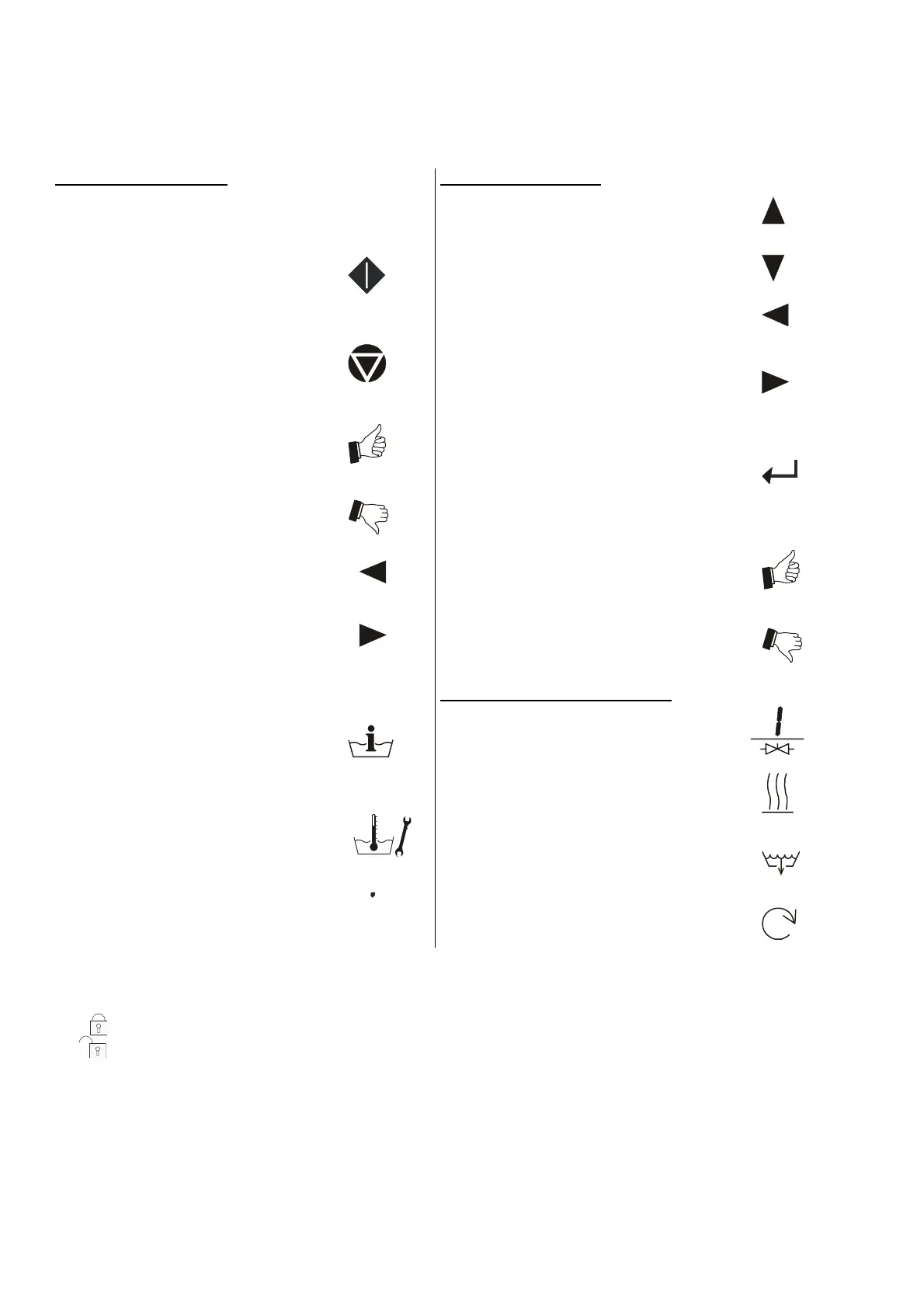
T BUTTONS
OPERATION BUTTONS
1 2 3 4 5 6 7 8 9 0
- Program number selection buttons
START
- Starting up a program
- Advancing the program step by step
STOP
- Interrupting a program
- Finishing a program
YES
- Yes selection
NO
- No selection
ARROW LEFT
- Decreasing the sequence time
ARROW RIGHT
- Increasing the sequence time
INFO
- shows all available wash programs, program
steps and functions
SERVICE
- shows the states and the total number of cycles of
the machine
DOT
- activates the time delay function
PROGRAM BUTTONS
ARROW UP
- Selecting the previous menu item
ARROW DOWN
- Selecting the next menu item
ARROW LEFT
- Selecting the previous element of a menu item list
ARROW RIGHT
- Selecting the next element of a menu item list
ENTER
- Selecting a new menu
- Confirmation of a new value or list element and
going over to the next menu item
YES
- Yes Selection
NO
- No Selection
SPECIAL FUNCTION BUTTONS
INLET 1 2 3 ( 4 5 6 )
- Open the inlet valve
HEATING
- Activate the heating ( if equipped)
DRAINAGE
- Open the Drain valve
SPEED ADJUST
- Change the speed value
T KEYSWITCH
The keyswitch may be mounted on the front panel, the rear panel or inside the machine.
With the keyswitch you can select „Run mode“ or „Program mode“
- RUN MODE : This is the Normal wash machine operation.
- PROGRAM MODE : Only for changing the wash programs and machine settings.
T LABELS
On the labels you can find Instructions for the Washing machine Operation and Information
about the Wash Programs.
T EMERGENCY STOP SWITCH
This emergency stop switch is used by non-coin washer-extractors
1009 4 9
100947
100948
100950
100951
100952
100951
100952
100953
100954
1009 4 9
100950
100955
100957
100958
100959
100960
1009 6 1
100956
100800



 To Next Page