EasyManua.ls Logo

Printronix P7000 - Service Manual

Printronix P7000
11 pages
Print Icon
To Next Page IconTo Next Page
Loading...
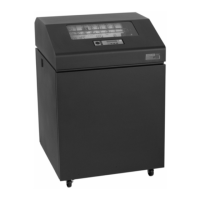
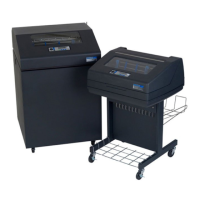
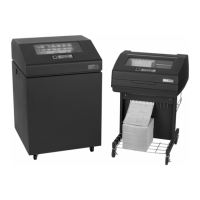
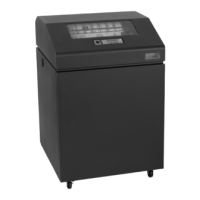
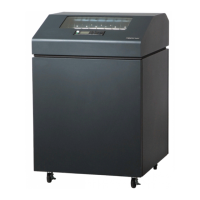
PRINTRONIX P7000 Cartridge Printer
Line Matrix Printers
Maintenance Plan Summary
Revision Date Revision Comments
04/01/2010
Release of P7000 Cartridge Printer Maintenance Plan Summary – Final Draft
Gary M. Gentry (714) 368-2319 ggentry@printronix.com
PRINTRONIX Confidential Document - Not to be Duplicated.
Page 1 of 11

Other manuals for Printronix P7000

Questions and Answers

  • C
    Cassandra PetersSep 23, 2025
    What does '06 HOST REQUEST' mean on Printronix Printer?
    • M
      melissa37Sep 23, 2025
      The '06 HOST REQUEST' error on your Printronix Printer indicates that either the host computer or the printer controller requires attention.
  • H
    Heidi JimenezAug 31, 2025
    How to fix 'SHUTTLE STALL' on Printronix Printer?
    • M
      Matthew GreenAug 31, 2025
      To address a 'SHUTTLE STALL' on your Printronix Printer, set the platen lever to match the thickness of the paper, but not too tightly. Check and adjust the platen gap. Inspect the ribbon mask for deformation that snags and interferes with shuttle movement. If the fault source is not apparent, contact your authorized service representative.
  • M
    Michael FullerAug 25, 2025
    What should I do if my Printronix Printer says 'CLEAR PAPER JAM'?
    • S
      Sandra GarciaAug 25, 2025
      If your Printronix Printer shows 'CLEAR PAPER JAM', you should clear the paper jam and reload the paper. If the message reappears, it is recommended to contact your authorized service representative.
  • M
    Mark NunezAug 25, 2025
    What to do if my Printronix Printer is 'PRINTER HOT'?
    • S
      Steven HuangAug 26, 2025
      If your Printronix Printer displays 'PRINTER HOT', inspect the printer's environment. If the area is hot or dusty, relocate the printer. If this issue occurs frequently, it's best to contact your authorized service representative.
  • O
    Olivia LynnAug 26, 2025
    What does 'PAPER OUT TIMEOUT' mean on my Printronix Printer and how to fix it?
    • J
      Julie BarnesAug 26, 2025
      If your Printronix Printer displays a 'PAPER OUT TIMEOUT' message, it means you need to load paper into the printer.
  • J
    James CummingsAug 27, 2025
    What to do if Printronix Printer shows 'STACKER FULL'?
    • B
      Benjamin DavidsonAug 27, 2025
      If your Printronix Printer displays 'STACKER FULL', remove the paper from the stacker.
  • T
    teresa19Aug 27, 2025
    How to fix 'RIBBON STALL TIMEOUT' on Printronix Printer?
    • E
      Edward RobertsonAug 27, 2025
      If your Printronix Printer displays a 'RIBBON STALL TIMEOUT' message, try reloading the ribbon.
  • T
    Tyler HolmesAug 28, 2025
    What to do if my Printronix Printer displays 'LOAD PAPER'?
    • S
      Stacey SanchezAug 28, 2025
      If your Printronix Printer displays the message 'LOAD PAPER', you should load paper into the printer.
  • U
    uleblancAug 28, 2025
    How to resolve 'BUFFER OVERRUN' error on a Printronix Printer?
    • N
      nreevesAug 28, 2025
      To resolve a 'BUFFER OVERRUN' error on your Printronix Printer, check the printer's serial port configuration setup. Ensure that the baud rate and data protocol match both the host and printer settings.
  • P
    patriciaburtonAug 29, 2025
    What does 'CLOSE PLATEN' mean on my Printronix Printer and how to solve it?
    • S
      Sarah SavageAug 29, 2025
      If your Printronix Printer displays 'CLOSE PLATEN', you should close the platen lever.

Summary

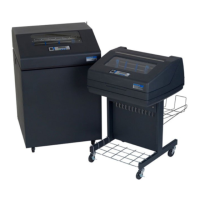
P7 XXX CARTRIDGE PRINTER GENERAL DESCRIPTION

P7 XXX CARTRIDGE PRINTER KEY MAINTENANCE DATA

Mean Time Between Failures (MTBF)

Lists MTBF for various printer models under specific print conditions.

Mean Time To:

Specifies the average time required for installation and repair tasks.

Preventative Maintenance

Outlines the requirements for routine preventative maintenance.

P7 XXX CARTRIDGE PRINTER DOCUMENTATION

P7 XXX CARTRIDGE PRINTER TRAINING

CUSTOMER SUPPORT CENTERS

REPAIR SERVICES

WARRANTY

P7 XXX CARTRIDGE PRINTER SERVICE PRICING FOR U.S. AND CANADA

SPARE LEVEL DEFINITIONS

P7 XXX CARTRIDGE PRINTER RECOMMENDED TOOLS

P7 XXX CARTRIDGE PRINTER RECOMMENDED FIELD SPARES

Unique Spares for P7 X05

Lists specific spare parts for the P7X05 model.

Unique Spares for P7 X10

Lists specific spare parts for the P7X10 model.

Unique Spares for P7 X15

Lists specific spare parts for the P7X15 model.

Unique Spares for P7 X20

Lists specific spare parts for the P7X20 model.

Unique Spares for P70 XX ZTP

Lists specific spare parts for the P70XX ZTP model.

Unique Spares for P7 X00 HD

Unique Spares for P7000 HDZT

Level 1 Spares, P7 XXX (05;10;15;20)

Level 2 Spares, P7 XXX (05;10;15;20)

Level 3 Spares, P7 XXX (05;10;15;20)

P7 XXX SureStak Stacker Spares

P7 XXX Printer Field Upgrade Kits

Printronix P7000 Specifications

General IconGeneral
Print TechnologyLine Matrix
Resolution180 x 144 dpi
Print Width13.6 inches
Weight145 lbs
ConnectivityParallel, Serial, Ethernet, USB
Paper HandlingContinuous form
Noise Level55 dBA

Related product manuals