System Monitor
124
Account Setting - System Setting
Account Setting
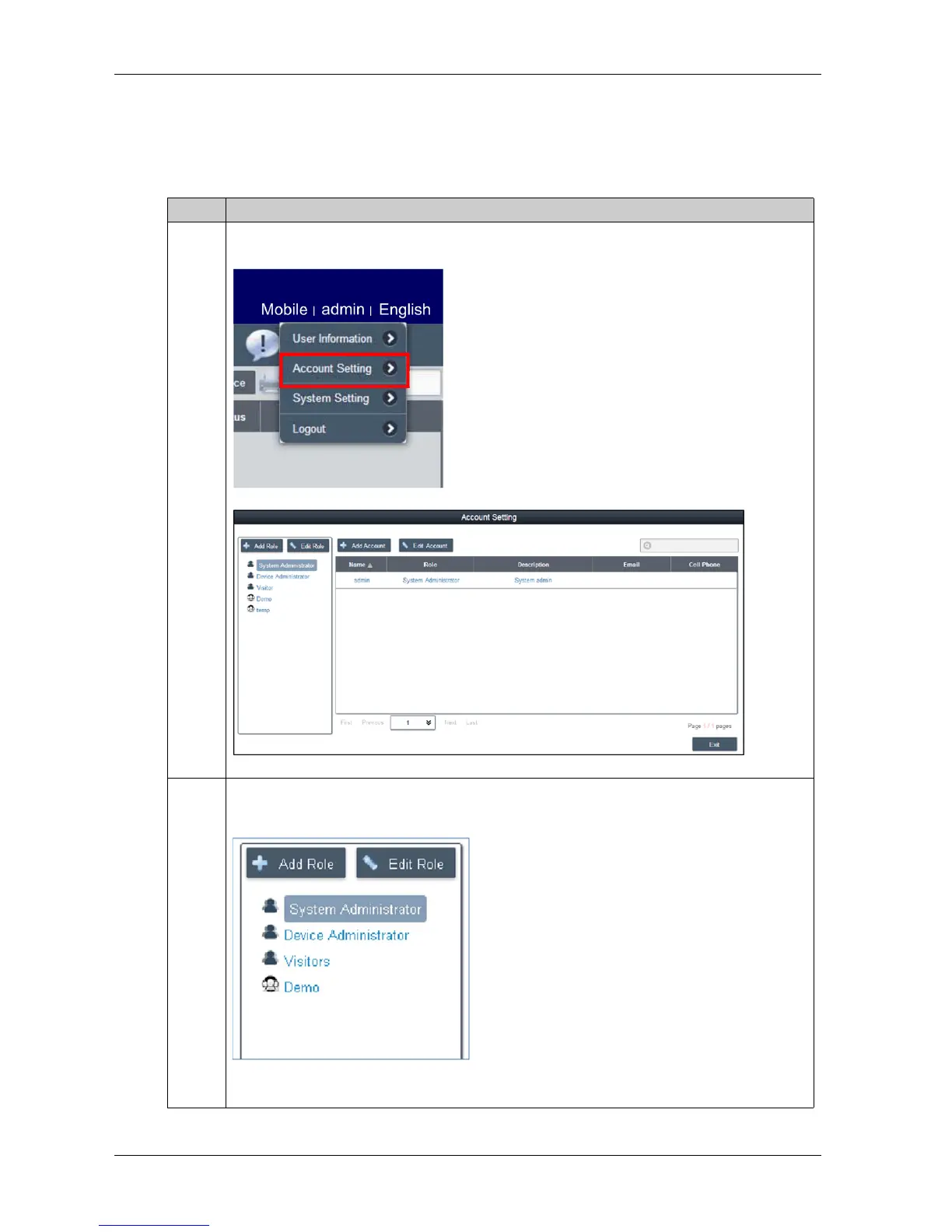
This procedure describes how to use the Account Setting user interface:
Step Description
1 Click Account Setting from menu of up-right corner to pop up the dialog of account setting for
configuring:
2 Default role
System provides three default roles with pre-defined access rights: System Administrator, Device
Administrator, and Visitors:
NOTE: The user rights of pre-defined role cannot be edited or deleted but only can be browsed.



 To Next Page