PS5000 Series (Slim Panel Type Atom Model) User Manual
67
HDD/SSD Drive Description and Installation
Overview
This device does not support hot swapping. Before any hardware modification, shut down
Windows in an orderly fashion and remove all power from the device.
HDD/SSD Drive Installation
NOTE: Be sure to remove all power before attempting this procedure.
This table describes how to install an HDD/SSD drive:
DANGER
HAZARD OF ELECTRIC SHOCK, EXPLOSION OR ARC FLASH
Remove all power from the device before removing any covers or elements of the system, and
prior to installing or removing any accessories, hardware, or cables.
Unplug the power cable from both the Industrial Personal Computer and the power supply.
Always use a properly rated voltage sensing device to confirm power is off.
Replace and secure all covers or elements of the system before applying power to the unit.
Use only the specified voltage when operating the Industrial Personal Computer. The DC unit
is designed to use 24 Vdc input.
Failure to follow these instructions will result in death or serious injury.
NOTICE
ELECTROSTATIC DISCHARGE
Take the necessary protective measures against electrostatic discharge before attempting to
remove the Industrial Personal Computer cover.
Failure to follow these instructions can result in equipment damage.
Step Action
1 Disconnect the power cord to the Slim Panel.
2 Touch the housing or ground connection (not the power supply) to discharge any electrostatic
charge from your body.
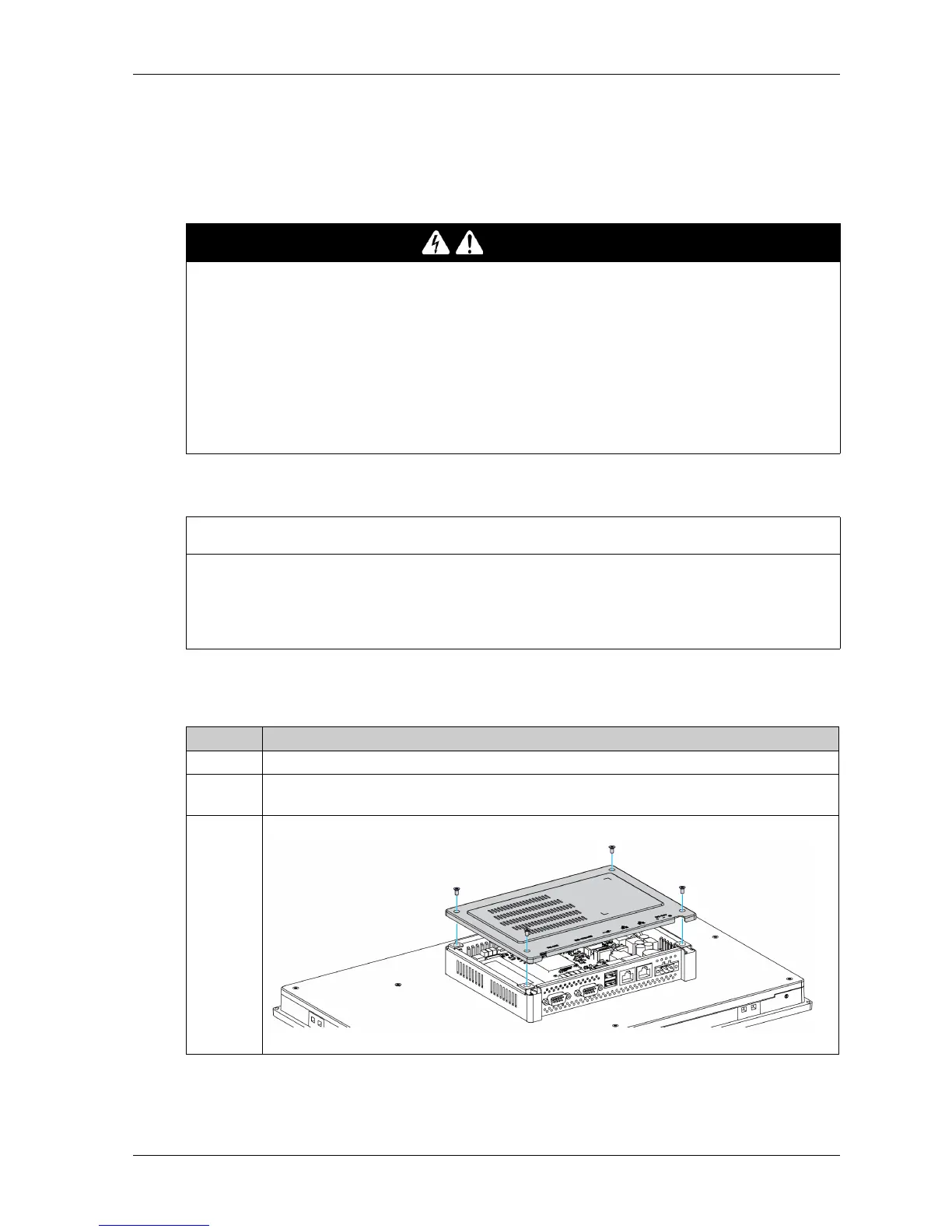
3 Remove the 4 screws of the rear cover:



 To Next Page