Hardware Modifications
68
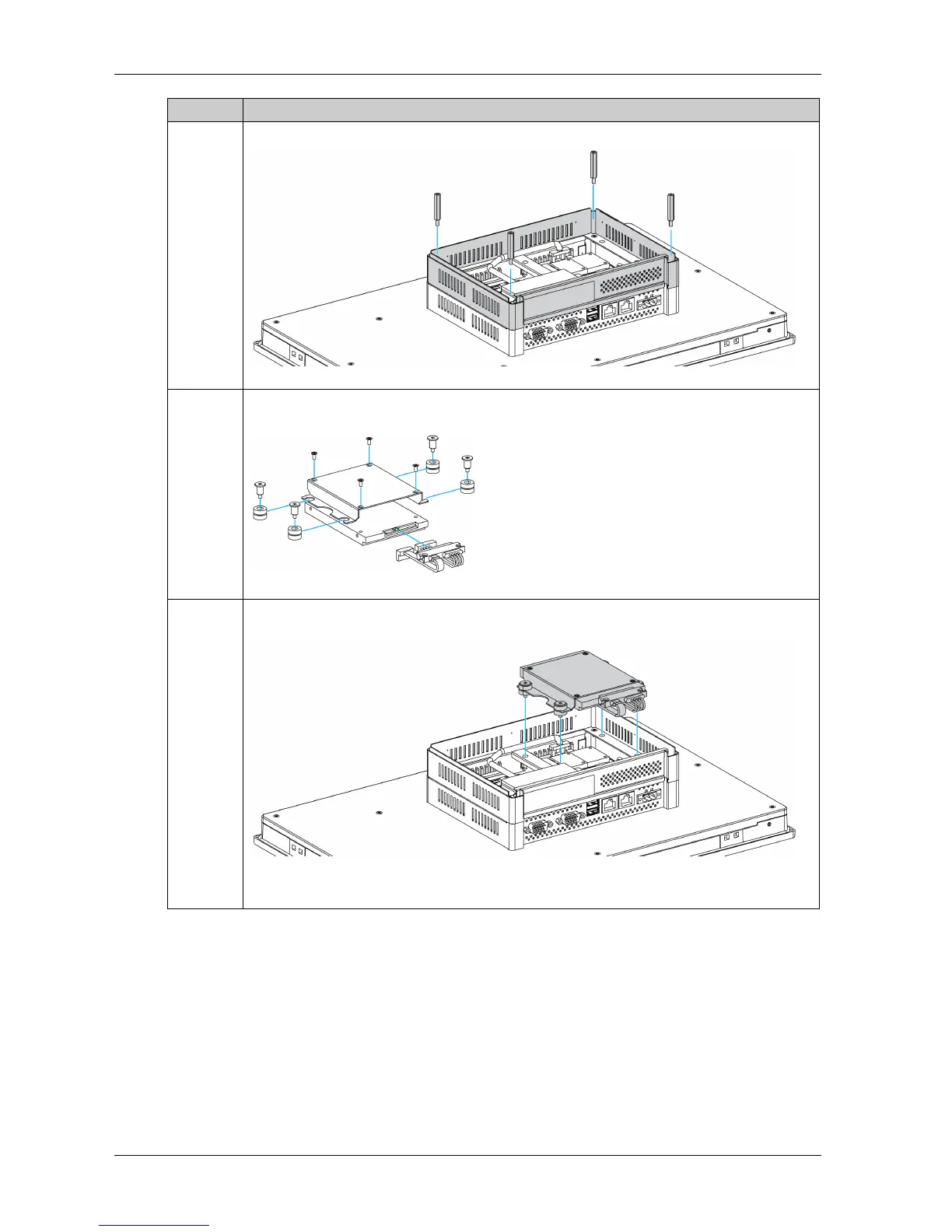
4 Fasten the extension kit (PFXZPSADSSD2) to the Slim Panel with the 4 studs:
5 Install the 2.5" SATA HDD/SSD on the HDD/SSD bracket. Screw in the 4 screws on the side of
HDD/SSD bracket:
6 Connect the HDD/SSD into the SATA connector. Install it in the Slim Panel and fasten it with the
4 dampers and the 4 screws of HDD/SSD holder module to the extension kit:
NOTE: The recommended torque to tighten these screws is 0.5 Nm (4.5 lb-in).
Step Action



 To Next Page