All Info Copyright © Pro Spot International Inc.
4 - Operation
Page 14
i5
4.2.3 i5 Touch Screen Control
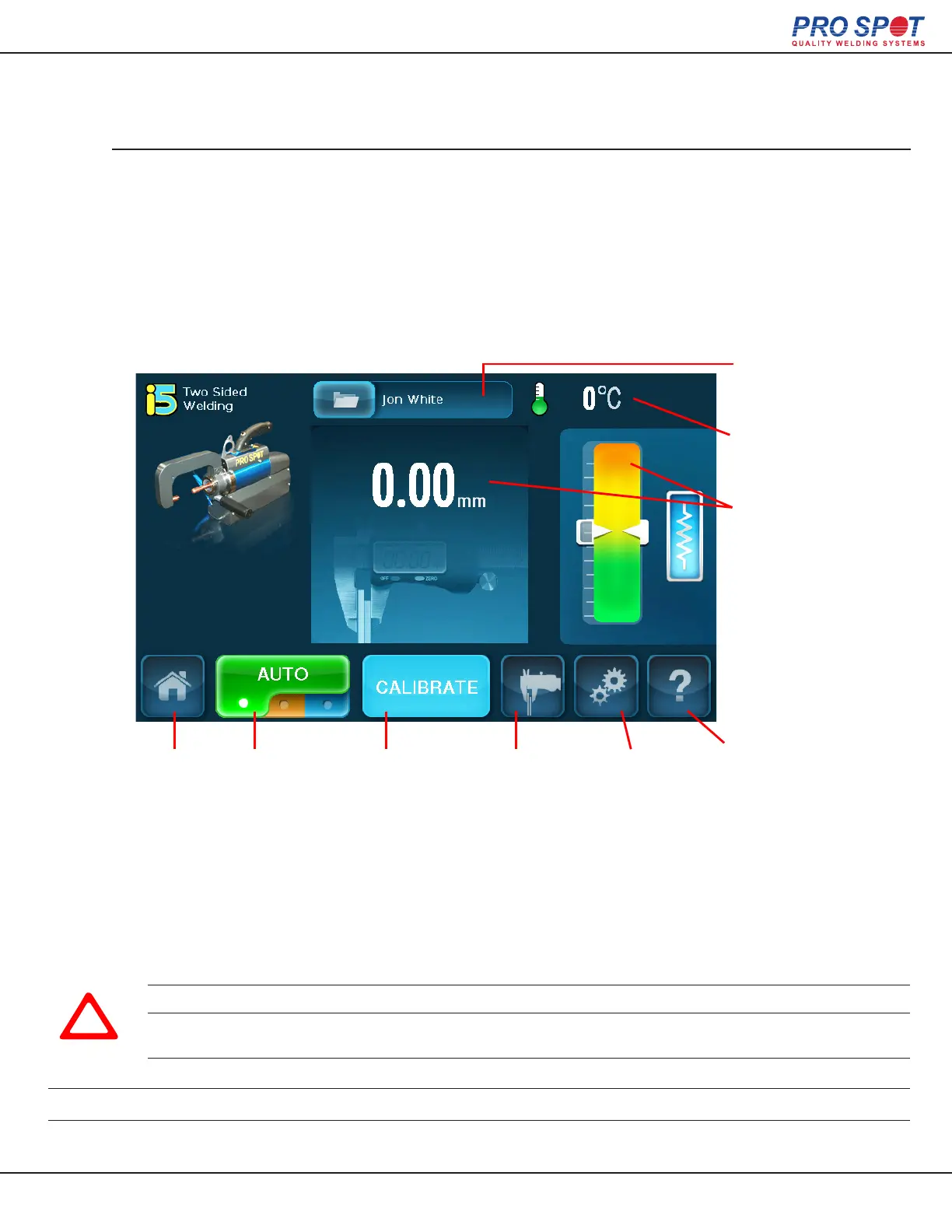
Auto Mode on the i5 is able to automatically detect the thickness and resistance of most
metals and coatings / adhesives. Once properly calibrated the user only needs to press
the weld trigger and allow the i5 to determine the correct power levels and duration.
The user can also use Measurment Only Mode within the Auto Mode screen which mea-
sures the steel thickness and resistance without welding.
Two-Sided Auto Welding
Trans Gun
Temperature
Login Status
Home Weld Mode
Carousel
(Press to switch
between weld
modes.)
Measurement
Only Mode
Advanced
Settings
Calibration Help
Auto
Thickness /
Resistance
Indicators
IMPORTANT! The i5 welder comes without coolant to ease transportation, be sure to ll coolant tank before
turning on the welder!
IMPORTANT! If the thermal breaker has switched off the welder, please contact Pro Spot’s authorized service personnel
IMPORTANT! N’éteignez pas le soudeur pendant que le système de refroidissement est activé!
IMPORTANT! Si le disjoncteur thermique a éteint le soudeur, s’il vousplaît contactez personnel de service autorisé Pro Spot.
!
IMPORTANT! Make sure the water cooling hoses are securely clipped into place before welding.
IMPORTANT! Turn the power off before disconnecting water hoses from the weld gun.
20



 To Next Page