All Info Copyright © Pro Spot International Inc.
4 - Operation
Page 14
i5
4.2.3 i5 Touch Screen Control
2-Sided Welding (Semi-Auto Mode)
2. Edit Mode
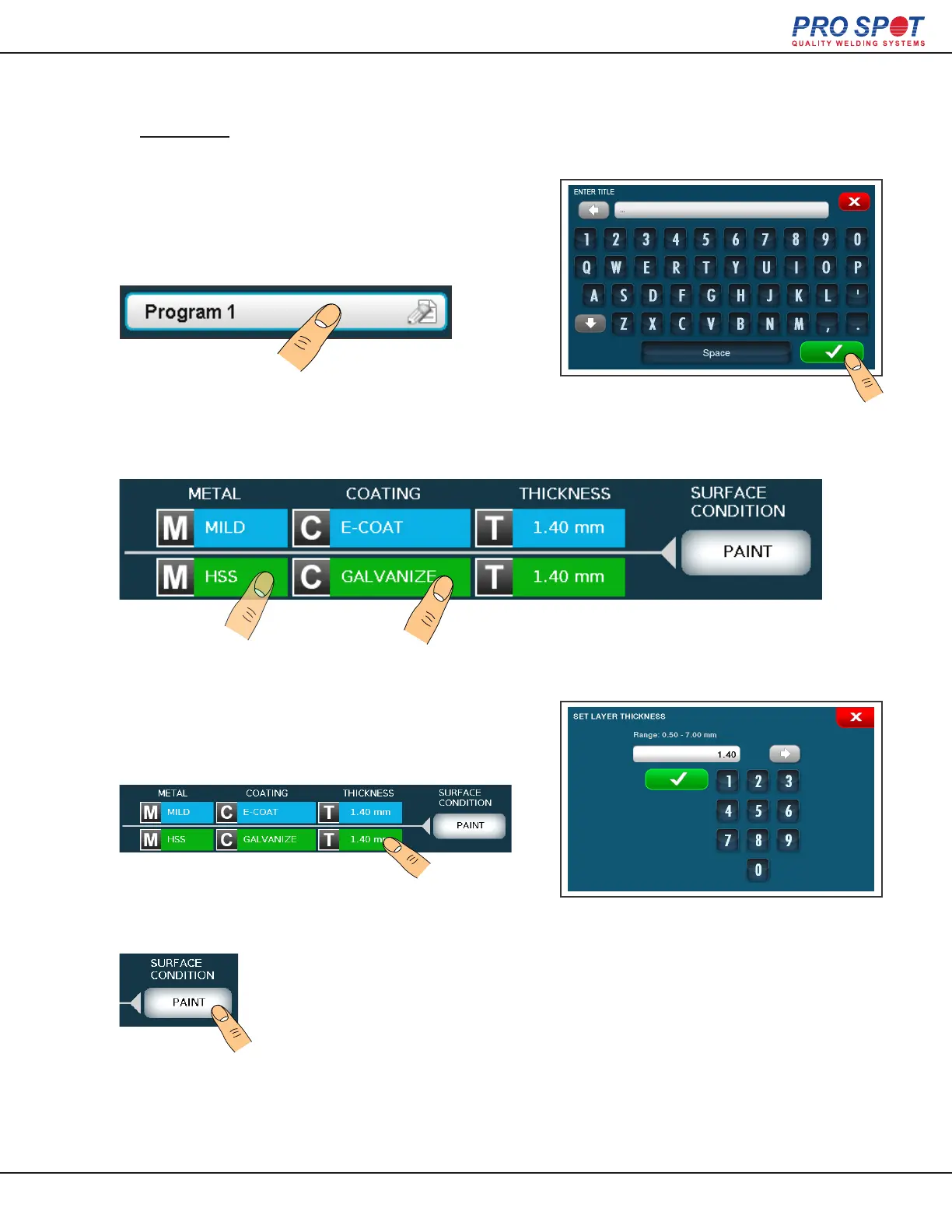
You can name the stack you are customizing by
pressing the title button to open the alpha-numeric
keypad. Enter the new title and press the green
check mark to save.
Select a metal and coating for each layer.
Press the thickness eld on the edit screen, this
will bring up a key pad. Enter the thickness of the
material and press the green check mark.
Press the surface condition button to cycle through several
different surface scenarios.
24



 To Next Page