26
english
PROGRAMMING THE CYCLECOMPUTER
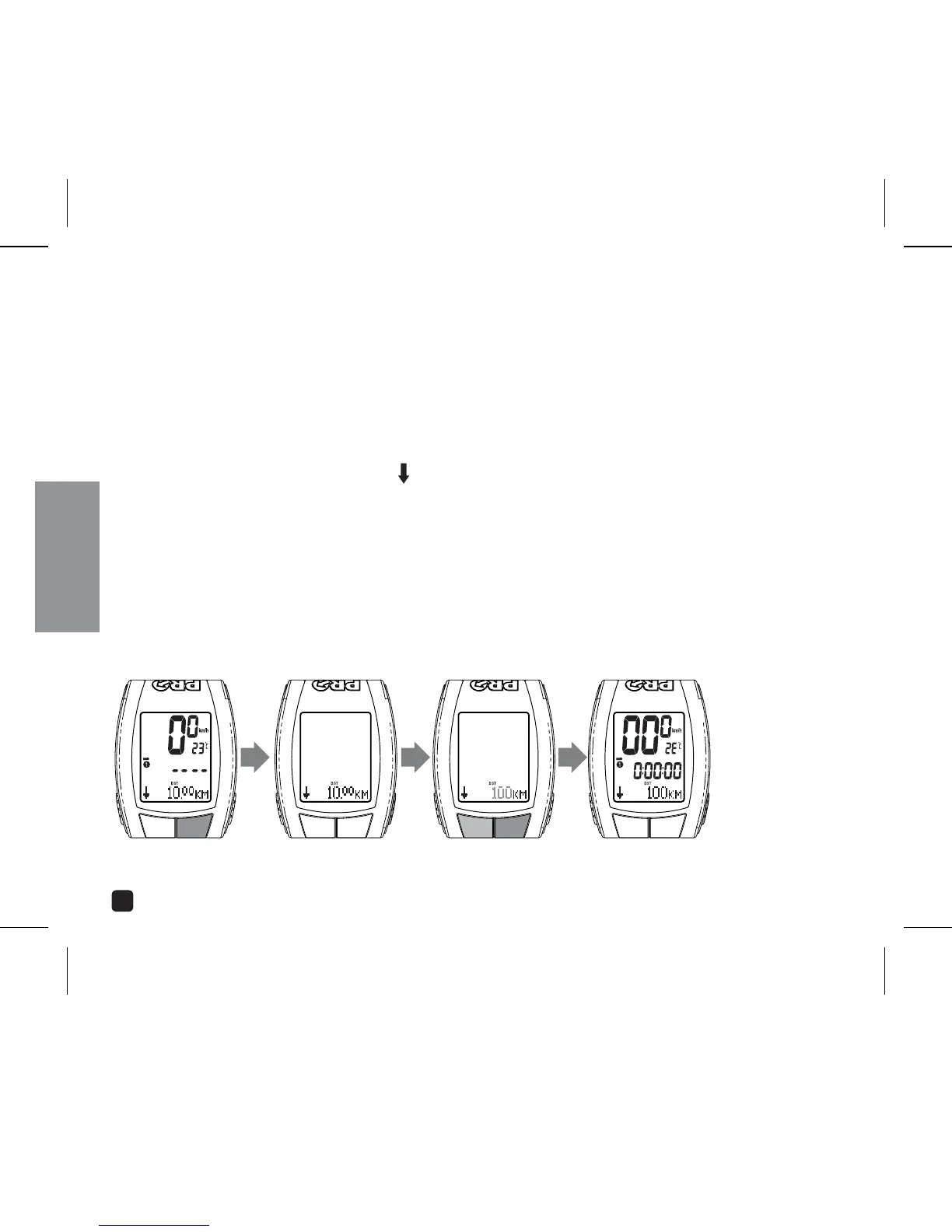
SETTING DISTANCE COUNTDOWN
PRO Scio Cyclocomputers allow you to program a specific distance and count down to your
specified destination in 1/100-mile/kilometer resolution.
1. In Distance mode, Press the Option key to toggle between Distance Up and Down.
The Distance Countdown icon (
) will appear in the center line of the display.
2. In Distance Down mode, Press & Hold the MODE key to enter the Programming
Sequence.
3. Adjust distance starting by pressing the OPTION or EL key.
4. Set count down distance and return to operating mode by pressing the MODE key.
SET:
PRESS & HOLD MODE
ADJUST:
PRESS OPTION OR EL
SET:
PRESS MODE
SELECT UP/DN:
PRESS OPTION



 To Next Page