28
english
PROGRAMMING THE CYCLECOMPUTER
SETTING PERSONAL DATA
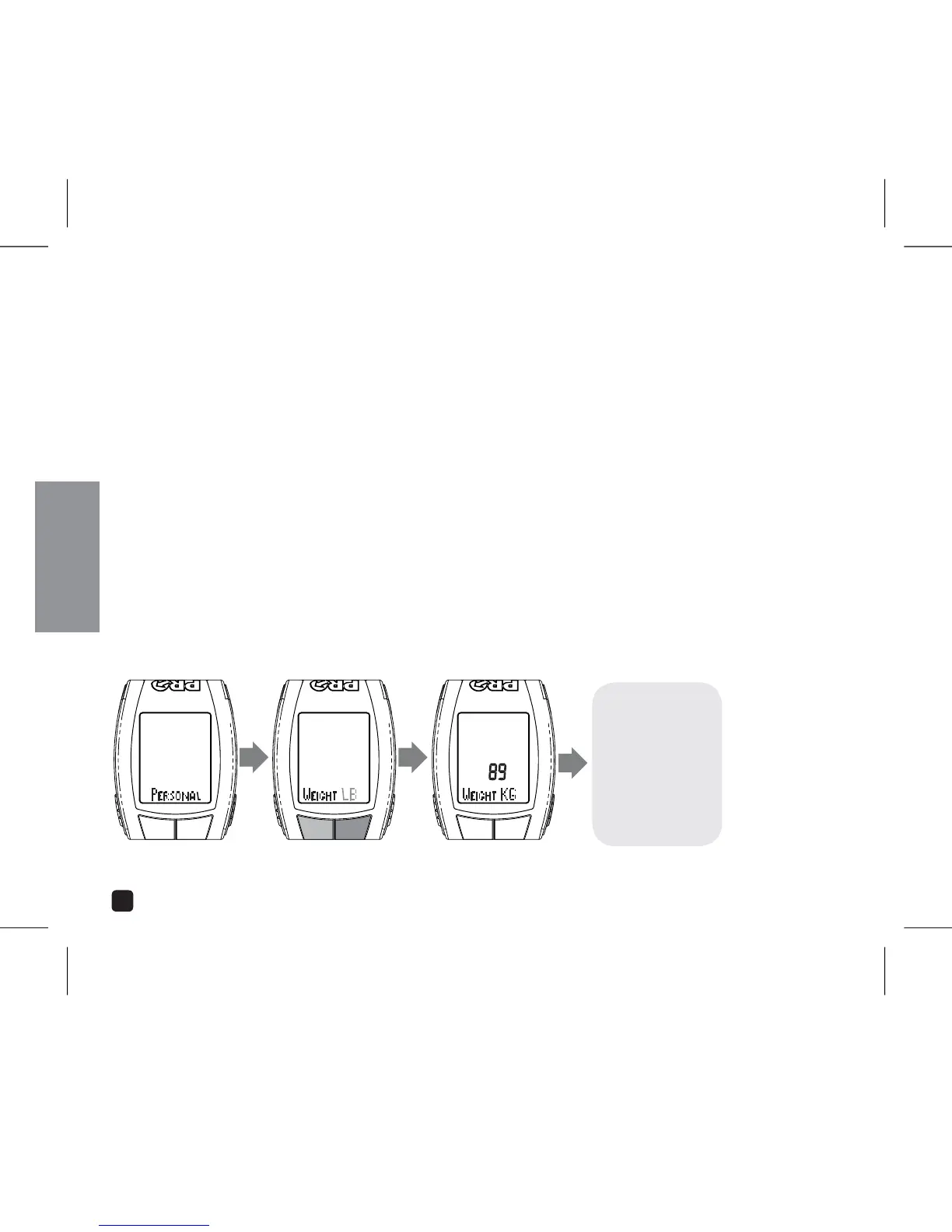
1. In the Stopwatch Setting menu, select PERSONAL by pressing the Option or EL key.
2. Press the Mode key.
3. Adjust weight units (lbs or KG) by pressing the OPTION or EL key. Press MODE to set.
4. Adjust Weight by pressing the OPTION or EL keys. Press MODE to set.
5. Select Gender by pressing the OPTION or EL keys.
6. Press MODE to set return to setting menu.
ADJUST:
PRESS OPTION OR EL
SET: PRESS MODEPRESS MODE
CONTINUE THROUGH
ALL FIELDS
PRESS OPTION OR EL
TO ADVANCE TO NEXT
SETTING



 To Next Page