7
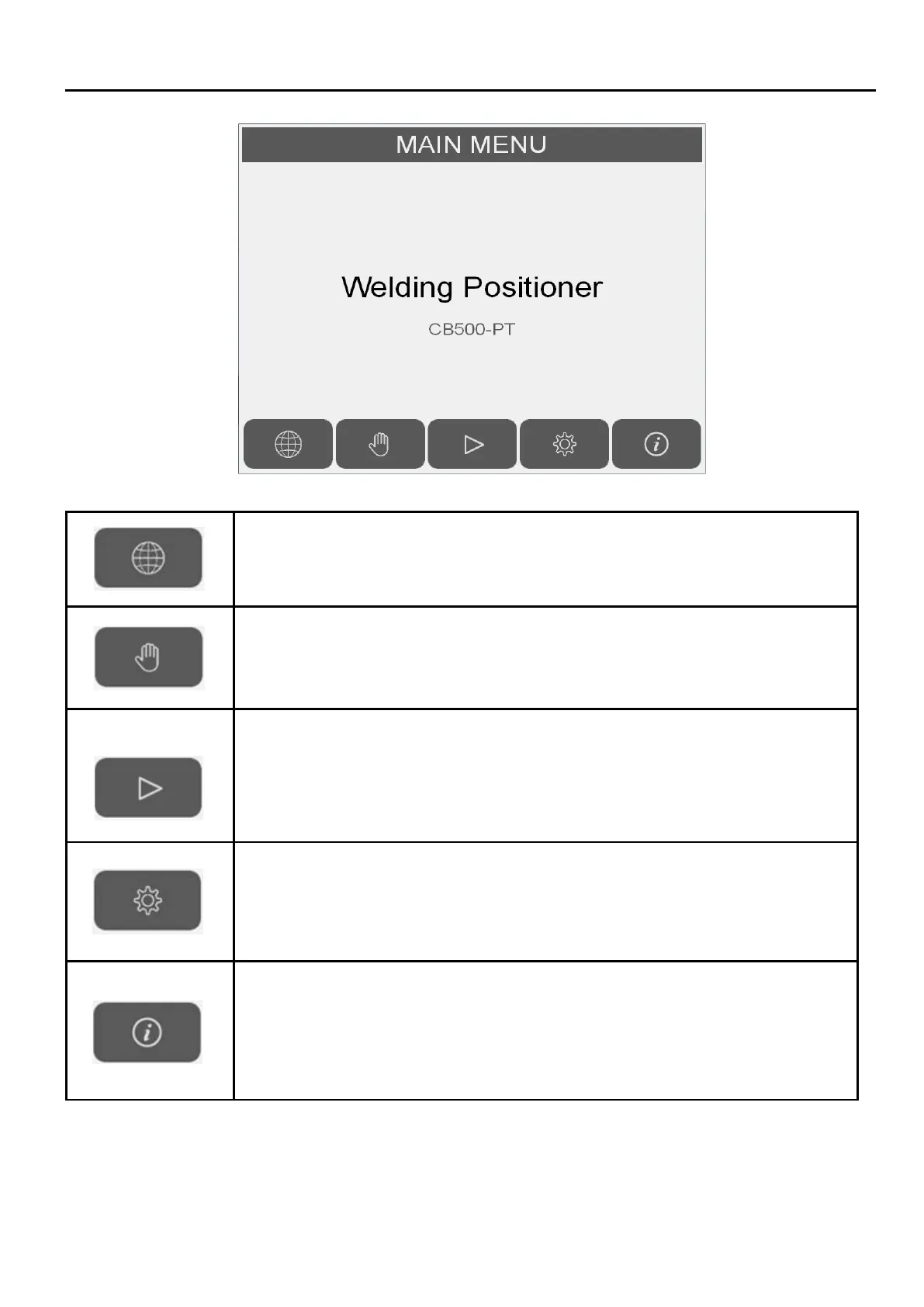
Switch language Chinese / English.
Switch to "Manual Mode" screen.
Switch to "Auto Mode" screen
User level 1 clearance is required.
Default user level 1 clearance password:123
Default user level 2 clearance password:456
Refer to section 「2.11 Password」 to disable auto mode password protection.
Switch to "Setting" screen.
Switch to "System Info" screen.


 To Next Page