8
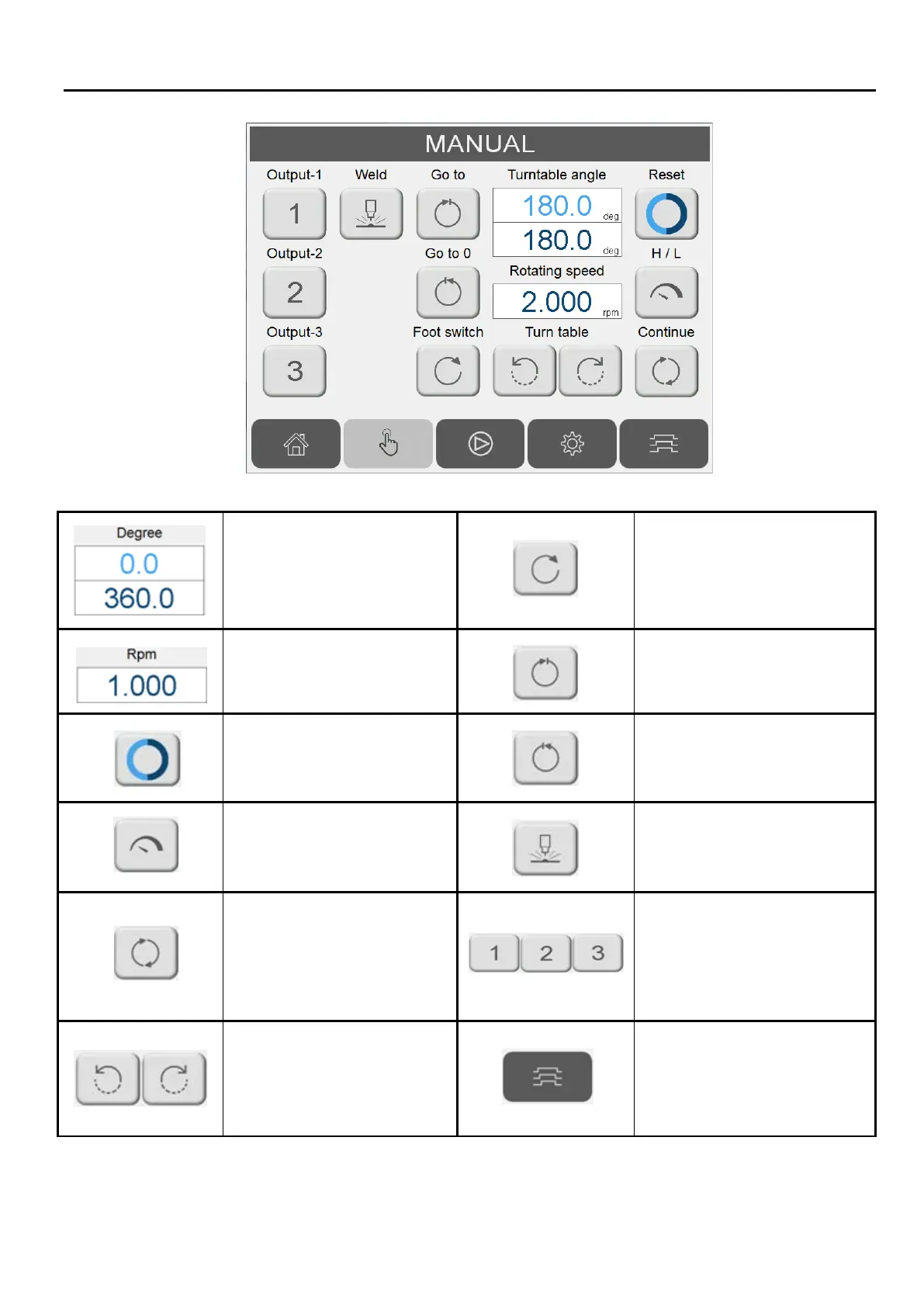
Turn table current position:
Blue field: current position.
Red field: set position.
Foot switch.
direction selection.
Turn table rotation per round
(RPM) setting.
Move to set position.
Reset current position to 0.
Return to beginning position.
Toggle between
welding/high turn table
speed.
Manual activate welder.
Jog operation mode.
1. Hold/release the button
to rotate.
2. Press to toggle rotation
ON/OFF.
Force dry contact output
ON/OFF.
Turn table jog operation.
Switch to welding sequence
screen.


 To Next Page