21
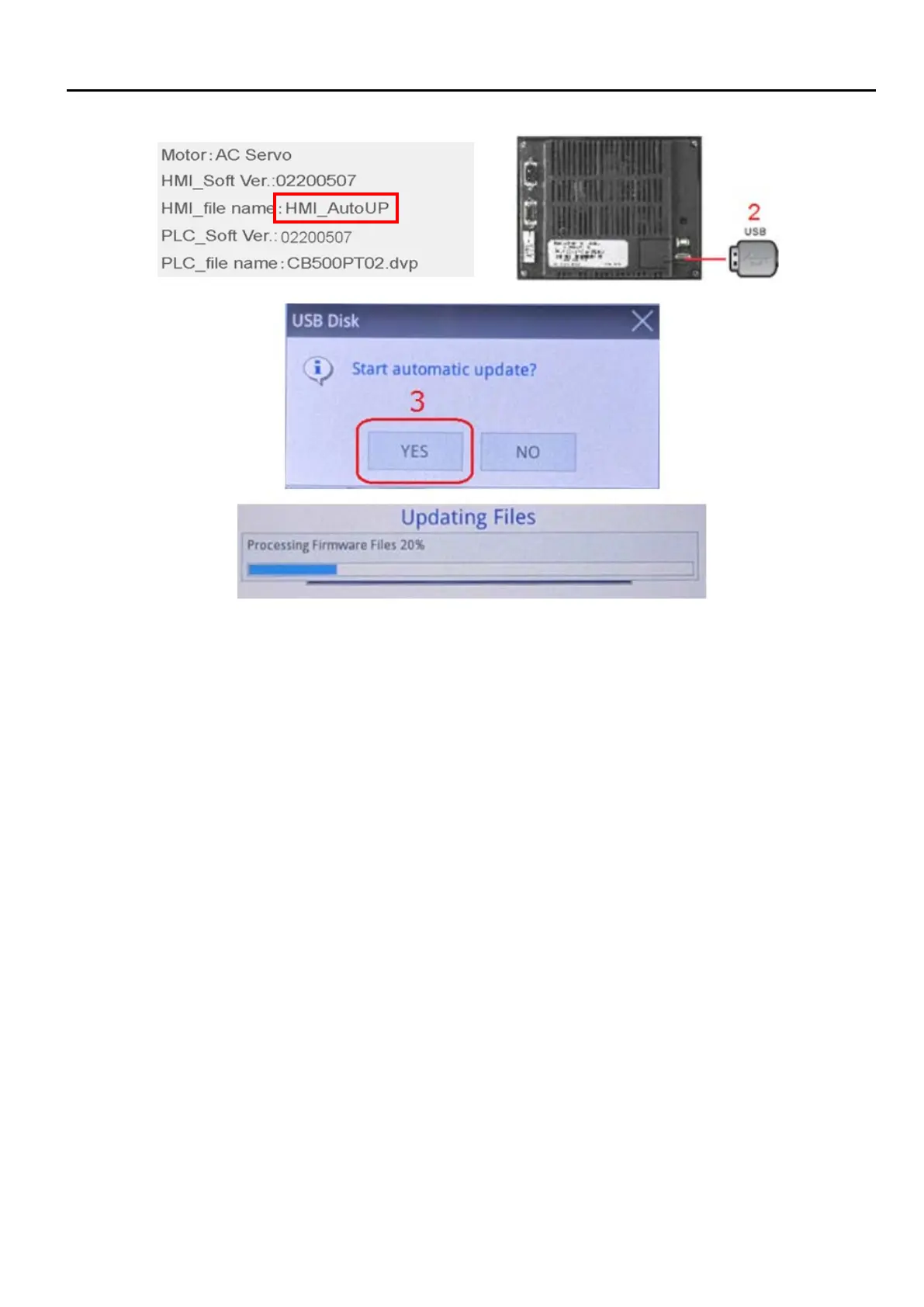
1. Copy HMI update program (HMI_AutoUP) into USB disk (FAT32 format).
2. Insert the USB disk into USB port behind HMI display
3. Wait for a few second and system would automatically search for HMI AutoUP files
4. Upon Start automatic updata prompt appeared? Select “Yes” to start update
5. Do not unplug USB during update. HMI would restart upon update completion.
6. After HMI reboot, the same update prompt would appear again. Select “NO” this time and unplug the
USB to complete update procedure.


 To Next Page