9
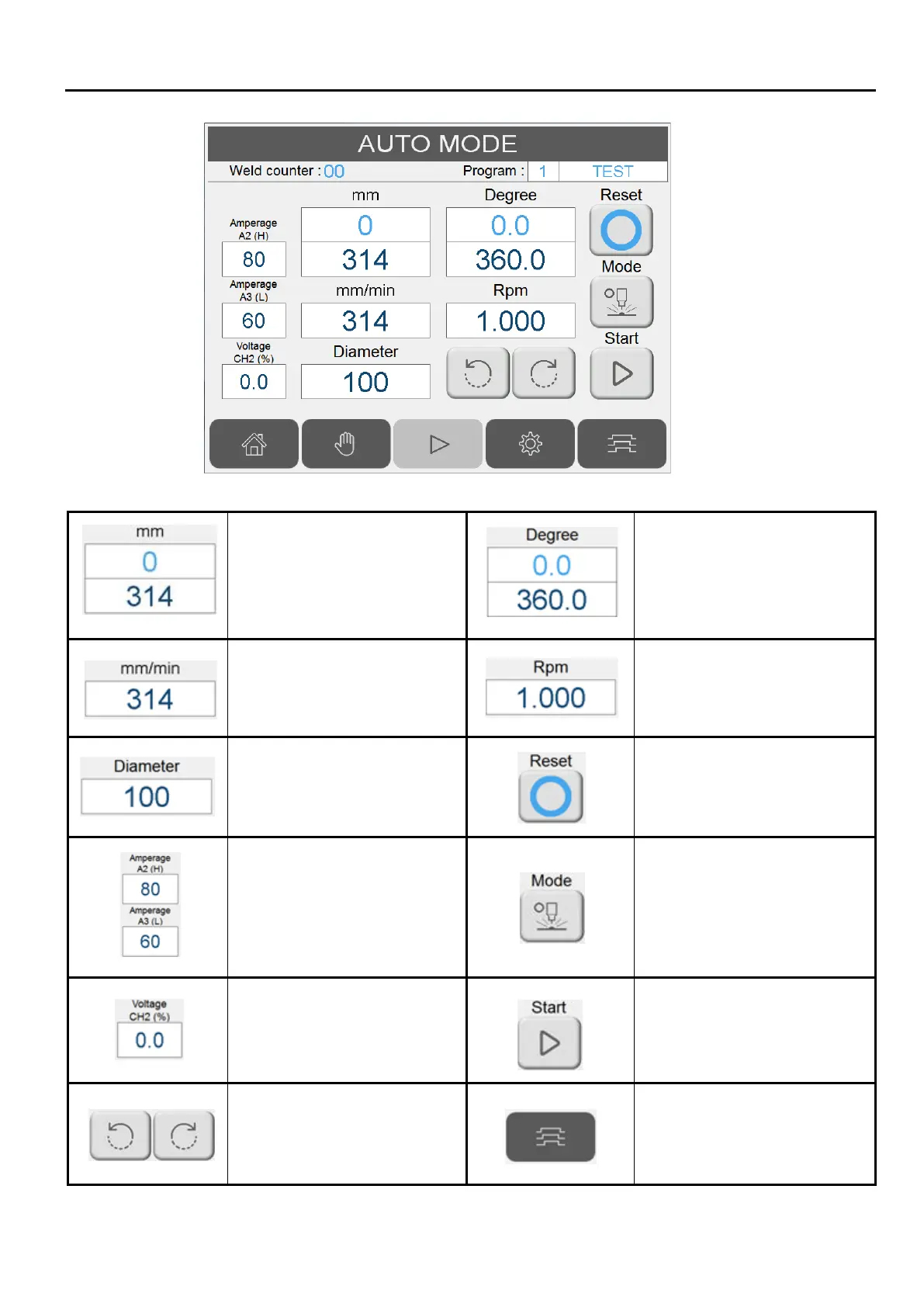
Turn table current position
according to angle &
diameter:
Blue field: current position.
Red field: set position.
Turn table current position:
Blue field: current position.
Red field: set position.
Turn table linear speed
(mm/min) setting.
Turn table rotation per round
(RPM) setting.
Welding diameter.
Reset current position to 0
Welding current (A).
0~100% = 0~10VDC
If pulse mode is active,
represents the peak (A2).
(please refer to sec 2.8)
Simulation/Auto mode toggle.
Welder ON is disable when
Simulation mode is active.
Second analog voltage
output. 0~100% = 0~10VDC
Activate/stop auto welding
sequence.
Turn table jog operation.
Switch to welding sequence
screen.


 To Next Page