22
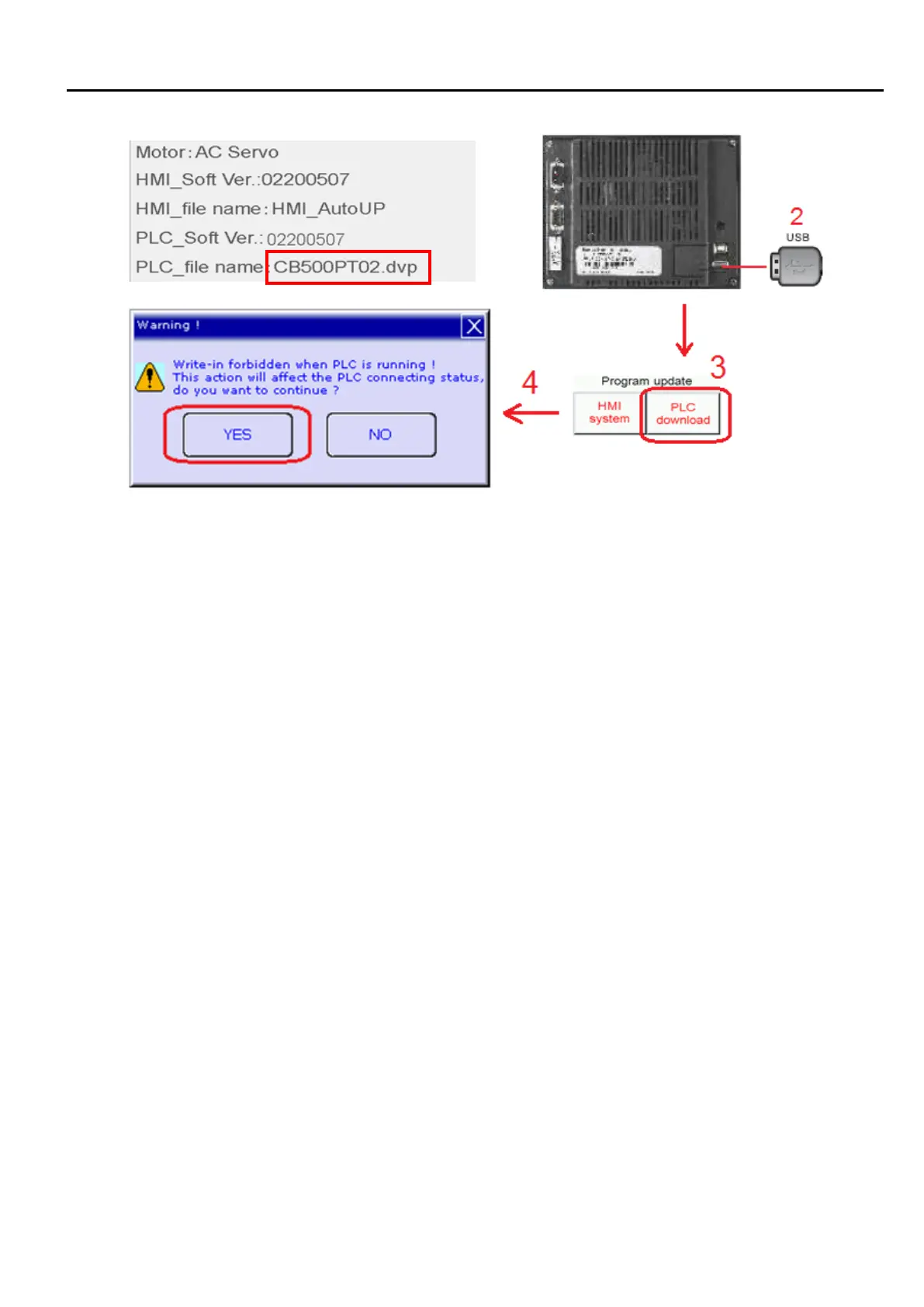
1. Copy PLC update program(CB500PT01.dvp) into a USB disk (FAT32 format).
2. Insert the USB disk into USB port behind HMI display.
3. Press ”PLC download” button, and a keypad is shown
4. Enter the password
5. Press ”YES” in the following prompt to download the PLC program
6. Success or failure message is displayed afterward.


 To Next Page