H - I - J FREQUENCY CONVERTERS INSTRUCTION MANUAL 0,55 ÷ 200 kW
- 18 -
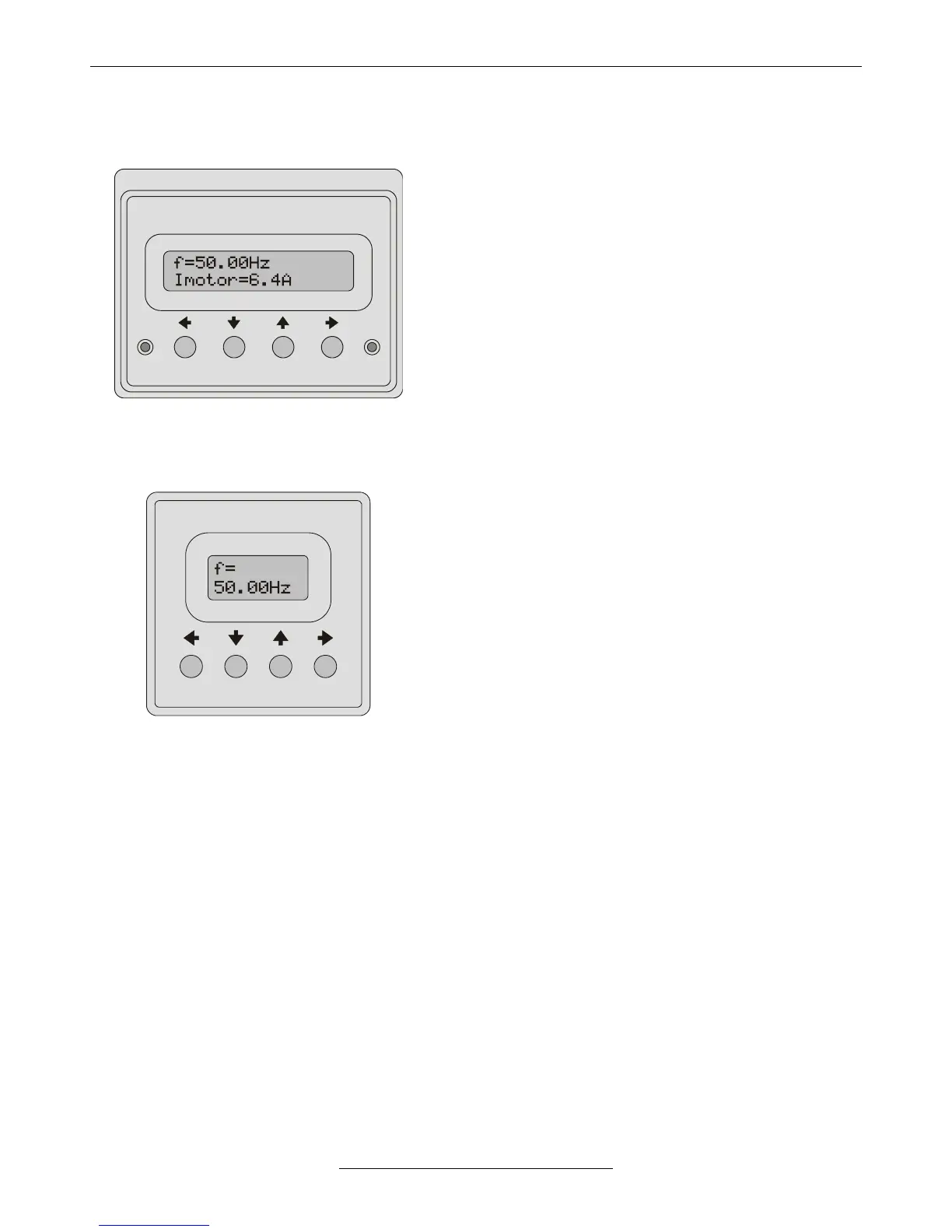
• Operating terminal
▪ This terminal allows programming the parameters of the
quick menu, displaying 2 parameters and generating
reference signal.
▪ Includes a 2x16 character display, 4 push buttons and displays
for error state and operation state.
▪ Reading in display mode: first row - the frequency, second row -
another parameter (e.g. voltage, current), which can be stepped
with the and arrows.
▪ Reading in programming mode: first row - the name of the
parameter along with its main menu ordinal number (e.g.
2 Control Tup), second row - the submenu ordinal number
and the value of the actual parameter (e.g. 1-1 5.00s), that
can be modified with the push buttons.
▪ In case of error at the end of the first line the ordinal number of
the error, in the second line the name of the error is displayed.
The error list can be stepped with the and arrows.
▪ The terminal can be used as a built-in unit (VHD), in casing as a
stand-alone unit or as an externally mounted unit (e.g. to the
door off the control cabinet).
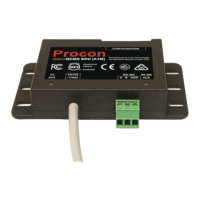
▪ This terminal allows programming, displaying 1 parameter
and reference signal generation.
▪ Equipped with a 2x8 character display and 4 push buttons.
▪ Reading in display mode: first row - the name of a displayable
parameter (e.g. f=), second row - its value (e.g. 50,00Hz).
The display can be stepped with the and arrows.
▪ Reading in programming mode: first row - the parameter’s
ordinal number in the menu (e.g. 3-1-1), second row - (in case
of a variable parameter) the value of the actual parameter
(e.g. 5.00s), that can be modified with the push buttons.
▪ The terminal can be used built in the front panel of the
frequency converter only!
• Functions of the push buttons (operating and controlling terminal)
▪ Change between display mode and programming mode
▪ Parameter setting mode: shift the cursor to the left
▪ Repeated push: exit parameter setting mode without saving (until the cursor blinks)
▪ At error display: displaying the cause of the error
▪ Display mode: scrolling the displayed variables downward
▪ Programming mode: moving in the menu downward
▪ Parameter setting: decreasing the value or scrolling the selector switches downward
▪ With selected terminal motor potentiometer: decreasing the reference signal
▪ With enabled motor potentiometer start / stop: Stop
▪ Display mode: scrolling the displayed variables upward
▪ Programming mode: moving in the menu upward
▪ Parameter setting: increasing the value or scrolling the selector switches upward
▪ With selected terminal motor potentiometer: increasing the reference signal
▪ With enabled motor potentiometer start / stop: Start
▪ Programming mode: starting the parameter setting
▪ Parameter setting mode: shift the cursor to the right
▪ Repeated push: save parameter value (until the cursor blinks)
▪ Acknowledgement at error



 To Next Page