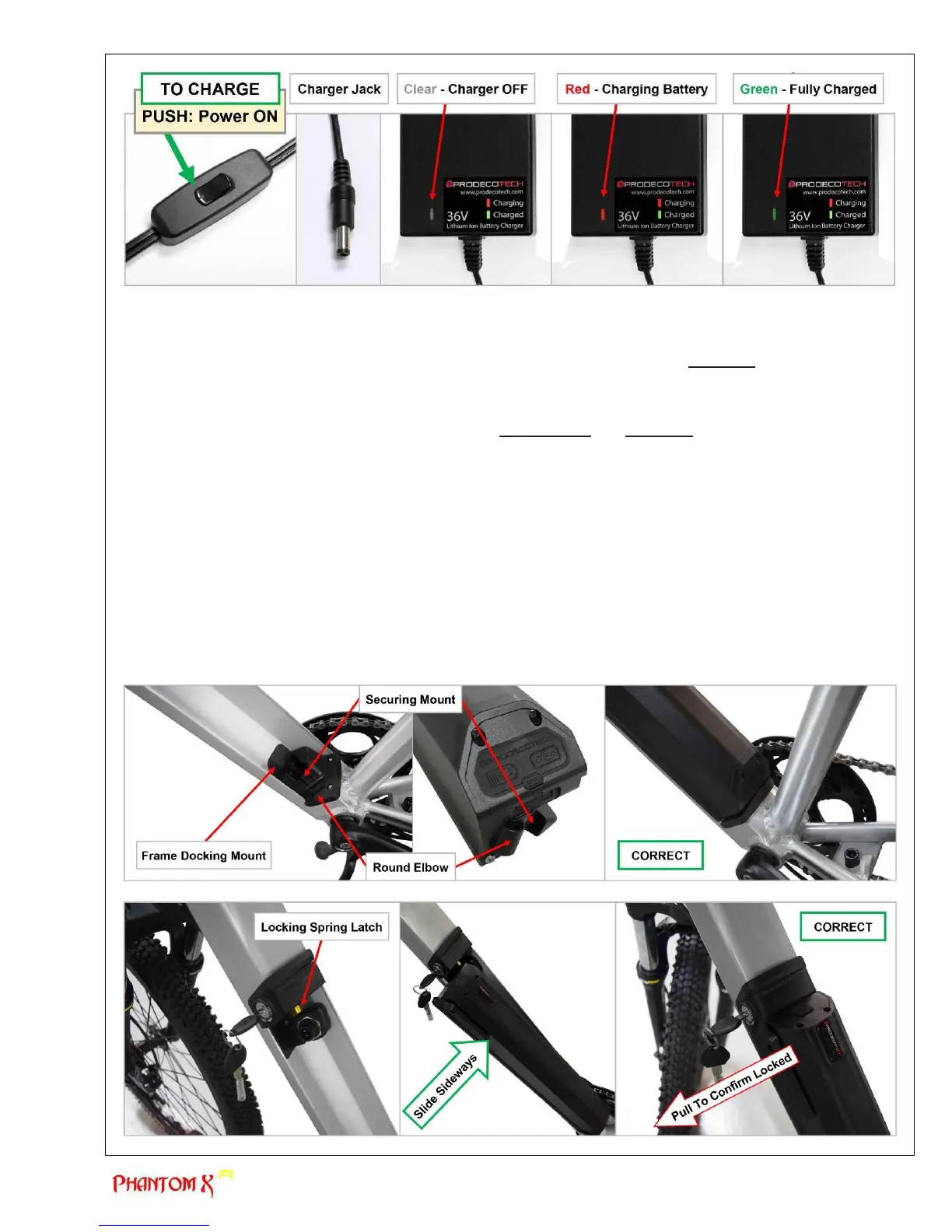
c) Installing the battery (SEE PHOTOS)
The Phantom X R’s battery mounts on the downtube of the bicycle from the left side. To mount the battery, you
would first slide the base of the battery into the frame’s lower docking mount (closest to the crankset) and then
move the battery sideways into the lock position. The battery will be a tight fit and ALWAYS confirm the battery is
locked in place by pulling the top of the battery sideways. By pulling on the battery, this will assure the battery has
locked into position. Review the photos and detailed explanation of how install the battery below.
The battery is secured in place at the base by a round elbow combined with a securing mount. At the top, the
battery is secured by a spring loaded cylinder latch. It is IMPORTANT you ALWAYS confirm the battery is locked in
place. Follow these instructions to install and lock the battery in place.
1. Confirm the battery is in the OFF position (No LED lights) by pushing the rubber panel switch at the top
of the battery.
2. Hold the battery parallel to the downtube opening, this is where the battery will mount.
3. Angle the bottom of the battery towards the frame’s lower docking mount.
4. Sit the battery base’s round elbow into the round concave space at the frame’s lower docking mount.
5. Slowly place the battery into position by moving the battery sideways, seating it into the frame’s
downtube.
6. Firmly push the side of the battery top to lock the battery in place. The spring loaded latch should have
locked the battery in place.
7. Confirm the battery is locked in place by pulling at the top of the battery as if you were going to remove
it. If the battery moves even the slightest amount, the battery is not locked in place. Remove and
reinstall the battery if the battery did not lock in place.



 To Next Page