Blood Glucose Monitoring System - User’s Manual
Diagnostic Devices, Inc www.prodigymeter.com 1.800.243.2636
24
• Testing Procedure
Wash and dry your hands first, before start testing.
STEP 1 Set the Lancing Device
Insert a lancet in the adjustable lancing device.
Screw off the cap of lancing device. Insert a lancet
into the lancet holder and push down firmly
until it is fully seated.
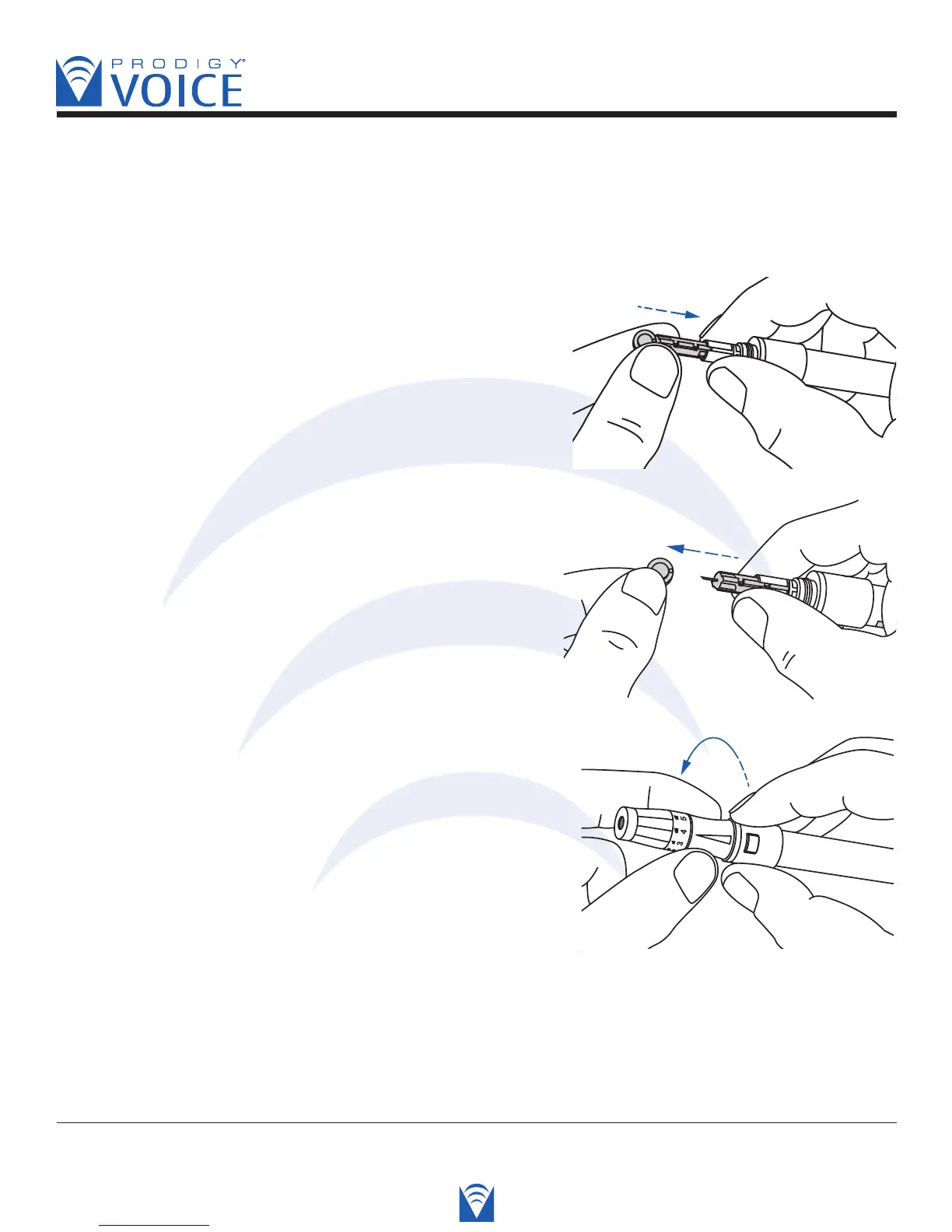
Twist and pull the protective cap until it separates from
the lancet.
Replace the lancet device cap. Turn the cap until
it is snug but not too tight.
The adjustable tip offers 5 levels of skin penetration.
Twist the adjustable tip in either direction until the
number lines up with the Arrow. Select the best depth:
1-2 for soft or thin skin,
3 for average skin,
4-5 for thick or calloused skin.



 To Next Page