15
5.2 LED Display
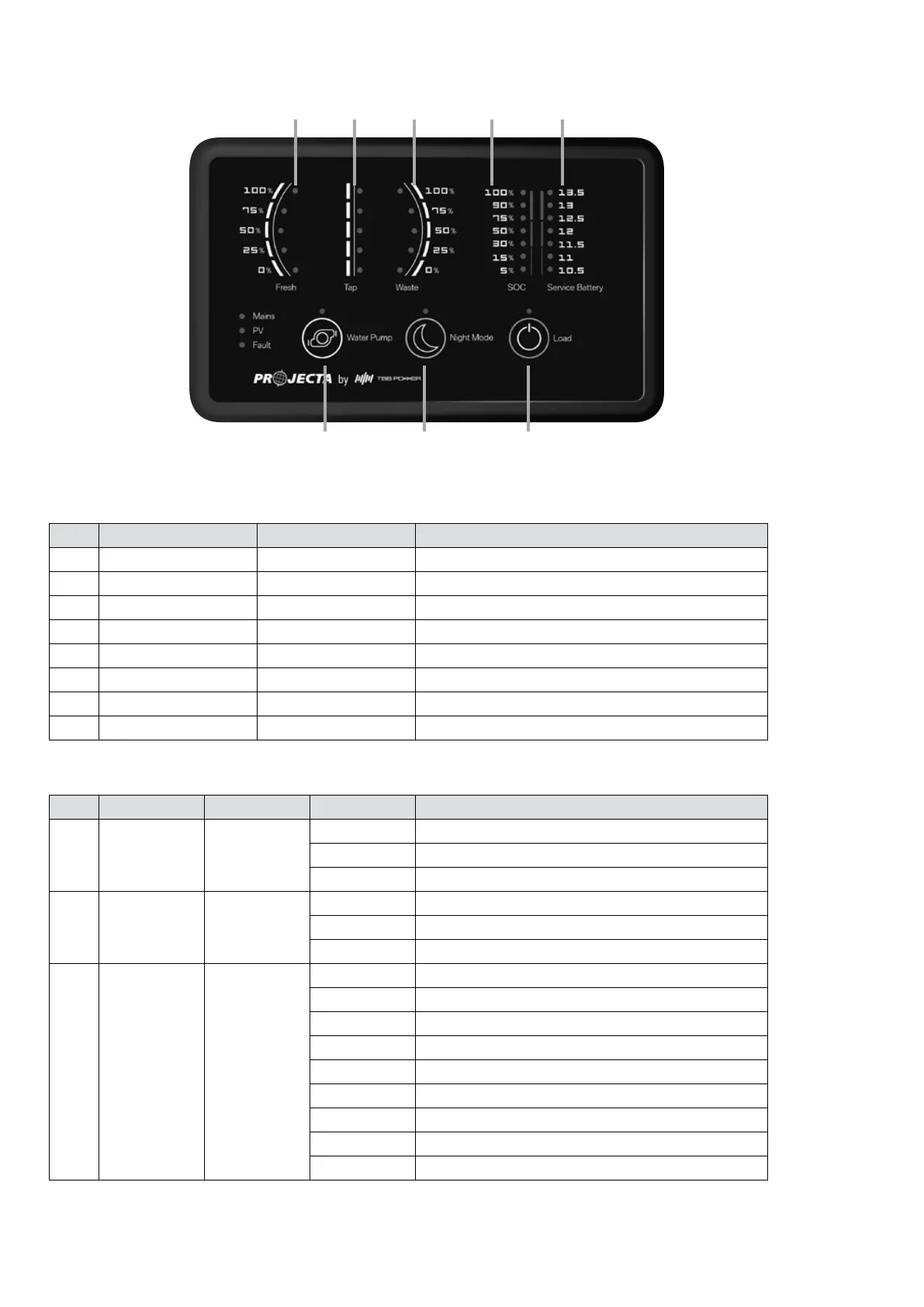
Figure 22 An overview of PMSWLED-2
Table 10 Front panel of PMSWLED-2
N
o
LABEL TYPE DESCRIPTION
1 Water Pump DC Load Control Load control, on/off control
2 Night Mode Scene Mode Refer to 2.10
3 Load DC Load Control Load control, on/off control. Refer to 2.7
4 Fresh Water Tank Sensor Detect the level of fresh water tank
5 Tap Water Tank Sensor Detect the level of tap water tank
6 Waste Water Tank Sensor Detect the level of waste water tank
7 Service Battery SOC Detect the state of the charge of service battery
8 Service Battery Voltage Detect the voltage of service battery
N
o
LABEL COLOUR STATUS DESCRIPTION
1 Mains Green
ON Battery charged or power supply mode
Flash Battery charging under grid electricity
OFF NO AC input
2 PV Green
Solid Battery charged
Flash Battery charging under solar energy
OFF NO solar input / AC charging / Str Bat Charging
3 Fault Red
Voltage Detect the voltage of starter battery
ON Short circuit
1 Flash Service battery voltage low
2 Flash Service battery voltage high
3 Flash Over temp (heat sink)
4 Flash Bulk charge timeout
5 Flash VCR anomaly
6 Flash Over temp (environment)
8 Flash BMS Over-Voltage Protection
Table 11 LED indication description of PMSWLED-2
1
4
2
5 6 7 8
3
Note: SOC may not be accurate if system run a inverter or other device direct to the battery.
If you want an accurate SOC, please replace the display with PMLCD-BT and install PMSHUNT.


 To Next Page
 Loading...