EasyManua.ls Logo

PROLiNK MASTER II Series - User Manual

PROLiNK MASTER II Series
48 pages
Print Icon
To Next Page IconTo Next Page
Loading...
ONLINE UPS
User Manual
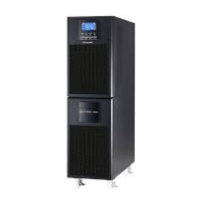
PRO-83300QRS/QRL (3P/3P or 3P/1P or 1P/1P) - TOWER
PRO83300-QRS/QRL
10KVA/20KVA
Version 1.00
(English)

Other manuals for PROLiNK MASTER II Series

Questions and Answers

  • C
    Cindy ChungAug 31, 2025
    Why is my PROLiNK MASTER II battery backup time so short?
    • C
      Crystal BrockAug 31, 2025
      A shorter than expected battery backup time on your PROLiNK UPS can be due to a battery that isn't fully charged. Charge the battery for at least 7 hours to ensure it reaches full capacity. If the problem continues after a full charge, it may indicate a battery defect.
  • B
    barbaraorozcoSep 10, 2025
    What to do if PROLiNK MASTER II UPS displays error codes 14, 15, 16, 17, 18, or 19?
    • C
      Casey DawsonSep 10, 2025
      If your PROLiNK UPS shows error codes 14, 15, 16, 17, 18, or 19, this indicates a short circuit in the UPS output, causing it to shut off automatically. You should check the output cable and the connected device for any short circuit issues.
  • S
    seth01Aug 30, 2025
    What to do if PROLiNK MASTER II error code 43 is displayed?
    • P
      paul86Aug 30, 2025
      If your PROLiNK UPS displays error code 43, it indicates that the UPS was overloaded for too long and became damaged, causing it to shut down automatically. To resolve this, remove some of the devices connected to the UPS to reduce the load, and then turn the UPS back on.
  • K
    Kevin WellsSep 12, 2025
    Why is the PROLiNK MASTER II battery backup time shorter than expected?
    • J
      Jonathan LiuSep 12, 2025
      If your PROLiNK UPS battery backup time is shorter than expected, the battery may not be fully charged. Charge the battery for at least 7 hours to check its capacity.
  • S
    Sarah LoganSep 12, 2025
    How to fix a PROLiNK MASTER II with no display despite normal electricity?
    • S
      Shawn DixonSep 12, 2025
      If your PROLiNK UPS has no display or alarm even with normal electricity, the AC input power may not be properly connected. Ensure the input cable is firmly connected to the power source.
  • J
    Julie BrownSep 15, 2025
    What to do if fault code 43 is shown on PROLiNK Battery Pack?
    • S
      Sean HernandezSep 16, 2025
      If fault code 43 and the icon are displayed on the LCD and the alarm is sounding continuously on your PROLiNK Battery Pack, it means the UPS shut down automatically due to an overload at the output. To fix this, remove excess loads from the UPS output and then restart the UPS.
  • M
    murphyseanSep 23, 2025
    What does fault code 28 mean on my PROLiNK Battery Pack?
    • R
      Robert MartinezSep 23, 2025
      If fault code 28 is displayed on the LCD and the alarm is continuously sounding on your PROLiNK Battery Pack, it indicates that the battery voltage is too low or the charger is faulty. Contact your dealer.
  • E
    Eric HoodAug 27, 2025
    What does warning code 0A mean on my PROLiNK UPS?
    • L
      Lance HurstAug 27, 2025
      Warning code 0A on your PROLiNK UPS suggests that the fan is locked or not working, or the UPS temperature is too high. Check the fans.
  • S
    Sharon SuttonAug 26, 2025
    Why is my PROLiNK MASTER II UPS showing warning code 01?
    • M
      Marissa PriceAug 26, 2025
      Warning code 01 on your PROLiNK UPS indicates that the external or internal battery is incorrectly connected. You should check if all batteries are connected properly.
  • J
    Joshua BurnsAug 25, 2025
    What to do if PROLiNK MASTER II shows fault code 43?
    • M
      Melissa PerryAug 26, 2025
      If your PROLiNK UPS displays fault code 43, it means the UPS was overloaded for too long, resulting in a fault and automatic shutdown. To fix this, remove excess loads from the UPS output and then restart it.

Summary

Safety and EMC Instructions

Transportation and Storage Guidelines

Guidelines for safely transporting and storing the UPS system.

Pre-Installation Preparation

Pre-installation checks and environmental considerations for the UPS.

UPS Installation Procedures

Instructions for safely installing the UPS unit.

Connection Warnings and Safety

Critical safety warnings and advice for connecting the UPS.

UPS Operation Guidelines

Basic guidelines for operating the UPS system safely.

Compliance Standards Overview

Overview of safety and EMC standards the UPS complies with.

Installation and Operation

Unpacking and Inspection Process

Procedure for unpacking and inspecting the UPS unit upon arrival.

Wiring Terminal Connections

Diagrams and descriptions of the UPS wiring terminal connections.

Single UPS Unit Installation

Step-by-step guide for installing a single UPS unit.

Parallel System UPS Installation

Instructions for installing UPS units in a parallel configuration.

UPS Monitoring Software Installation

Guide to installing the UPS monitoring software.

Operations

Button Operation

Explanation of the UPS control panel buttons and their functions.

Screen Description

Overview and explanation of the UPS LCD screen menus and functions.

Audible Alarm Details

Details on UPS audible alarms, their meanings, and muting options.

Single UPS Operation Guide

Step-by-step guide for operating a single UPS unit.

Parallel Operation Procedures

Procedures for setting up and operating UPS units in parallel.

Fault Code Reference

List and explanation of UPS fault codes for troubleshooting.

Warning Code Reference

List and explanation of UPS warning codes for status monitoring.

Troubleshooting Guide

Storage and Maintenance

UPS Storage Recommendations

Recommendations for proper storage of the UPS unit.

Routine Maintenance Procedures

Guidelines for performing routine maintenance on the UPS system.

Specifications

Technical Specifications

Detailed technical specifications for the UPS models.

PROLiNK MASTER II Series Specifications

General IconGeneral
WaveformSimulated Sine Wave
TypeLine Interactive
Input Frequency50 or 60Hz
Output Frequency50/60Hz
Typical Recharge Time4-6 hours
ProtectionOverload Protection
OutletsUniversal Socket x 3
Audible AlarmLow Battery, Overload, Fault

Related product manuals