PROLiNK® PEN1201 Wireless-N 300Mbps Range Extender II
8
2.3 Hardware Setup
There are several different ways you can configure your PEN1201 to connect to the Internet
and connect to your clients. Guides below shows how the hardware connection setup for each
mode available for PEN1201. Please first make sure that Wi-Fi client can successfully access
the Internet via the main router.
Repeater Mode Setup (Default)
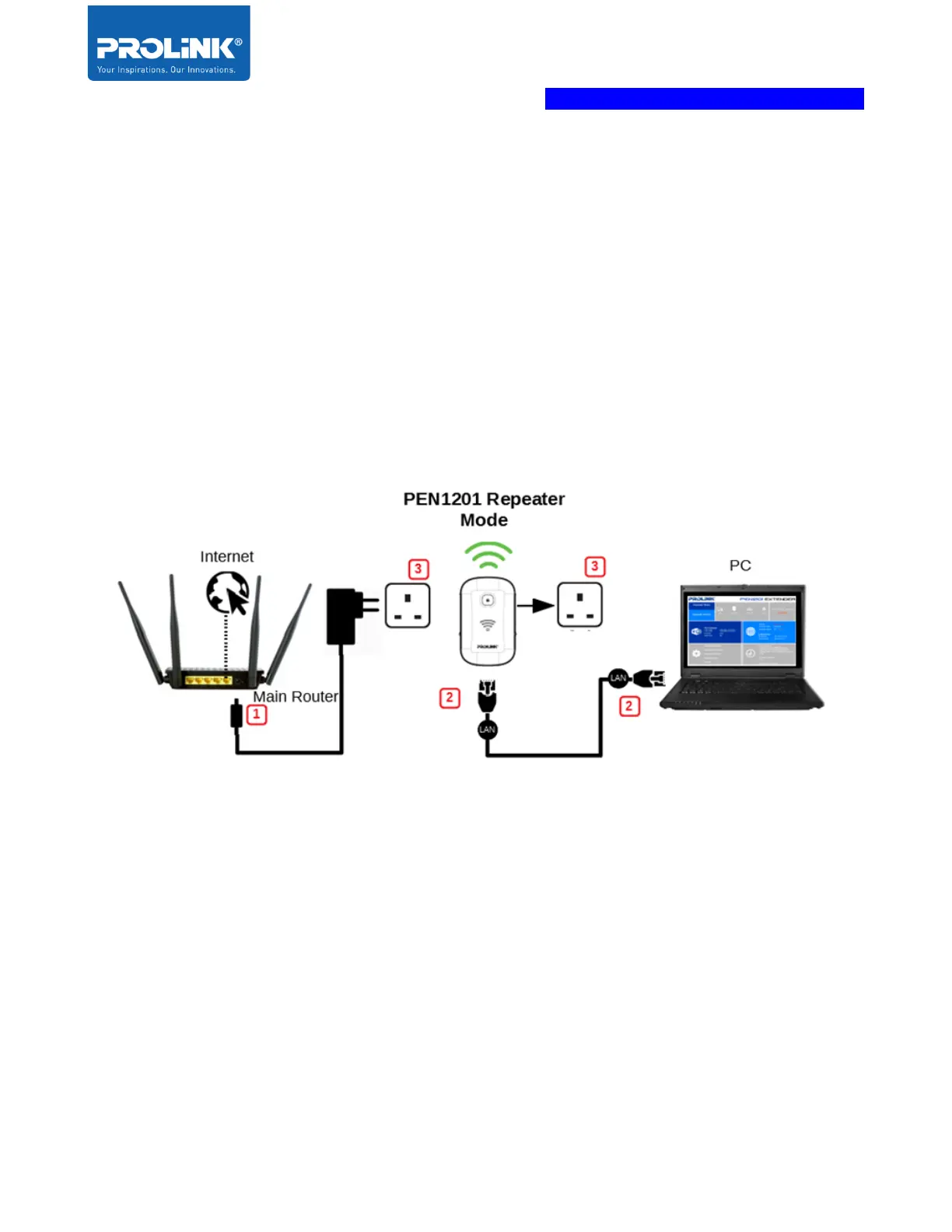
The following is a step to setup PEN1210 as a Wi-Fi range extender or Repeater. Make sure
your internet connection source from the main router is valid. Follow the step below to complete
the hardware connection.
1. Turn OFF Main/Existing Router.
2. Connect Ethernet cable between Computer LAN port to PEN1210 LAN port.
3. Ensure the PEN1201 Operation Mode Switch is set to “Repeater” and Turn ON power
of Main/Existing Router and PEN1210.



 To Next Page