PROLiNK® PEN1201 Wireless-N 300Mbps Range Extender II
Page 14
3 Getting Started
In the previous chapter, we have made a network hardware connection setup in various different
operating modes. In this chapter, it guides user on how to check TCP/IP setup before getting
started, how to log into the PEN1201 Web User Interface configuration and guide on using
Setup Wizard.
3.1 TCP/IP Setup
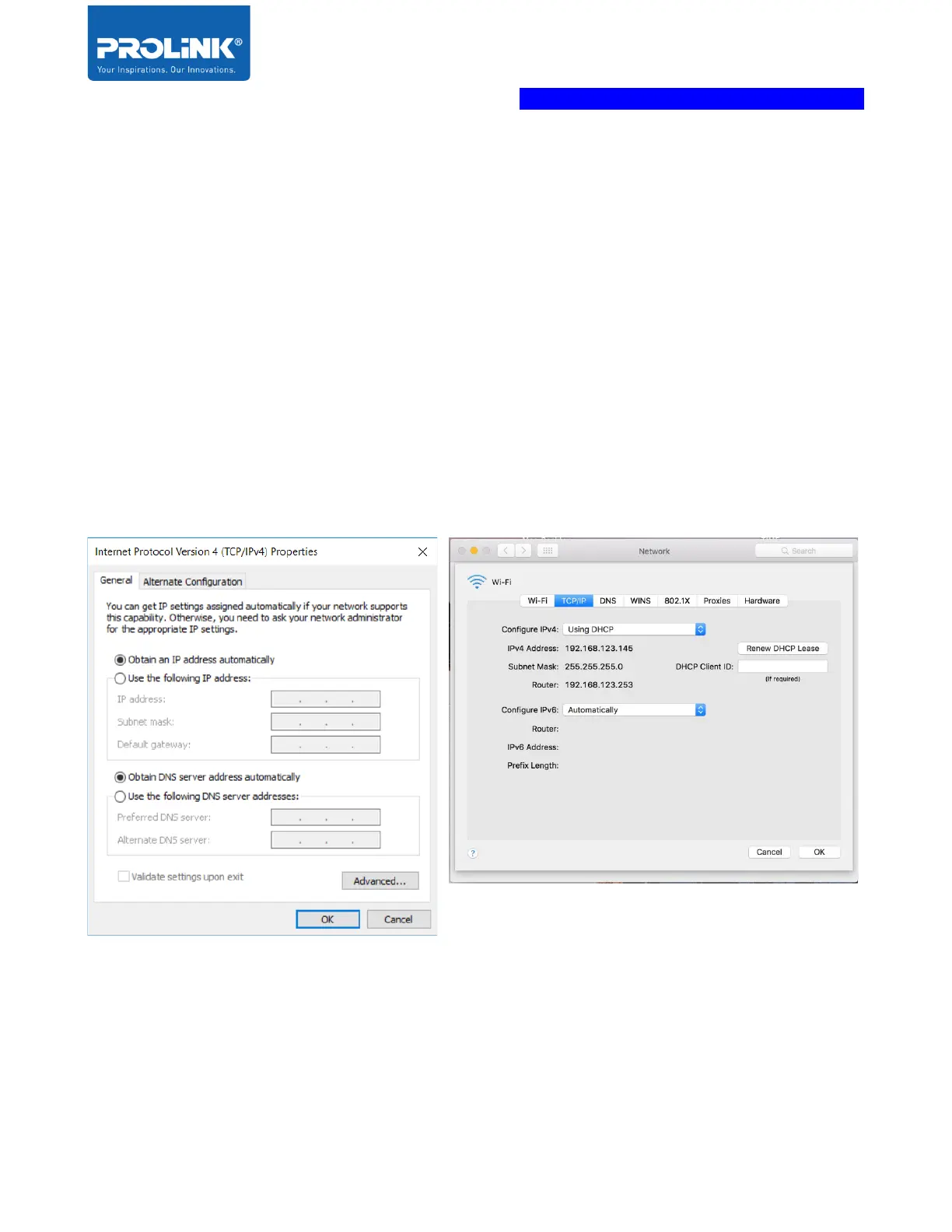
By default, PEN1201 IP address is 192.168.123.253 and Subnet Mask is 255.255.255.0.
Please ensure that your TCP/IP Protocol is set to “Obtain an IP address automatically” for
Windows OS or “Using DHCP” for MAC OS.
To verify the connection between Computer and PEN1201, run command prompt and execute
ping to PEN1201 IP address. To complete Ping command, you need to type ping
192.168.123.253 and press Enter to start ping. The ping test result, should show as per the
following figure.



 To Next Page