PROLiNK® PEN1201 Wireless-N 300Mbps Range Extender II
Page 32
Internet Status and LAN Setting
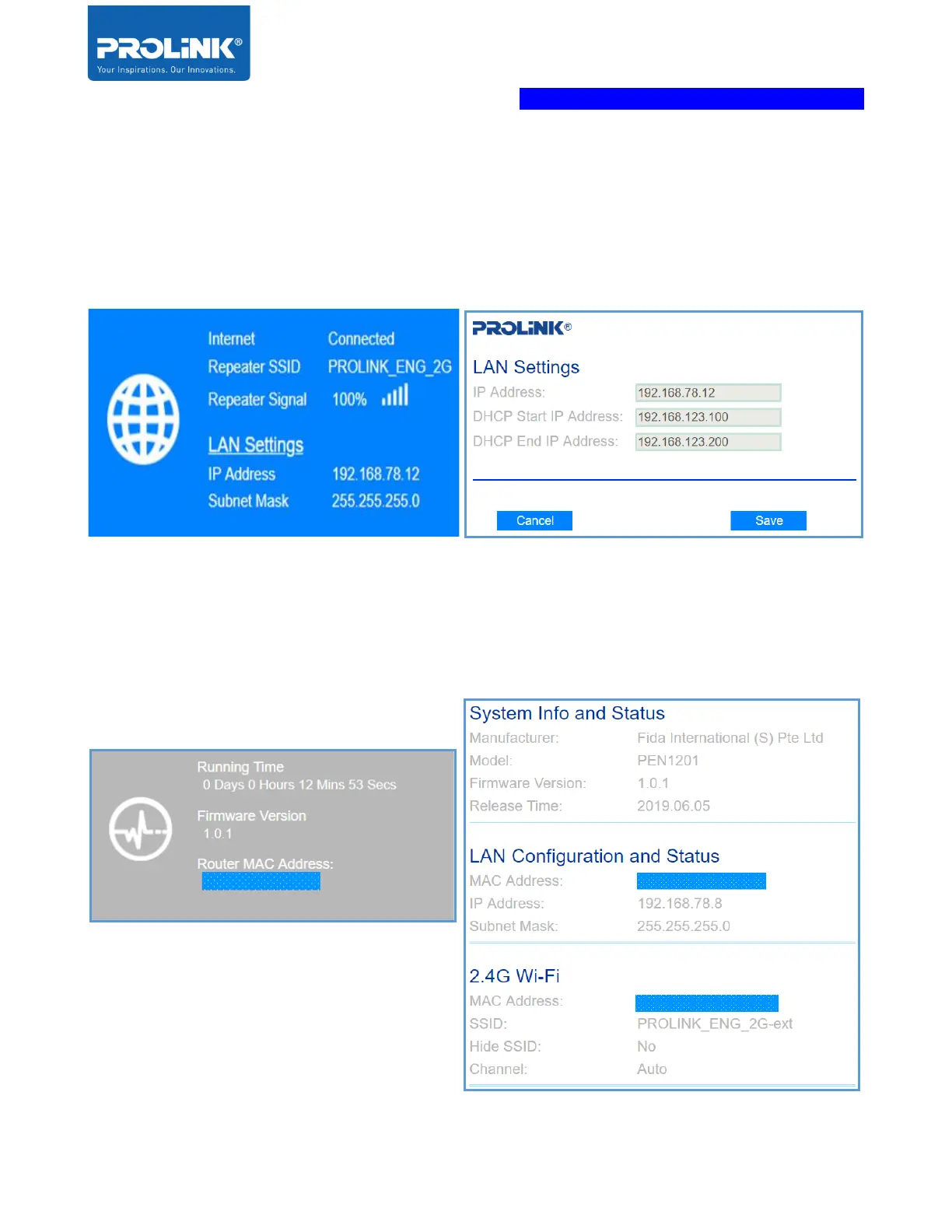
On this panel, it will show the device internet status. In repeater mode, it will show the status of
internet connectivity, Repeater SSID (Host Wi-Fi name) and the signal between Host Wi-Fi to
the Extender PEN1201. Click on LAN Setting to set the DHCP Start IP Address and DHCP End
IP Address.
Extender PEN1201 ICON Status
On PEN1201 Status panel, it shows the details of the device about running time from last turn
off or restart, Latest Update Firmware Version install and the MAC address of the Extender
PEN120. Click the icon, it shows the System Info and Status, LAN Configuration and 2.4G Wi-
Fi status



 To Next Page