PROLiNK® PRC2401U Wireless AC2600 MU-MIMO Dual-Band Gigabit Router
12
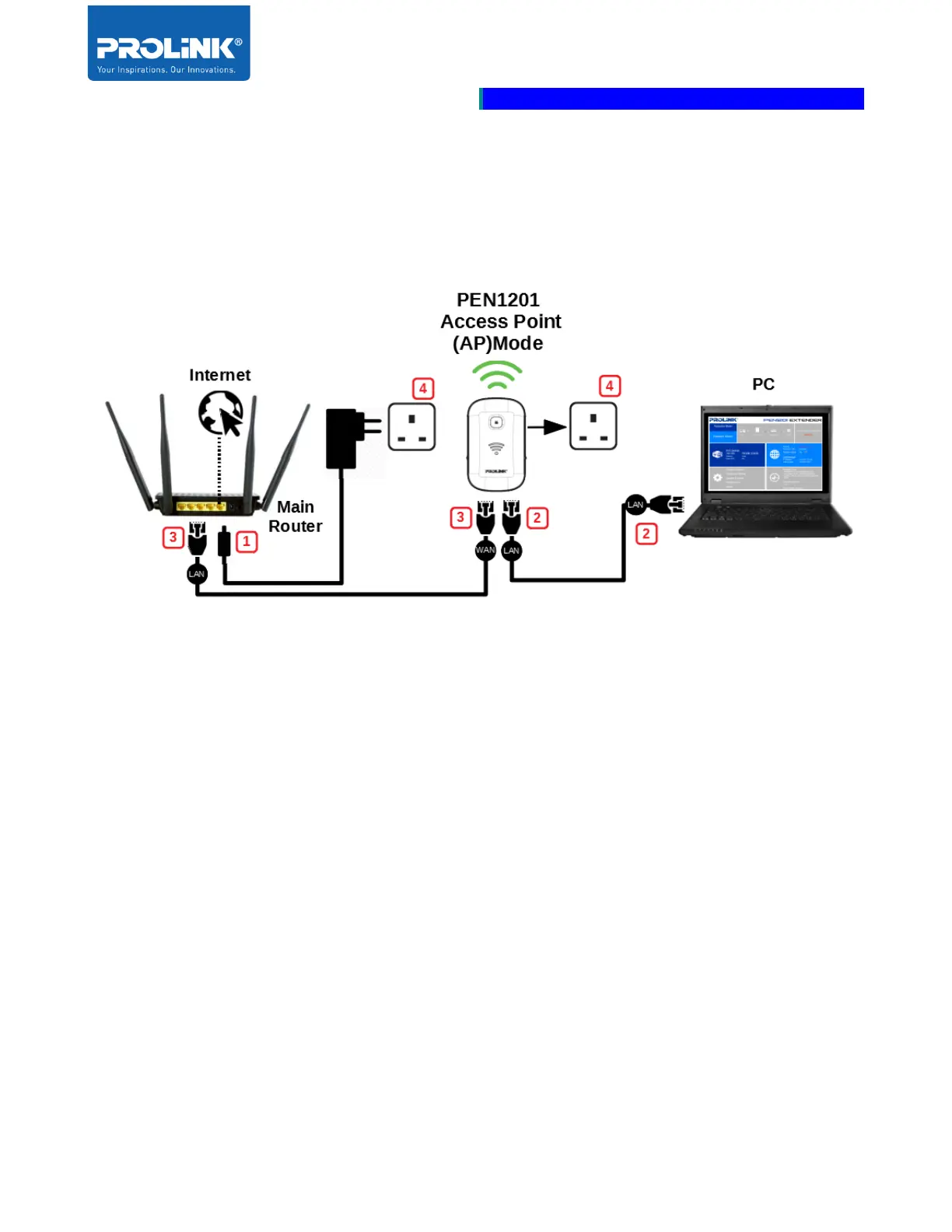
Access Point (AP) Mode Setup
The following is a step to setup PEN1201 as AP Mode. Follow steps below to complete the
hardware connection.
1. Turn OFF Main Router/Existing Router
2. Connect Ethernet cable between Main/Existing Router LAN port to PEN1201 WAN
Port.
3. Connect Ethernet cable between Computer LAN port to PEN1201 LAN port.
5. Ensure the PEN1201 Operation Mode Switch is set to “AP” and Turn ON power
Main/Existing Router and PEN1201.



 To Next Page