PROLiNK® PEN1201 Wireless-N 300Mbps Range Extender II
Page 21
NOTE:
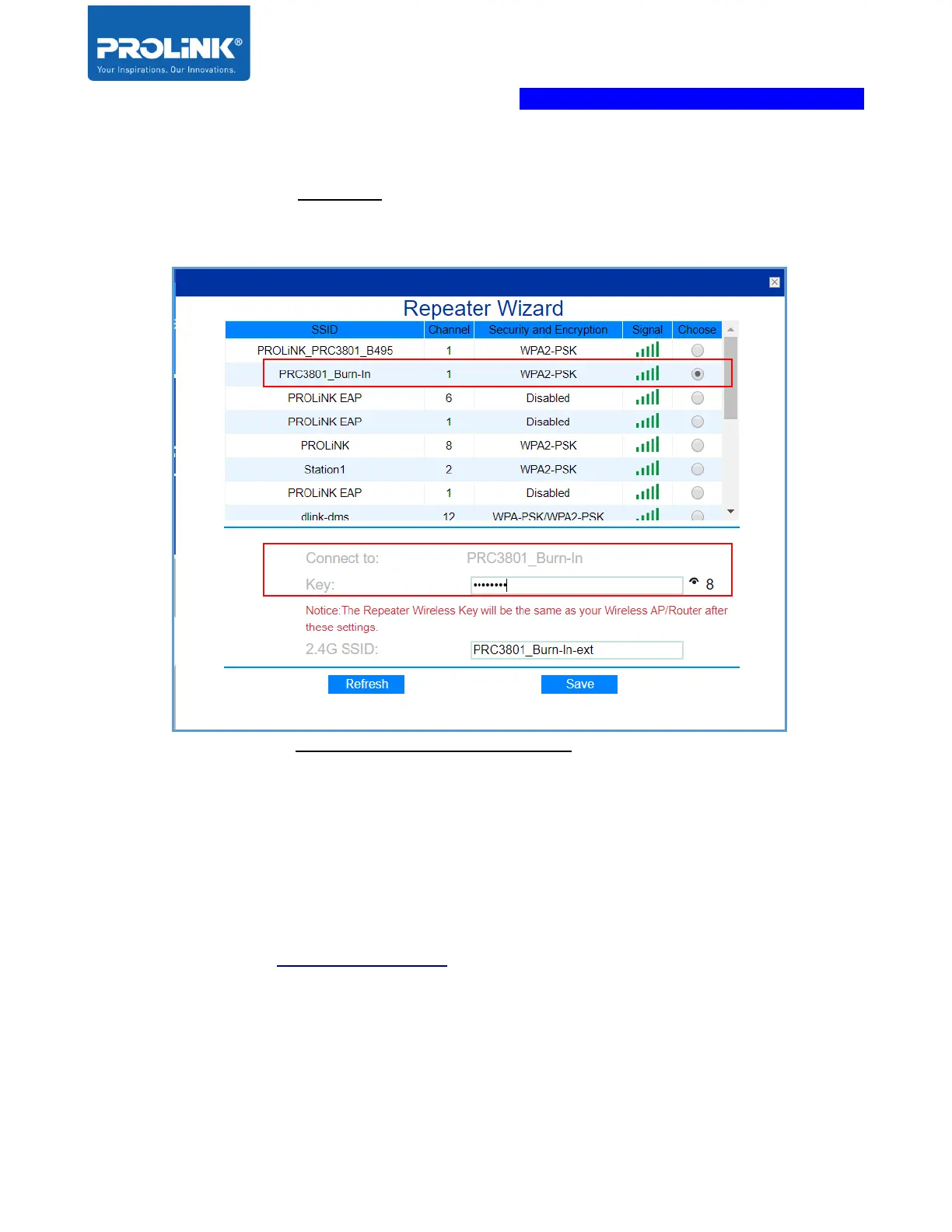
a. The PEN1201 new SSID will be auto set to follow the selected main router Wi-Fi
SSID with additional suffix “-ext” as a differentiator. Change this value according to
your personal preference.
b. The PEN1201 new SSID’s Wireless Password (Wireless Key) will be the same as
the selected main router Wi-Fi SSID.
3. Click Save to proceed, the PEN1201 will auto reboot. After approximately 60 seconds,
you can now connect to new Repeater SSID ( your_Main_Router_SSID-ext ) with
your_Main_Router_Wi-Fi Password to connect.
Note: After Setup, to access PEN1201 web interface, please connect to PEN1201’s set
SSID and enter http://pen1201.setup at your Internet Browser Address bar..



 To Next Page