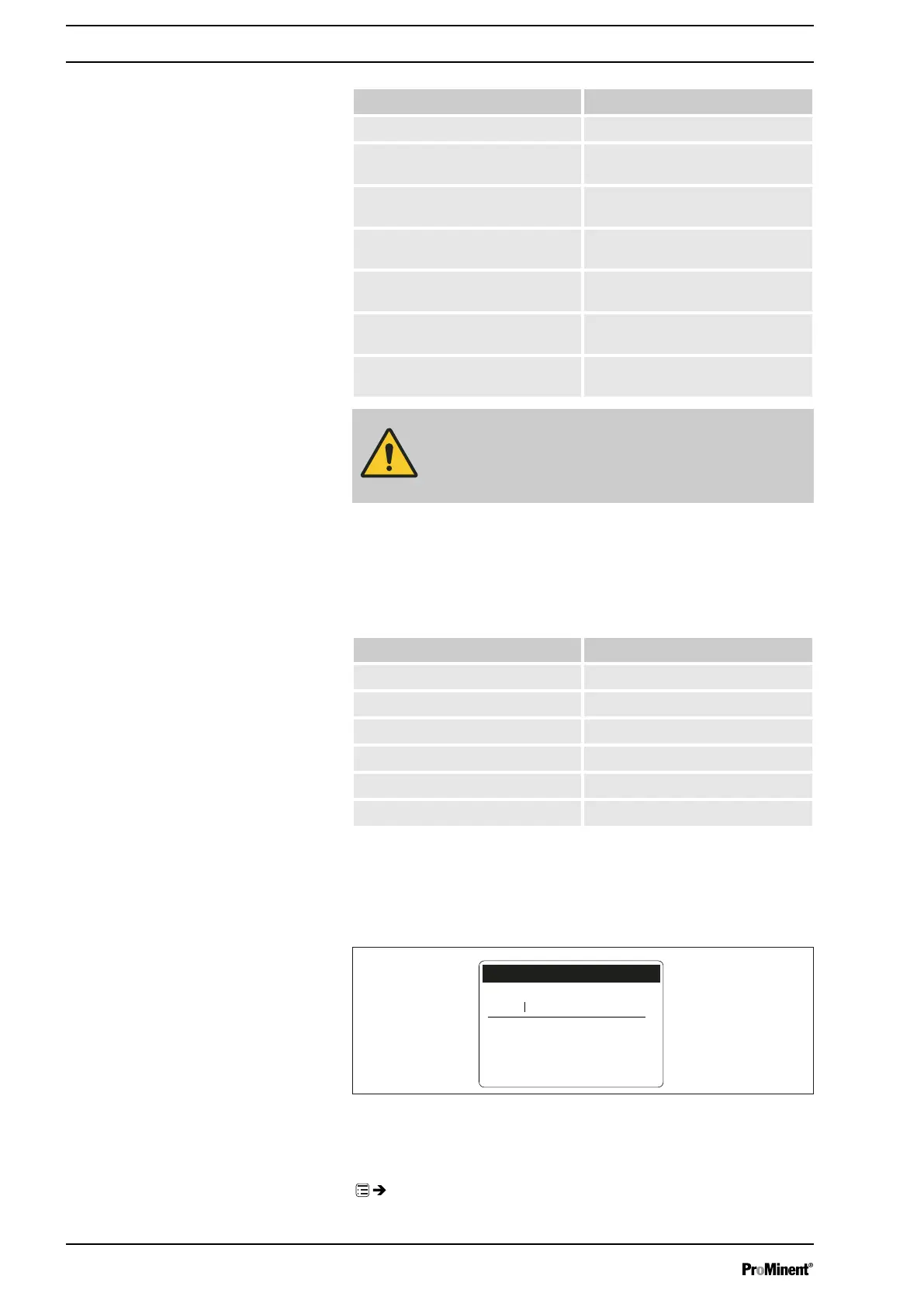
Time event Time
‘Hourly’
hourly at the xth minute
‘Daily (Mon-Sun)’
daily at the time mm.ss, Monday to
Sunday
‘Weekdays1 (Mo-Fr)’
daily at the time mm.ss, Monday to
Friday
‘Weekdays1 (Mo-Sa)’
daily at the time mm.ss, Monday to
Saturday
‘Weekend (Sa+Su)’
daily at the time mm.ss, Saturday
and Sunday
‘Weekly’
weekly at the time mm.ss on the
day dd.
‘Monthly’
weekly at the time mm.ss on the x.
day of the month
CAUTION!
If you wish to use automatic summer time adjustment
(
‘Settings’
-
‘Time’
) avoid any triggering events between
02:00 a.m. and 03:00 a.m.
9.4.2.4 Select the action and value
You can select an action and also a value:
Action Value
Manual Strokes/h
Stop - -
Frequency Strokes/h
Contact - -
Batch (input) - -
Batch (time) hh:mm
9.4.2.5 Checking the finished command
The pump displays the finished command (program line) as soon as you
have finished programming the command:
10:48
Manual
0.25 l/h
monthly
Command 01/05
B0781
on 21st
9.4.3
‘Clear all’
‘Menu / Information
è
Timer
è
Clear all
è
...’
Set up/
‘Menu’
56



 To Next Page