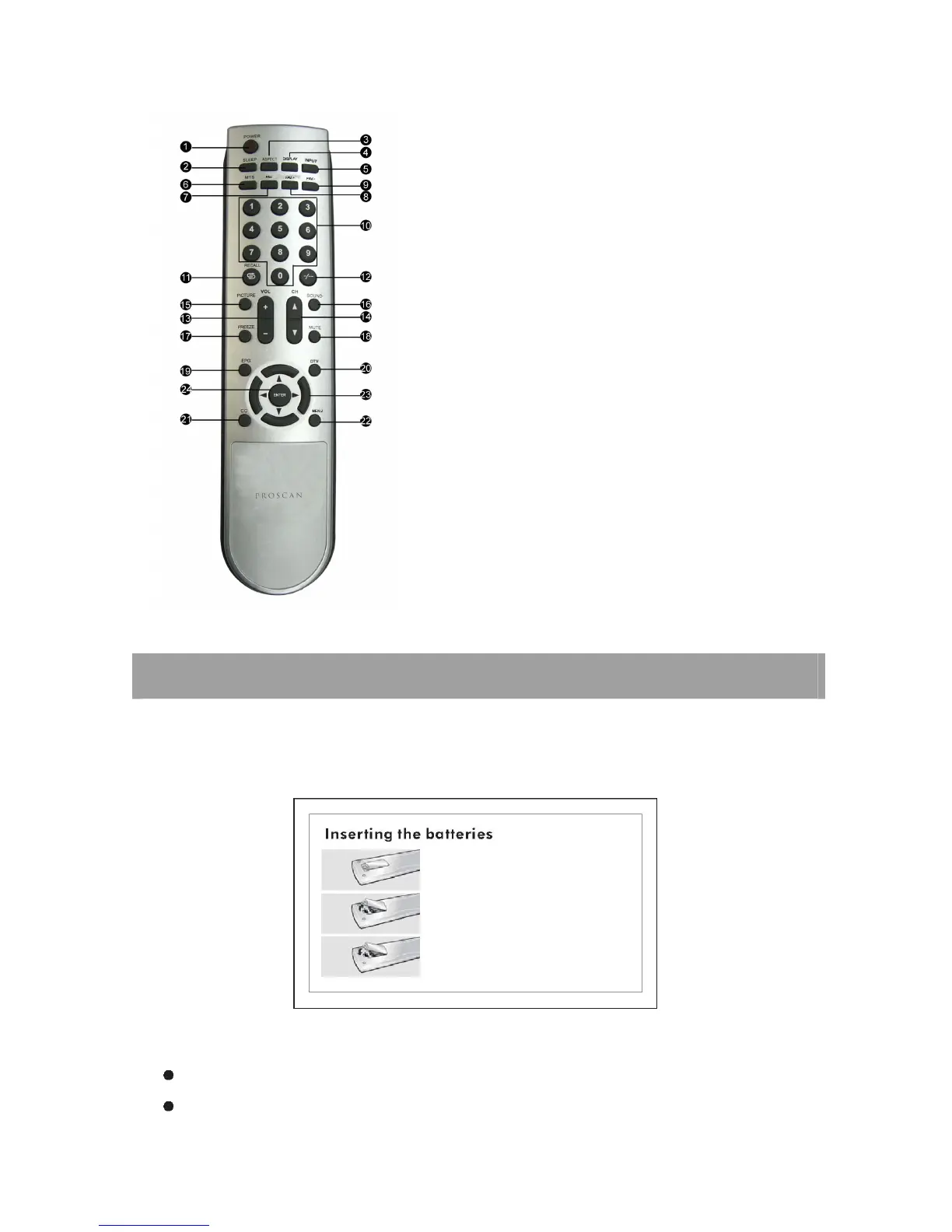
19. EPG
One of signal channel EPG or Multi channel EPG
20. DTV
Press to change between Analog TV and Digital TV
21. CC
Press to select Caption
22. MENU
Press to display the main on-screen menu.
23. UP/DOWN/LEFT/RIGHT
Press to select on-screen menu items and change menu values.
24. ENTER
Press to enter the menu.
REMOTE CONTROL INSTRUCTIONS
< Inserting the batteries into the remote control >1.Push the back of the remote control and pull forward slightly.2.Insert two
AAA 1.5V batteries ensuring the correct polarity (+/-).3.Close the lid.
Caution: Use only Alkaline Batteries.
If the remote control is not working, see the checkpoints below.
Are the polarities of the batteries (+, -) correct?














 To Next Page