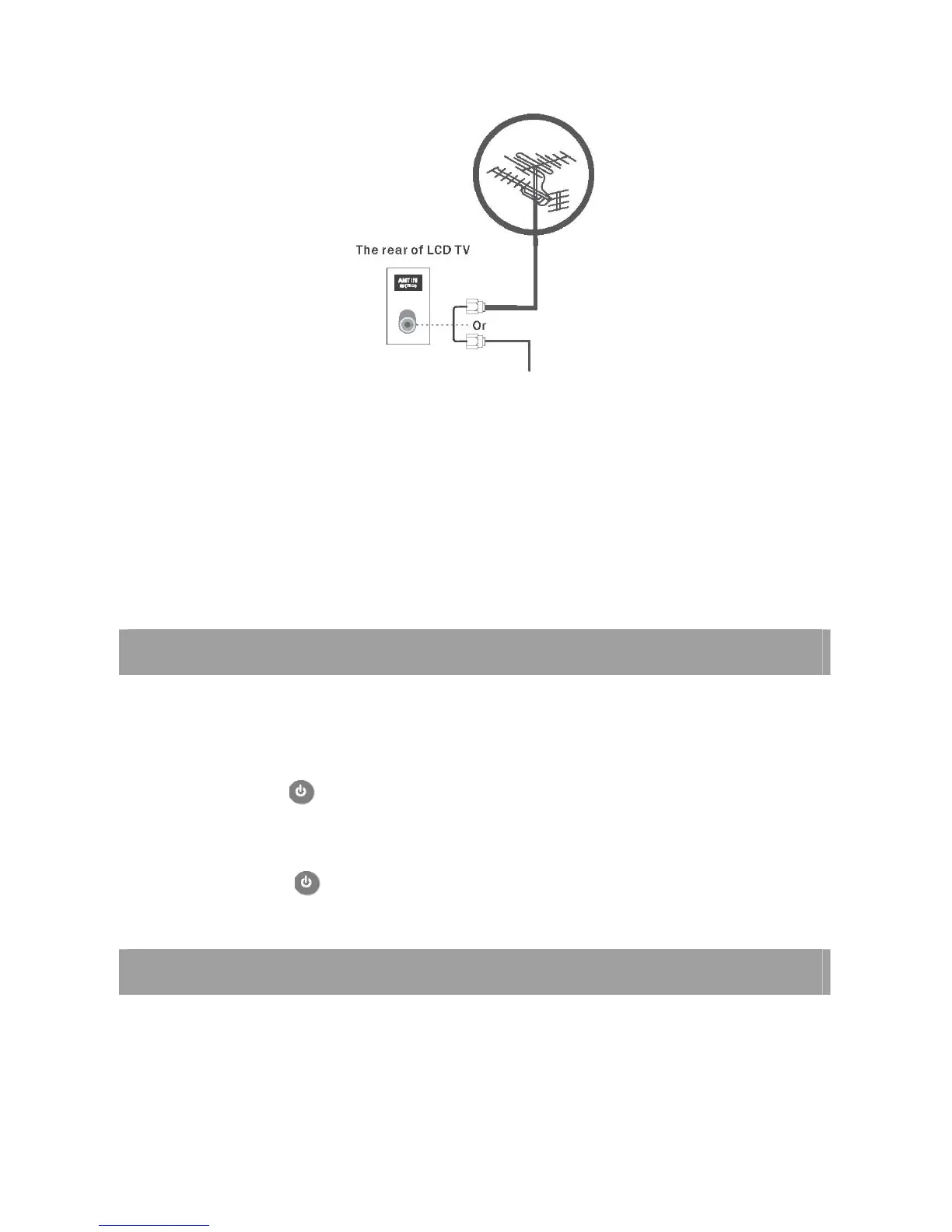
Cable TV network
1 Use a coaxial cable to connect the rear panel of the TV's [AIR] or [CABLE] terminals and the wall mount or external
antenna.
2 When an Air signal is required, connect to the [AIR] terminal. If a Cable signal is required, connect to the
[CABLE] terminal. If both Air, Cable is available, and then connects both [AIR] and [CABLE] terminals.
3 Connect the TV power cord when connecting everything else.
< Caution >
Avoid bending the copper tip at the center of the coaxial cable.
TURNING ON AND OFF THE TV
TURN ON LCD TV
1. Connecting to the AC input cable to switch on LCD TV. At this time the TV will enter standby mode and indicator show
red.
2. User POWER button or button on the remote control can turn on LCD TV from standby mode.
TURN OFF LCD TV
1. Press POWER button or button on the remote control to enter standby mode. The indicator is red.
SELECT ON SCREEN LANGUAGE
NOTE: If you use your LCD TV for the first time, you should select the language which will be used
for displaying menus and indications














 To Next Page