VGA MENU OPTIONS
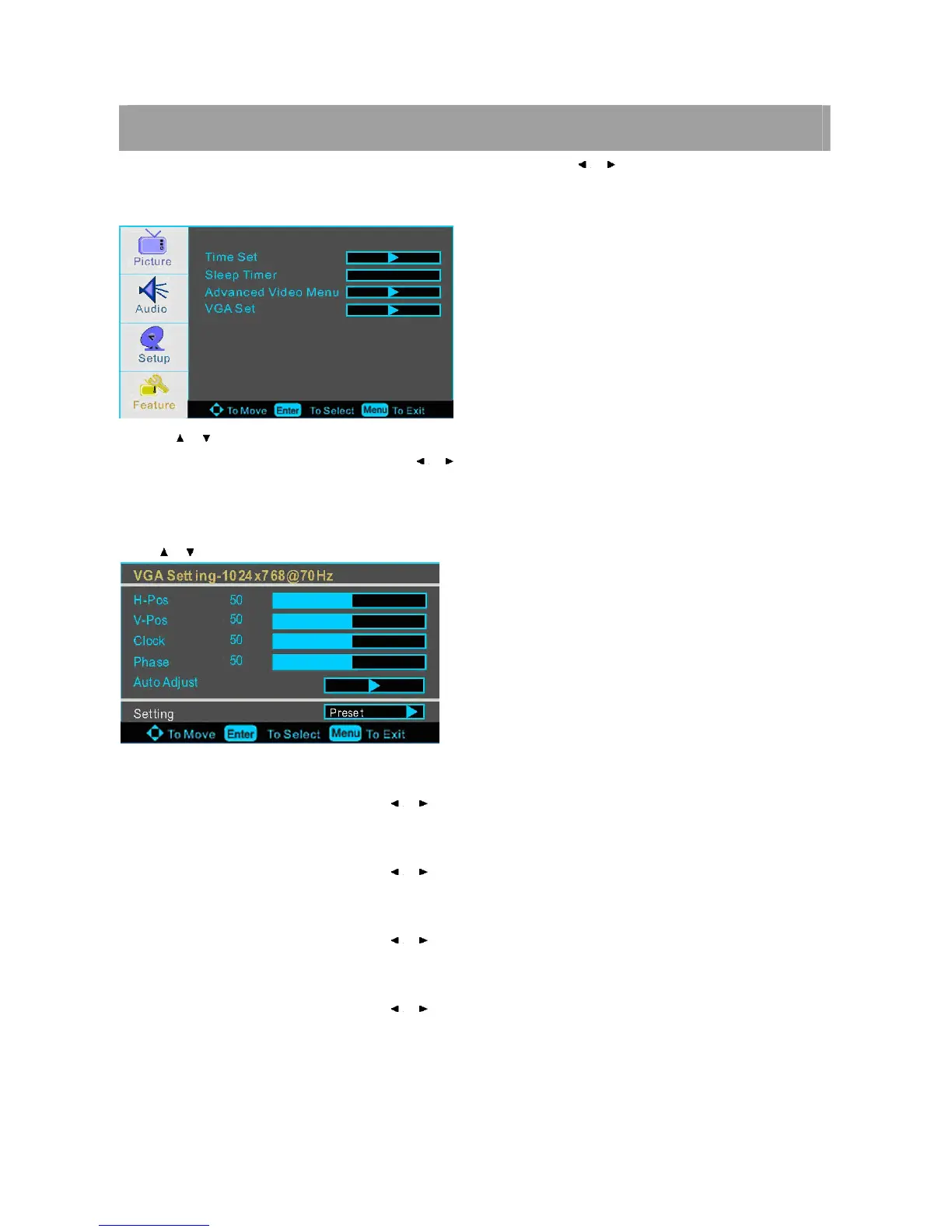
Press MENU on the front panel or on the remote control and then use / to select the Feature menu in VGA
mode.
1. Use / to select what you want to adjust in the FEATURE menu.
2. Press ENTER button to select it and then use / to adjust
3. When you are satisfied with your adjustment, press MENU to exit the main menu.
VGA Set
Press / button and then use ENTER to enter the VGA set menu as below
H-Pos
Press ENTER button to select it and then use / to adjust the horizontal position of the picture.
V-Pos
Press ENTER button to select it and then use / to adjust the vertical position of the picture.
Phase
Press ENTER button to select it and then use / to adjust the phase of the picture.
Clock
Press ENTER button to select it and then use / to adjust the clock of the picture.
Note:
Phase- This function allows you to remove any horizontal noise and clear or sharpen the image of characters.
Clock- This function is to minimize any vertical bars or stripes visible on the screen background. And the horizontal screen














 To Next Page