Canadian English
Press ENTER to lock or unlock one of E/ C/ C8+/ G/ PG/ 14+/ 18+.
E – Expect No restriction.
C – Children
C8+ - Viewers should be 8 or order.
G – General Audience.
PG – Parental guidance suggested. Children under.
14+ - Restricted. Viewers should be 14 or older.
18+ - Restricted. Viewers should be 18 or older.
Canadian French
Press ENTER to lock or unlock one of E/ G/ 8 ans+/ 13 ans+/ 16 ans+ and 18 ans+.
E – Expect No restriction.
G – For all.
8 ans+ - Restricted. Viewers should be 8 or older.
13 ans+ - Restricted. Viewers should be 13 or older.
16 ans+ - Restricted. Viewers should be 16 or older.
18 ans+ - Restricted. Viewers should be 18 or older.
Digital Closed Captions
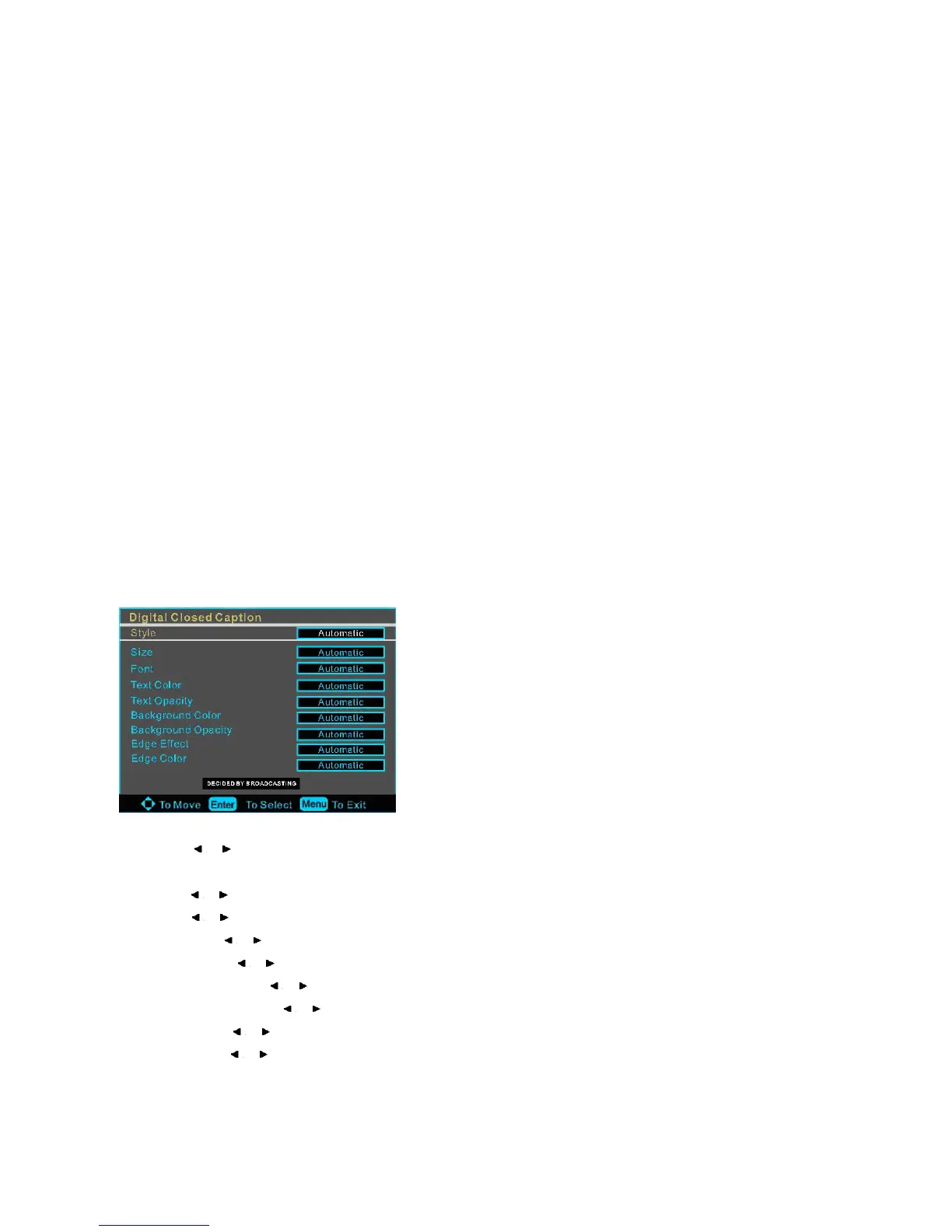
This item allows you to set the closed caption, and press ENTER to enter Closed Caption Options menu as below:
Style: press / to select one of Automatic and Custom, when you select automatic, the other are disable and can not be
adjusted.
Size: press / to select one of Normal/ Large and Small.
Font: press / to select one of Default and from Front 1 to Font 7.
Text Color: press / to select one of Red/ Green/ Yellow/ Magenta/ Cyan/ Black and White.
Text Opacity: press / to select one of the Solid/ Flashing/ Transparent/ Translucent
Background Color: press / to select one of Red/ Green/ Yellow/ Magenta/ Cyan/ Black and White.
Background Opacity: press / to select one of the Solid/ Flashing/ Transparent/ Translucent
Edge Effect: press / to select one of the None/ Raised/ Depressed/ Uniform/ Left Shadow/ Right Shadow.
Edge Color: press / to select one of Red/ Green/ Yellow/ Magenta/ Cyan/ Black and White.














 To Next Page