Picture Mode
Select the type of picture which best corresponds to your viewing requirements by selecting Picture Mode in PICTURE menu.
You may select the picture mode directly by pressing the PICTURE button on the remote control.
Contrast
Press ENTER button to select it and then use / to adjust the contrast of picture.
Brightness
Press ENTER button to select it and then use / to adjust the brightness of picture.
Sharpness
Press ENTER button to select it and then use / to adjust the sharpness level of picture.
Color
Press ENTER button to select it and then use / to adjust the color saturation
Tint
Press ENTER button to select it and then use / to adjust the tint of picture
Aspect Ratio
Press ENTER button to select the ratio of picture display such as Normal/Zoom/Wide and Cinema.
AUDIO MENU OPTIONS
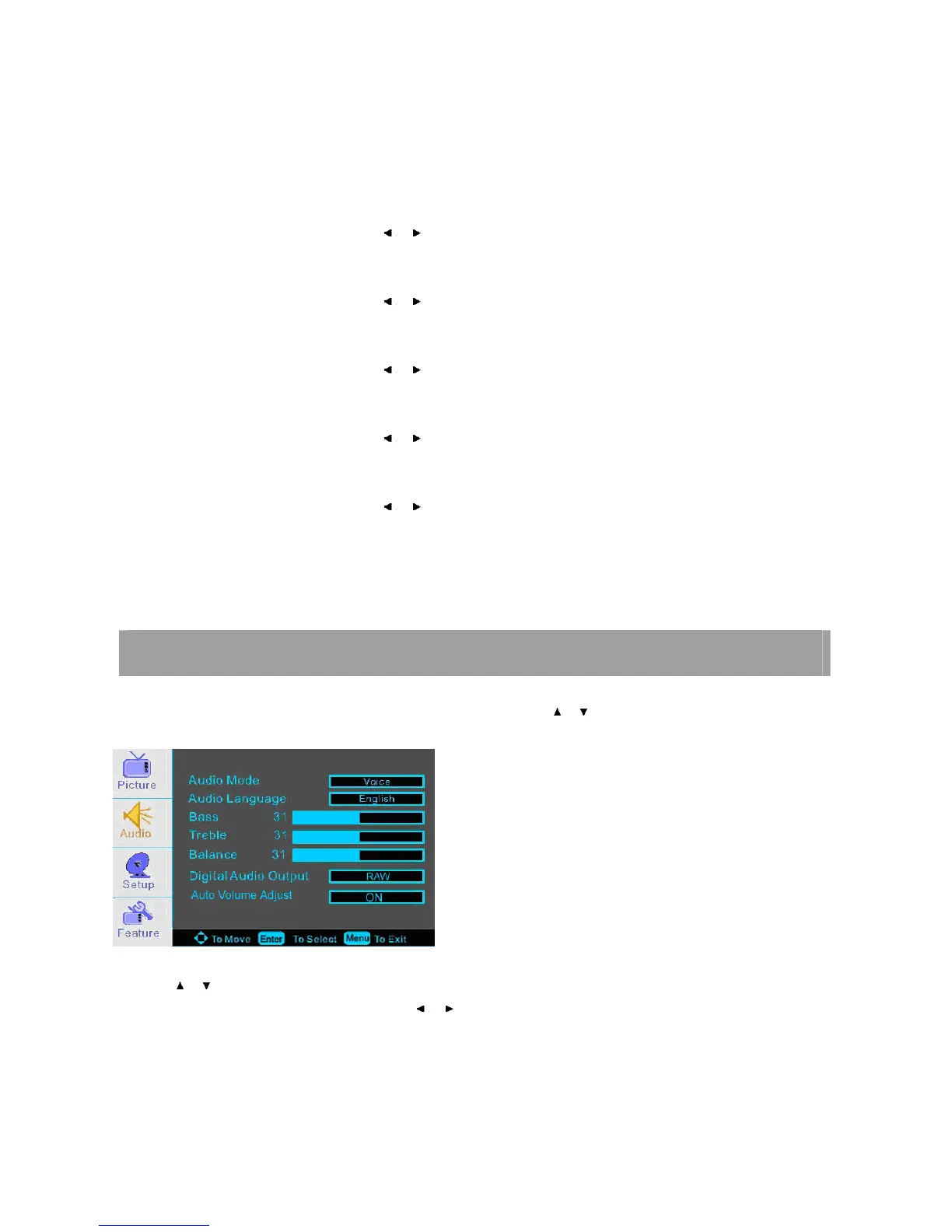
Press MENU on the front panel or on the remote control and then use / to select the AUDIO menu.
1. Use / to select what you want to adjust in the AUDIO menu.
2. Press ENTER button to select it and then use / to adjust
3. When you are satisfied with your adjustment, press MENU to exit the main menu.
Audio Mode
You can select the type of sound which best corresponds to your listening requirements by selecting sound in SOUND menu.














 To Next Page