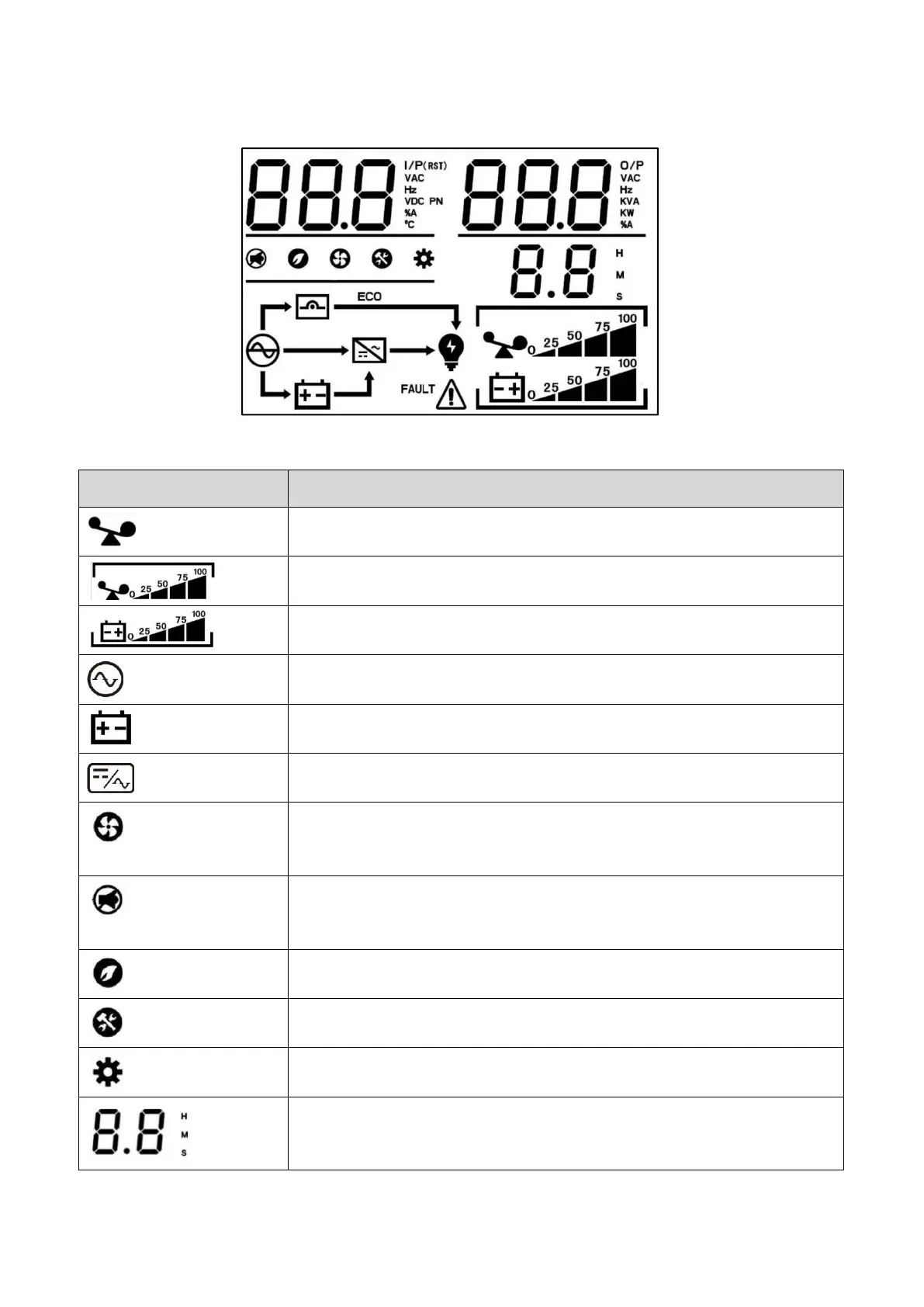
4.2 LCD Display Icons
When UPS in overload, the icon will be flashing.
Indicates the load level by 0-25%, 26-50%, 51-75%, and 76-100%.
Indicates battery capacity by 0-25%, 26-50%, 51-75%, and 76-100%.
Indicates the UPS connects to the mains.
It will flash when battery capacity low or disconnect battery.
Indicates the inverter circuit status.
Indicates the fan status. In normal, the fan icon is on. It will flash in
abnormal.
Indicates the buzzer is muted or not. In normal, this icon is off. It will
display in battery mode or fault mode.
Indicates UPS ECO is working.
When the maintenance switch is on, this icon is lighting on.
Indicates that UPS enters setting mode.
Indicates the remaining backup time in numbers.
H: hours, M: minute, S: second



 To Next Page