30
Inaccurate Measurements in Low Resistance
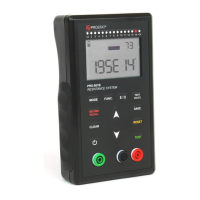
The meter is capable of measuring low resistance. If you aren’t able to get an accurate measurement
when measuring under 2 ohms, the test leads may need to be nulled, to remove any resistance from
the leads (see Null Adjustment for Lead Resistance for more information).
I keep getting Ur when measuring under 0.10 ohm
If the PRS-801B is displaying Ur when measuring under 0.10 ohm, the meter may be in Auto or Auto-
Manual mode. The meter must be in MANUAL mode in order to measure under 0.10 ohm (see Table
5).
In E13 and E14 ranges, it’s taking the meter a long time to measure
In those ranges, the PRS-801B has an Electrification Period of 60 seconds, which means the meter will
run for at least 60 seconds before displaying a stable measurement (see Resistance Measurements in
the E13 and E14 Ranges for more information).
You may consider making those measurements in CONTINOUS mode and save a steady measurement
at any time while measuring.
Unable to change the test voltage when pressing
In order to manually select the test voltage, the meter must be in MANUAL mode. The other modes
will automatically select the proper voltage.
What does Ur and Or mean on the display?
Ur (Under Range) represents a measurement that is under the range selected when in Manual or
Auto-Manual.
Or (Over Range) represents a measurement that is over the range of the meter’s capability or over
the range selected when in Manual or Auto-Manual.
If the meter is in MANUAL or AUTO-MANUAL, use the Up or Down arrows to select a different range.
Connect 2.0 is not acquiring data sets from the resistance meter
Connect 2.0 is only compatible with the PRS-801B. Though the PRS-812B can be charged via a USB
port on the PC, it cannot communicate with Connect 2.0.
If the PRS-801B isn’t communicating with Connect 2.0, you may need to manually install the drivers.
Refer to Installation of the Drivers section for instructions.
November 2020, Rev. 1
Specifications are subject to change without notice. All
Prostat trademarks and trade names are the property of
Prostat Corporation. All other trademarks and trade names
are the property of their respective companies.
© 2020 Prostat Corporation. All rights reserved.


 To Next Page