3
Setting Up the Display
The display requires a stable, level, and clean surface near a power outlet, 10 cm (4") away from
walls or other large objects. The rear ventilation grid should be unobstructed, and the display
should not be exposed to water or heat. Before setting up the display, prepare such a space.
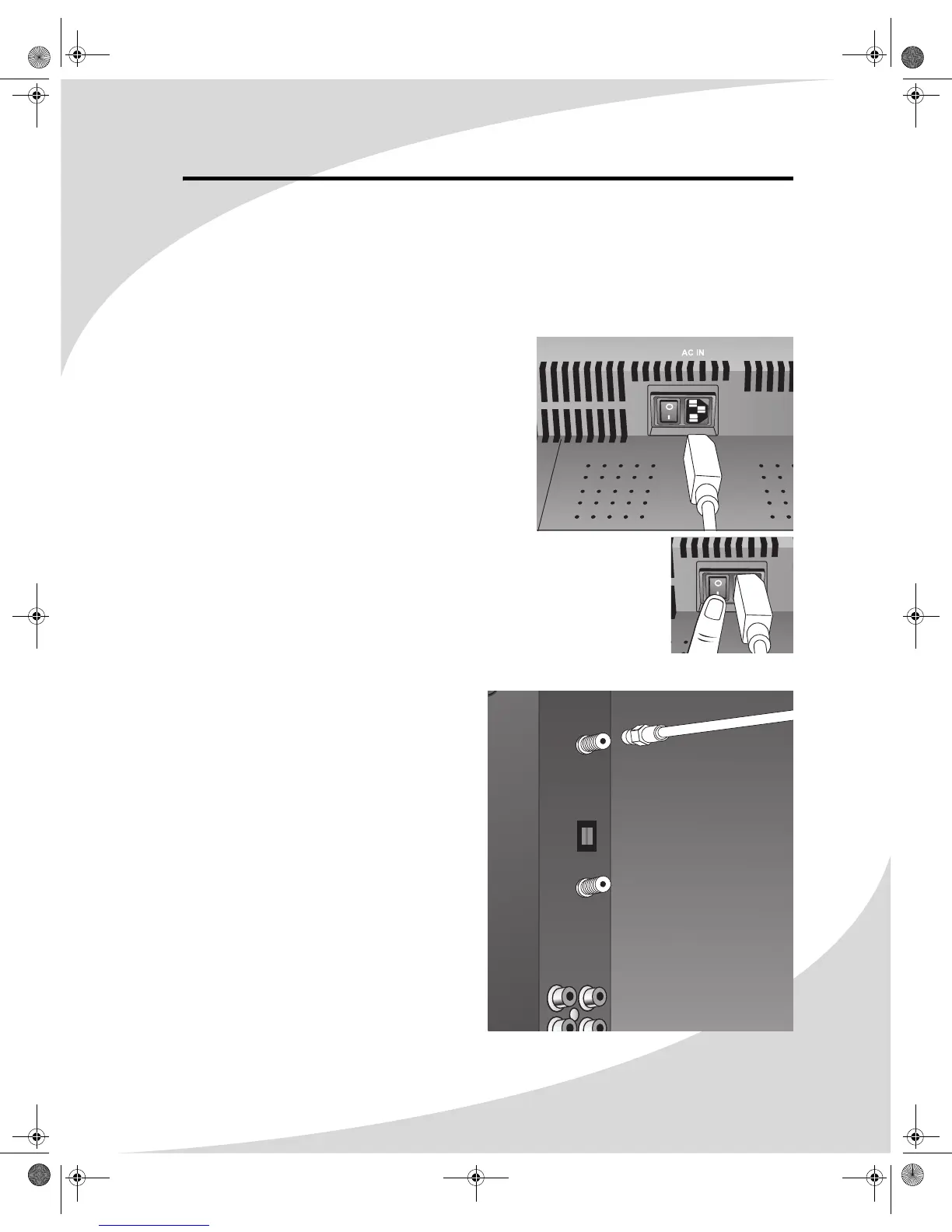
To set up the display:
1. Remove the power cord from the accessories box,
insert the appropriate end into the power (AC IN)
connector on the bottom of the display, and then
insert the other end into a free power outlet.
2. Turn on the power switch on the bottom of the
display.
Connecting a Digital TV Signal
To connect an digital TV signal source to the
display, connect a coaxial cable between the
ATSC input and the TV signal source.
OMPLTV3250-1.book Page 3 Monday, July 17, 2006 8:15 PM


 To Next Page