Using Your Display for the First Time
12
Setting up Analog Television Channels
Once an analog television signal is connected to the display, if you are connecting directly to a
wall jack or antenna, you should scan all channels to weed out channels with insufficient signal
strength. This will make it much easier to navigate through the channels.
To scan the signal spectrum:
1. Turn the display on using the power button.
2. Press SOURCE until the signal source is set to TV.
3. Press MENU to bring up the On-Screen Display (OSD).
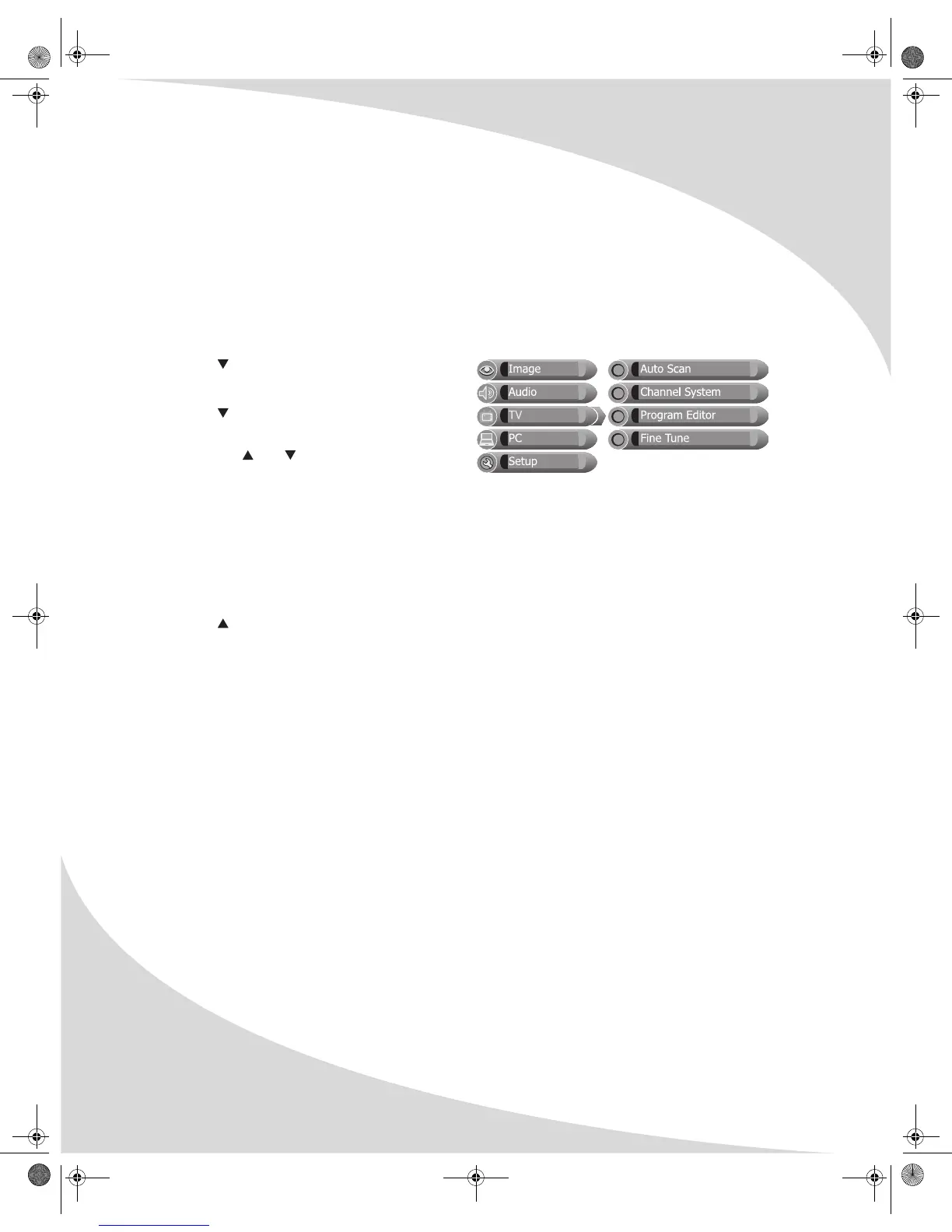
4. Press until the TV menu shows.
5. Press ENTER to enter the menu.
6. Press until Channel System is
highlighted, then press ENTER to select it.
7. Press the and buttons until the
appropriate system is highlighted, then
press the ENTER button to select it.
Select Air if you are using an antenna.
Select one of the Cable options if you are connecting directly to a cable TV wall outlet.
Contact your cable service provider to find out which system is in use in your area. Cable or
Cable-IRC will work with most systems.
8. Press MENU to return to the TV menu.
9. Press until Auto Scan is highlighted and then press ENTER to select it. The display will
automatically scan all television channels for those with a strong signal.
OMPLTV3250-1.book Page 12 Monday, July 17, 2006 8:15 PM


 To Next Page