13
Using the Remote Control
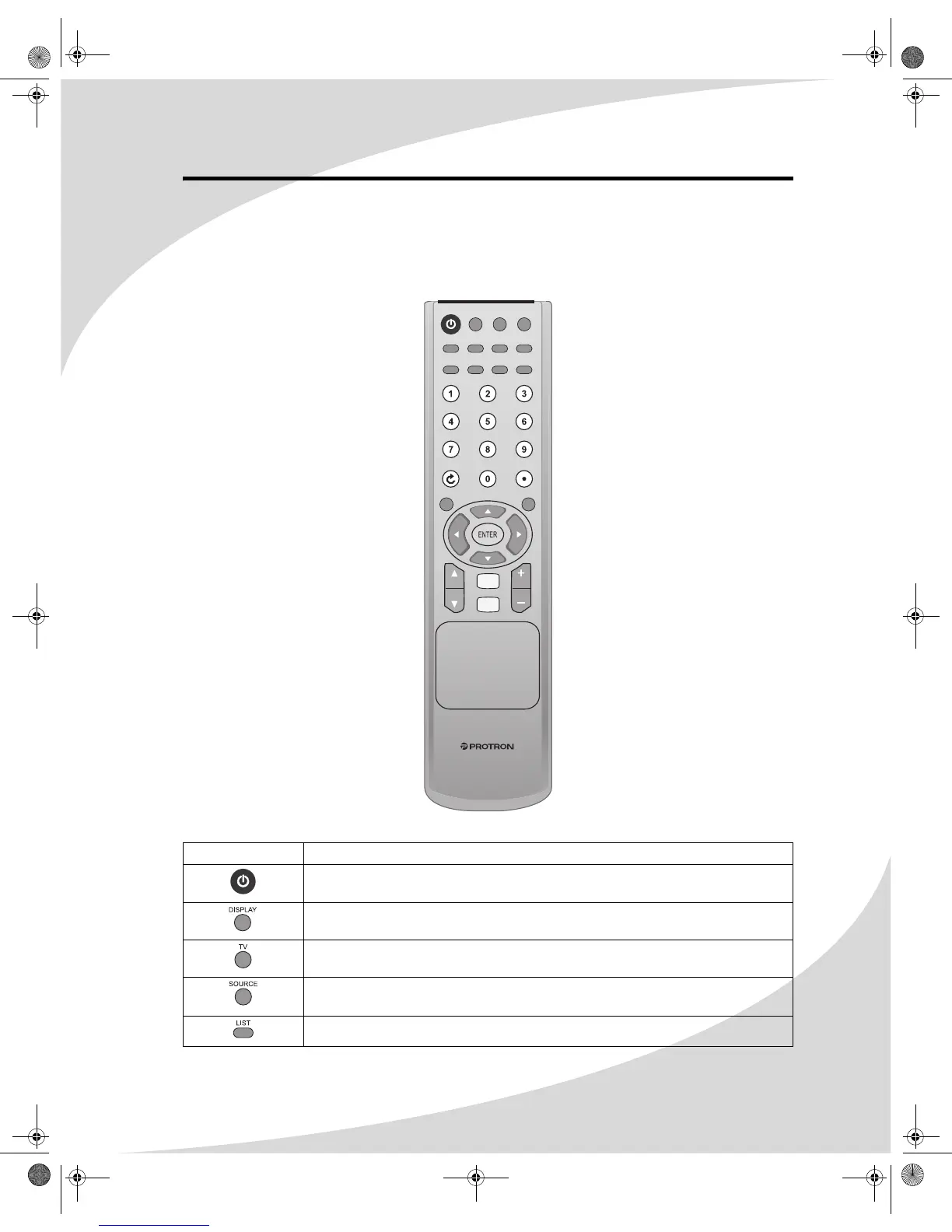
The remote control can be used to control every aspect of the display’s operation and includes
more functionality than the controls on the front of the display.
The following is a list of all buttons on the remote and their functions:
Button(s) Function
Turns the display on and off
Displays current source and television channel information
Switches between the TV signal sources: TV and DTV
Selects the signal source: TV, DTV, Component1, Component2, AV1, AV2,
HDMI, S-Video, or VGA
When viewing digital TV, displays a list of available channels
MTS MENU
DISPLAY TV SOURCE
LIST SLEEP
PICTURE
SOUND
FAV. C.C. V-CHIP EPG
MUTE
ASPECT
VOL
VOL
CH
CH
OMPLTV3250-1.book Page 13 Monday, July 17, 2006 8:15 PM


 To Next Page