Configuring the Display
24
MPAA Rating
A sub-menu that sets the MPAA (Motion Picture Association of America) rating level the
V-Chip will block without a password.
Blocking a particular rating will automatically block all ratings above that level. Similarly,
unblocking a rating will automatically unblock all ratings below that level.
Select a rating using the arrow controls on the remote, then press ENTER to block/unblock it.
Press MENU to exit this sub-menu.
The ratings are as follows:
Change PIN
Sets the V-Chip password. To change the password, enter and confirm the new password.
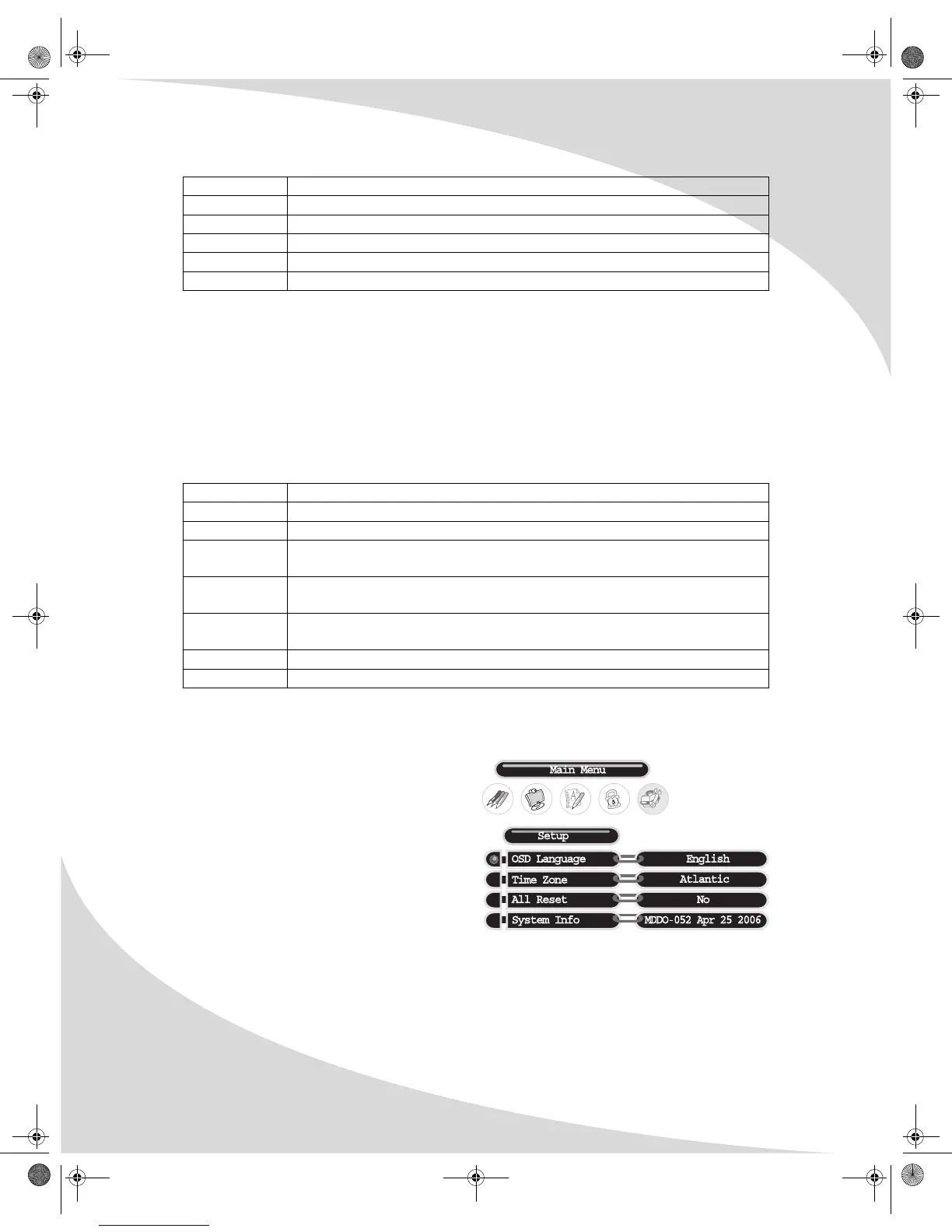
Setup (DTV)
Sets general digital TV options, as follows:
OSD Language
Selects the language used for the OSD:
English, French, or Spanish.
Time Zone
Selects the current time zone.
All Reset
Resets all digital TV settings to factory defaults. Select Yes to reset all settings, No to cancel.
System Info
Displays information about the display’s configuration.
Content Type Significance
FV Fantasy violence
V Violence
S Sexual content
L Foul language
D Suggestive dialog
Rating Level Significance
N/A All content unblocked
G General audiences (all ages)
PG Parental guidance suggested (some material may not be suitable for
children)
PG-13 Parents strongly cautioned (some material may be inappropriate for
children under 13)
R Restricted (minors under 17 require an accompanying parent or adult
guardian)
NC-17 No one under 17 admitted
X Adults only (no one under 17 admitted)
OMPLTV3250-1.book Page 24 Monday, July 17, 2006 8:15 PM


 To Next Page