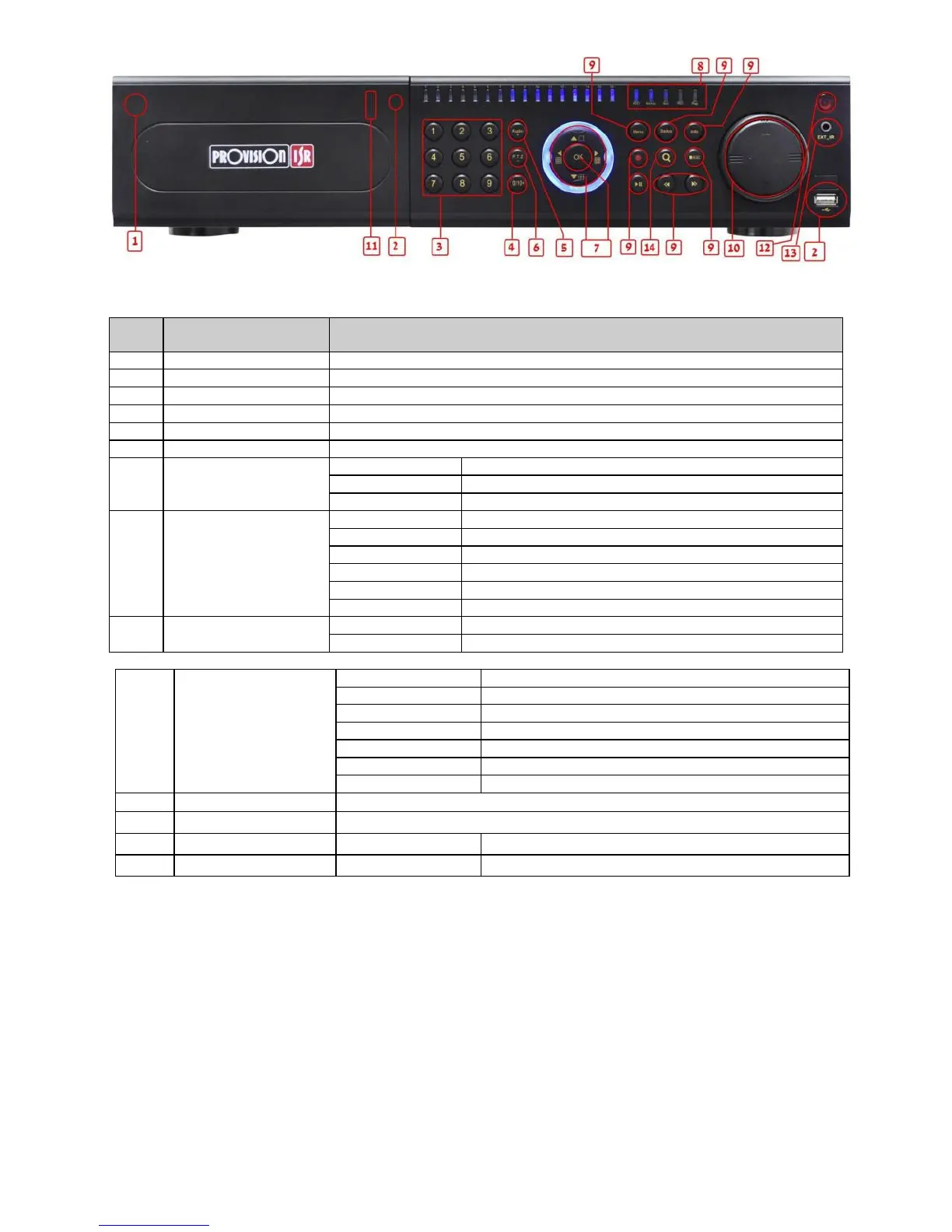
Soft switch off to stop firmware running. Do it before power off.
Press this button, user can place the DVD to do backup.
Input number 1-9 or choose camera
1. Represents channel number. 2. Indicates digital number 0
1. Control voice 2. Increase the value in setup
1. Enter PTZ mode in live 2. Decrease the value in setup
Change direction to select items
Change screen display mode like1/4/9/16 channel
When recording, the light is blue
When HDD is writing and reading , the light is blue
When backup files and data, the light is blue
When access to network , the light is blue
When playing video, the light is blue
Power indicator, when connection , the light is blue
Check data, same as: Main menu=>Information
Enter backup mode in live
Control rewind/fast forward/frame when playing the image.
external USB devices (USB flash, USB HDD for backup, update firmware, USB mouse)
Remote controller receiver
Extension for the IR receiver


 To Next Page