Displaying and changing the values in the menus
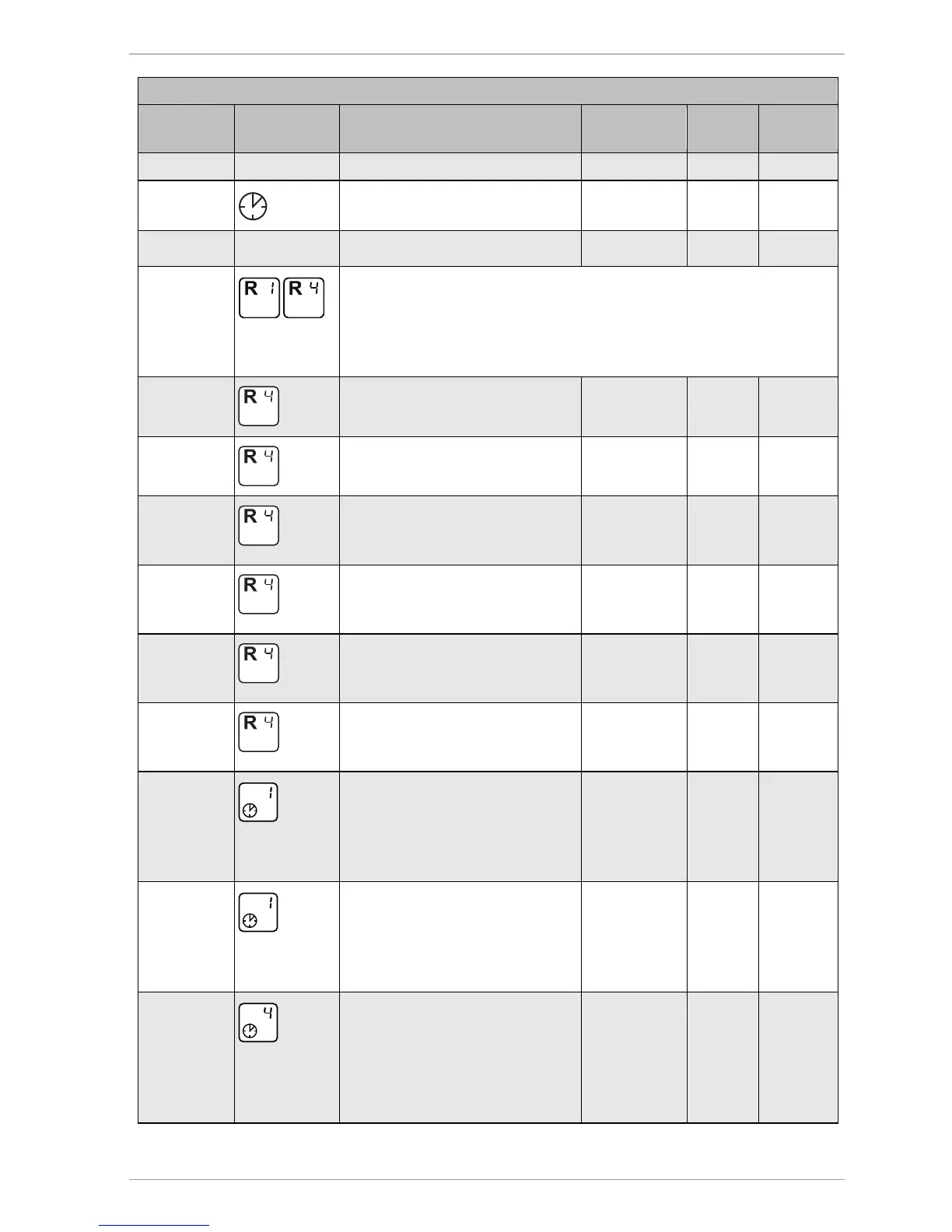
Value Symbol Description Range Factory
13:21
Current time
00:00–23:59 12:00
23:03:11
Current date
The following eight menu items apply to multi-function controllers R1
and R4. If a hydraulic layout has been selected in the "Basic settings"
menu that allows for several multi-function controllers, these menu
items will appear several times (once for each multi-function
min/max
40 °C
Switch-on temperature of the
"Heating“ and "Cooling" functions
20–90 °C 40 °C
dT 10 K
Hysteresis of the "Heating" and
"Cooling" functions
1–30 K 10 K
max 65 °C
Maximum temperature Tmax of
the sink for the "Temperature
difference controller" function
15–95 °C 65 °C
min 15 °C
Minimum temperature Tmin of
the source for the "Temperature
difference controller" function
0–95 °C 15 °C
dT max 7 K
Switch-on difference dTmax for
the "Temperature difference
controller" function
3–40 K 7 K
dT min 3 K
Switch-off difference dTmax for
the "Temperature difference
2–35 K 3 K
Start 00:00
1 (2, 3)
Time window 1 (2, 3): Start
When the start time for the first
time window has been defined,
define the other time intervals in
00:00–23:59 00:00
Stopp 23:59
1 (2, 3)
Time window 1 (2, 3): Stop
When the stop time for the first
time window has been defined,
define the other time intervals in
time windows 2 and 3
00:00–23:59 23:59
Start 06:00
4
Time window 4: Start for the
"Tube collector" and "Drain-back"
functions. Only if the time
controller has been activated for
these functions in the "Basic



 To Next Page