Need help?
Do you have a question about the Prozeda Primos 250 SR and is the answer not in the manual?
Defines the intended and appropriate applications for the controller, including environmental and usage constraints.
Covers fundamental safety practices, including explosion risk prevention, for operating the controller.
Details precautions against electric shock, fire, burns, and property damage during controller installation and operation.
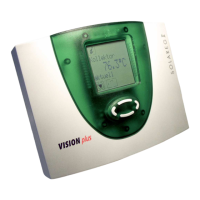
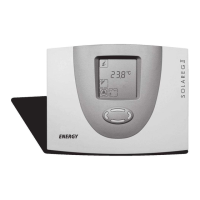
Provides a visual overview of the controller's components, including interfaces, display, and buttons.
Specifies the necessary conditions and requirements for selecting a suitable installation location for the controller.
Step-by-step guide on how to safely remove the controller's terminal cover using the locking screw.
Instructions for securely mounting the controller, including cable routing considerations and proper screw tightening.
Details the procedure for connecting various cables to the controller, emphasizing safety and proper disconnection from voltage.
Illustrates controller terminals and describes their functions, including cable entry points and securing methods.
Guides on connecting the controller to the power supply and temperature sensors, including cable specifications and safety notes.
Details the specific terminal assignments for various system components, like sensors and pumps, in hydraulic layouts.
Maps terminals to system components for a specific hydraulic layout (110.00), including pump and sensor connections.
Outlines terminal assignments for layout 000.00, specifying multi-function controller usage for outputs like R1 and R0.
Introduces the controller's display elements and the main menu structure, including Info, Program, Manual, and Basic settings menus.
Explains individual symbols and elements on the controller's display screen, such as active menu, values, and status indicators.
Details the functions of each operating button for navigating menus and changing values, including menu navigation steps.
Describes how to display measurement and output values within the "Info" menu, noting that not all values may be displayed.
Lists specific measurement and output values available in the "Info" menu, along with their symbols and reset options.
Explains how to display and change parameters in the "Program" menu, with warnings about incorrect settings.
Details various parameters within the "Program" menu, including storage tank settings, pump control, and time windows.
Lists remaining "Program" menu parameters, such as time windows for specific functions and data logging settings.
Describes how to manually control switching outputs (R1, HE1, R0) for testing purposes in "Manual mode".
Introduces the "Basic settings" menu for configuring fundamental controller parameters, with warnings for specialist personnel.
Details "Basic settings" parameters like hydraulic layout, charging principle, and collector protection functions.
Lists more "Basic settings" parameters including recooling, tube collector, energy output measurement, and anti-freeze protection functions.
Covers remaining "Basic settings" for MFC functions, pump types, parameter management, firmware updates, and controller ID.
Explains how to set the charging principle for storage tanks, choosing between "Temperature difference" and "Target temperature".
Details pump control system types (standard, HE pumps) and setting minimum/maximum pump output with speed control.
Illustrates power curves for controlling HE pumps using analog signals and non-inverted PWM signals.
Guides on activating and configuring "Tube collector" functions, including time windows and pump runtime settings.
Explains how to configure the "Cooling" function for MFCs, including switch-on temperature and hysteresis.
Details the configuration for the "Heating" function of MFCs, covering switch-on temperature, hysteresis, and time windows.
Describes setting the "Temperature difference controller" function for MFCs, including source/sink temperatures and differences.
Explains the "Collector protection" function to prevent overheating, detailing switch-on/off temperatures and pump operation.
Covers "Storage tank protection" against overheating and the always-active "System protection" function.
Details the "Recooling" function, used to cool storage tanks during periods of low usage or high collector temperature.
Explains the "Drain-back" function for protecting the system against overheating and frost, requiring a collection tank.
Describes the "Anti-freeze protection" function, activated when heat transfer fluid temperature drops, to prevent freezing.
Explains the "Flow indicator" method for measuring flow rate to calculate energy output, noting the measurement value entry.
Details settings for energy output measurement, including principle, flow rate, and glycol concentration in the "Basic settings" menu.
Provides instructions and warnings for restoring the controller to its original factory settings.
Explains how to connect the controller to other devices via the RS-485 interface for monitoring and remote control.
Explains how the controller indicates faults with a flashing symbol and acoustic warning, and how to silence the warning.
Lists specific fault messages, their possible causes, and recommended actions, such as checking sensor lines or pump wiring.
Covers common faults that occur without explicit fault messages, like no display indication or pump failure, and their remedies.
Addresses further faults like pump symbol rotation without operation and fluctuating temperature displays, suggesting cable and shielding checks.
Details the technical specifications of the controller, including housing, dimensions, operating voltage, interfaces, and protection class.
Provides a table correlating temperature values with resistance in ohms for checking temperature sensor functionality.
Lists optional accessories like microSD cards, software, web modules, and system-specific components like temperature sensors.
Provides guidance on environmentally-friendly disposal of the controller and its components according to regulations.
 General
| Brand | Prozeda |
|---|---|
| Model | Primos 250 SR |
| Category | Controller |
| Language | English |


 To Next Page