6 User’s / Programming Guide
NO Enable AutoSense
®
NN Disable AutoSense
®
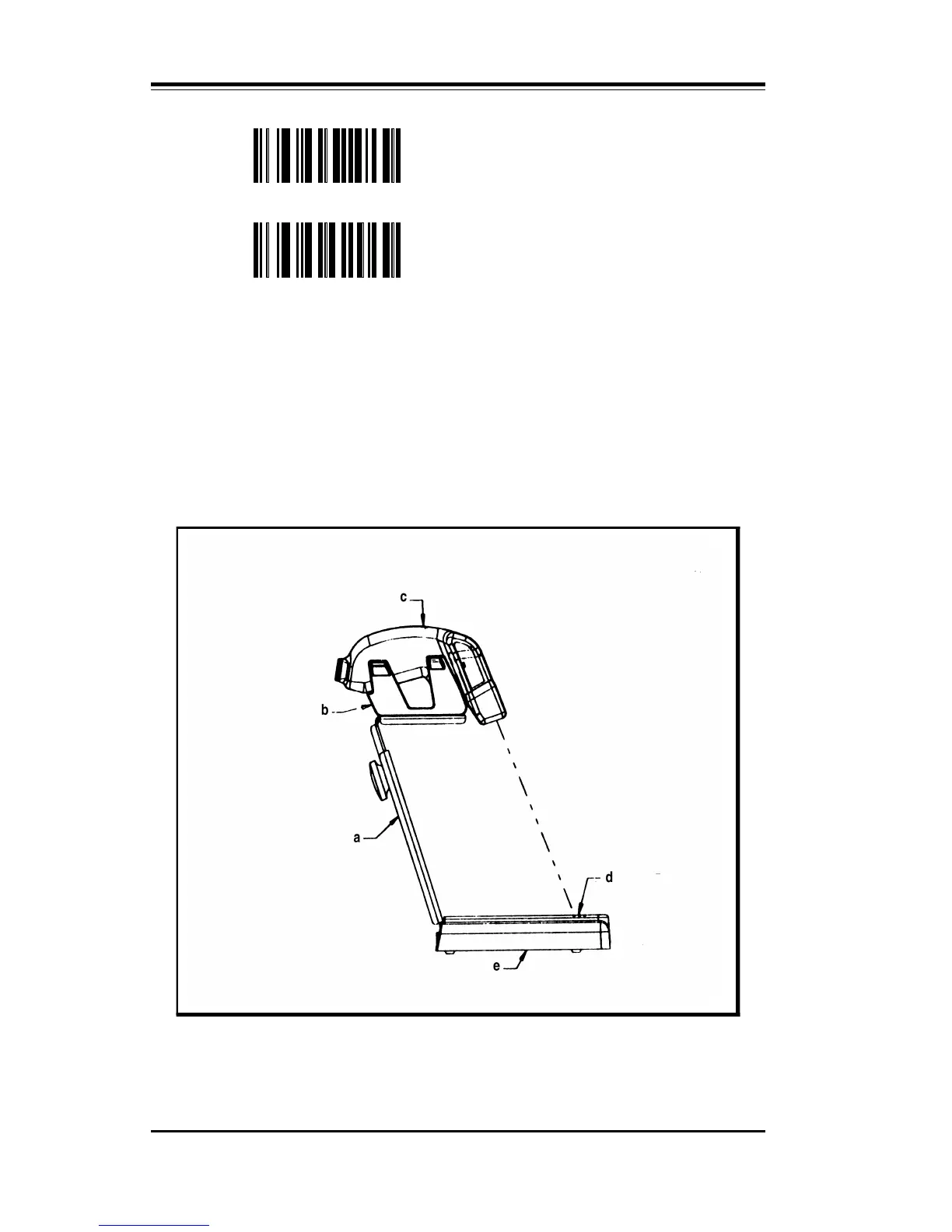
To use this mode of operation properly, the user must first attach the
plastic scanner holder to the bracket of the stand as shown in
Figure 1. The (NO) Enable AutoSense
®
programming symbol is
scanned until the green “Good Decode” light blinks. This will acti-
vate the trigger screen. The scanner is then placed into the holder and
the user must check that the red laser beam is aimed at the reflective
label affixed to the stand. The AutoSense
®
is now ready to read labels
presented to it.
Figure 1. The PSC AutoSense
®
Stand
a. Riser sub-assembly d. Reflective tape
b. Scanner holder e. Stand base
c. Scanner



 To Next Page