60 User’s / Programming Guide
Data Synchronization
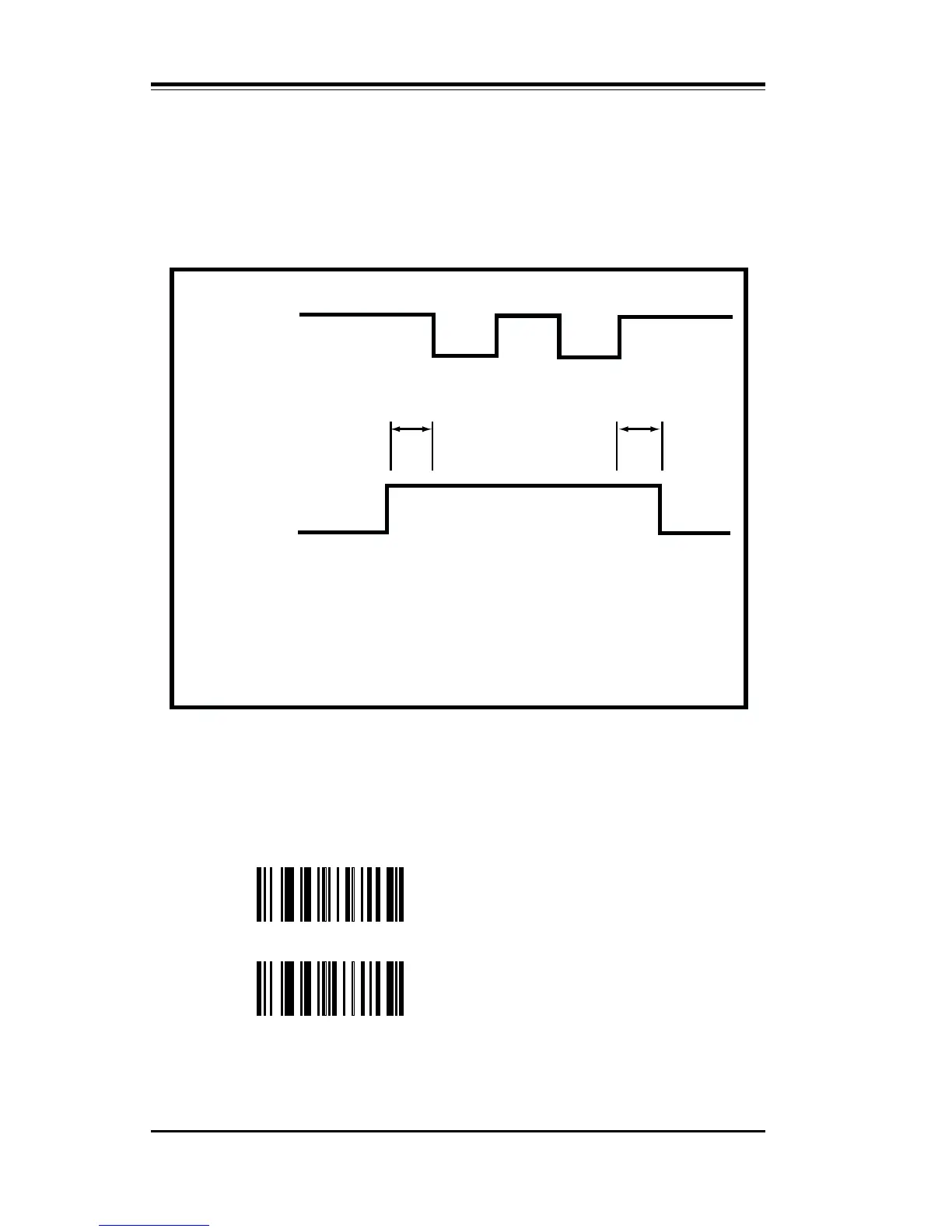
Your PSC scanner can be prepared to synchronize the transmission of
scanned data to the timing sequence some terminals require to prop-
erly receive the data. This relationship is diagrammed in Figure 2.
Figure 2. Timing Sequence Diagram
RTS output is used for the data synchronization signal. Scan XD to
enable the data synchronization signal. Scan Option XC to disable
Data Synchronization.
XC Disable Data # Synchronization
XD Enable Data Synchronization
Polarity may be selected as either active high or low by scanning XE
(high) or XF (low).
Data Transmission
data white space
(ta)
(th)
Active
Data Synchronization
Setup Time (ts) 200 ms - 220 ms
Hold Time (th) 0 ms - 10 ms



 To Next Page