Psion Teklogix NETBOOK PRO Win CE 4.2 User Manual 81
Chapter 6: Configuring Communications
GSM/GPRS Radio Configuration
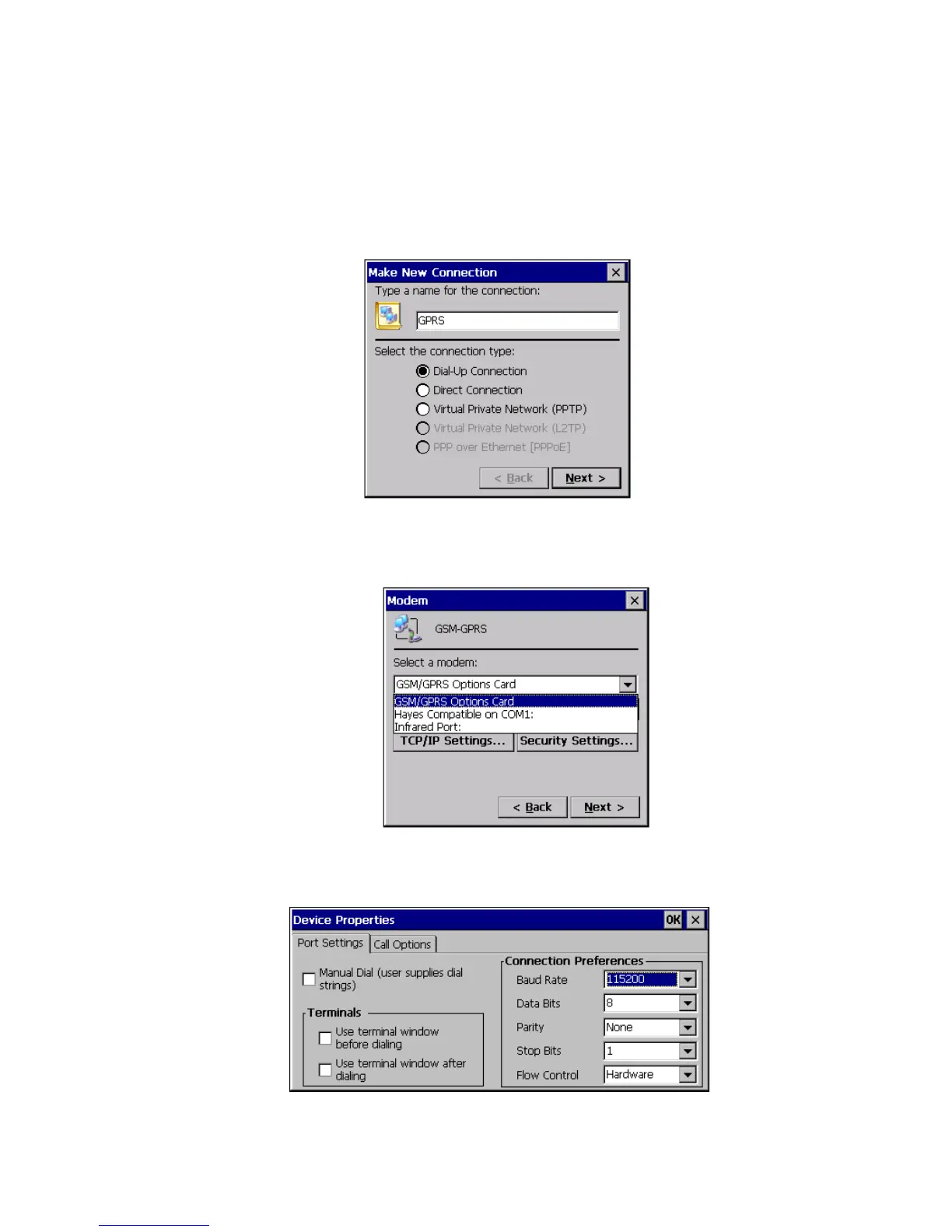
4. Double-click on the Make New Connection wizard to access the fol-
lowing menu. Type the connection name “GPRS” into the text box, and
verify that the Dial-Up Connection radio button is selected. Click on
the Next button.
5. Select the GSM/GPRS card from the dropdown list in the Modem
dialog.
6. Click on the Configure button next to the dropdown list, and the follow-
ing menu appears. From the Baud Rate dropdown list, select 115200.



 To Next Page