Chapter 6: Configuring Communications
GSM/GPRS Radio Configuration
82
Psion Teklogix NETBOOK PRO Win CE 4.2 User Manual
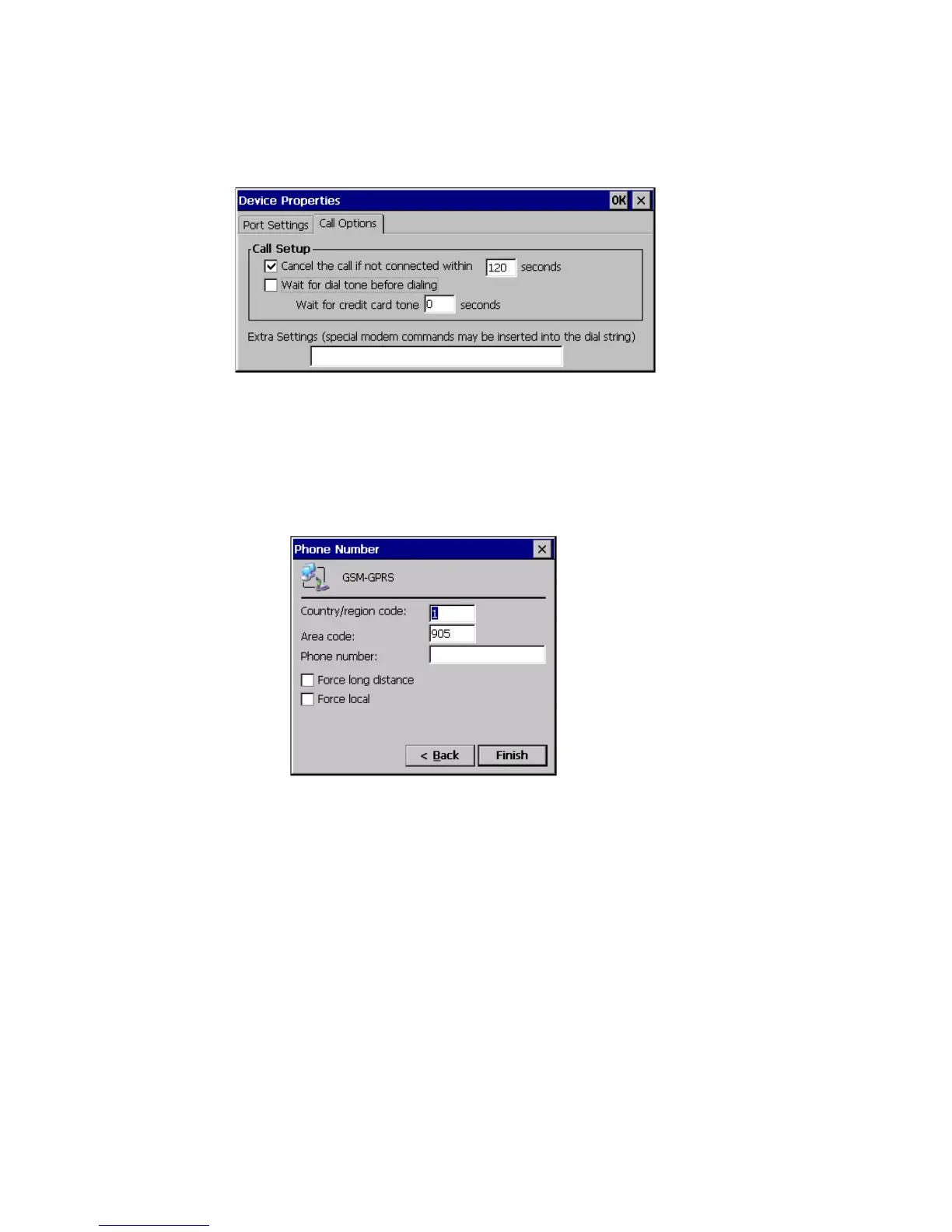
7. Then click on the Call Options tab to access the following menu.
8. Uncheck the Wait for dialtone before dialing box and click OK. The
Modem selection screen will return. Click on the Next button.
9. The following menu appears. Enter the phone number. Most providers
use *99# as the GSM/GPRS phone number.
10. Click on the Finish button. The Network and Dial-Up Connections
screen reappears. You should now see a connection called “GPRS”.
11. Open the Control Panel.
12. Double-click on the APN Manager icon. The APN Manager dialog
appears:



 To Next Page