EasyManua.ls Logo

Psion 3a Series - Page 24

Psion 3a Series
288 pages
Print Icon
To Next Page IconTo Next Page
To Previous Page IconTo Previous Page
Loading...
Unavailable
dialog
lines
Each
line
of
a
dialog
begins
with
a
bullet
(a
small
square).
Sometimes
a
dialog
line
is
made
unavailable
because
of
the
setting
of
a
different
line
in
the
dialog.
When
this
happens,
the bullet
is
removed
from
the
start
of
the
dialog
line.
If
you
try
to
set
or
change
this
line,
a
message
will
remind you
that
it
is
unavailable.
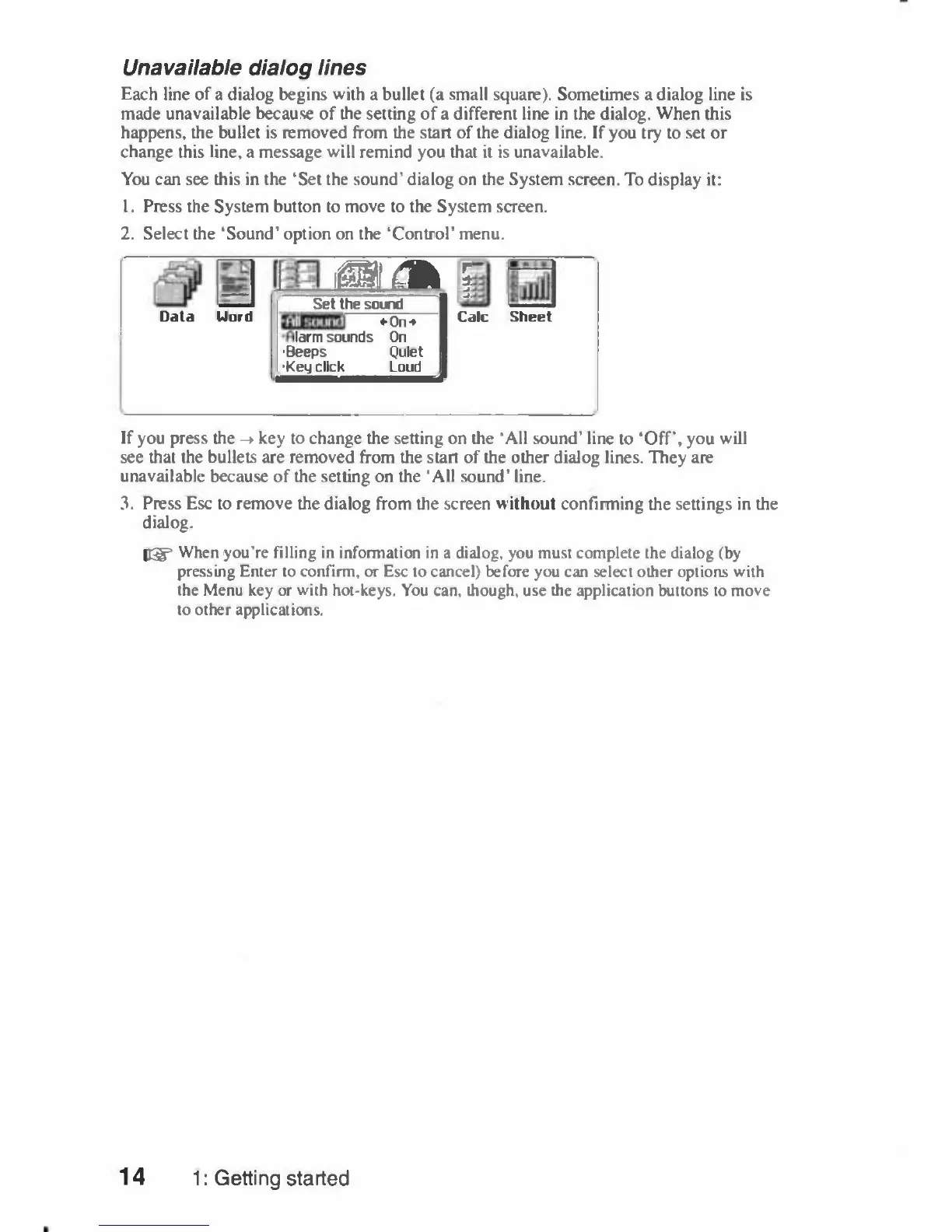
You
can
see
this
in
the
'Set
the
sound'
dialog
on
the
System
screen.
To
display
it:
1.
Press
the
System
button to
move
to
the
System
screen.
2.
Select
the
'Sound'
option
on the
'Control'
menu.
iffll
(m
i
Data
Word
Set
the
sound
•
On*
larm
sounds
On
•Beeps
Quiet
•Keij
click
Loud
Calc
Sheet
If
you
press
the
->
key
to
change
the
setting
on
the
'All
sound'
line
to
'Off,
you
will
see
that
the
bullets
are
removed
from
the
start
of
the
other
dialog
lines.
They
are
unavailable
because
of
the
setting
on
the
'All
sound'
line.
3.
Press
Esc
to
remove
the
dialog
from
the
screen
without
confirming
the
settings
in
the
dialog.
I®"
When
you're
filling
in
information
in
a
dialog,
you
must
complete
the
dialog
(by
pressing
Enter
to
confirm,
or
Esc
to
cancel)
before
you
can
select
other
options
with
the
Menu
key
or
with
hot-keys.
You
can,
though,
use
the
application
buttons
to
move
to
other
applications.
14
1:
Getting
started

Table of Contents

Related product manuals