150M Wireless N ADSL2+ Router
- 61 -
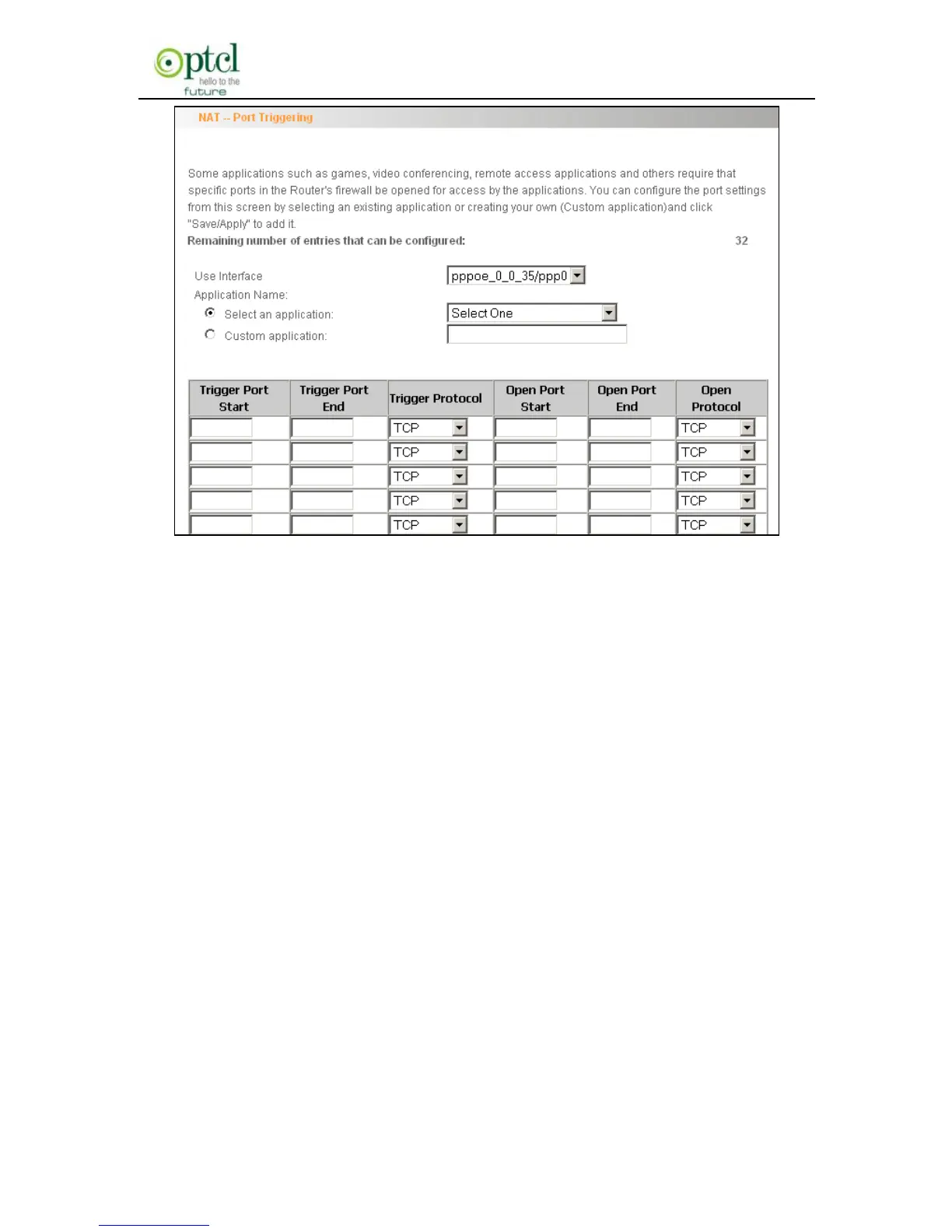
Use Interface: It indicates which WAN connection the configured
rules are to be applied to. When there is only one configured WAN
connection available, system will select it automatically.
Application Name: There are two options available:
(1) Select an application: allows you to select an existing application
from the drop-down list box.
(2) Custom application: allows you to define an application
yourself.
Trigger Port Start/ Trigger Port End: The port range for
application programs to initiate connections.
Trigger Protocol: There are 3 options: TCP, UDP and TCP/UDP.
We recommend you to select TCP/UDP if you are not sure about
which protocol to choose.
Open Port Start/ Open Port End: the port range that will be



 To Next Page