150M Wireless N ADSL2+ Router
- 62 -
automatically enabled by the built-in firewall when connections
initiated by application programs succeed.
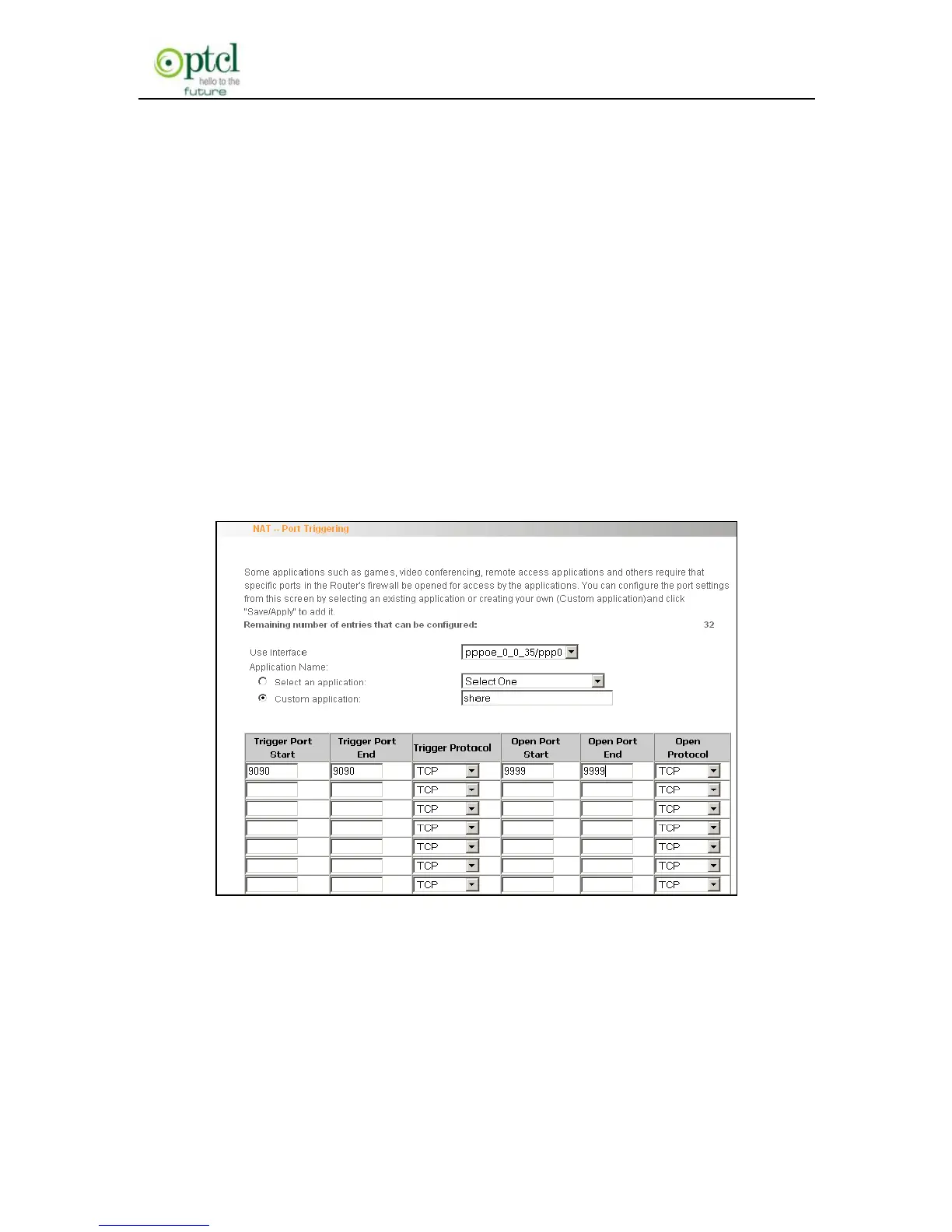
For example: You have created a server on router’s LAN side that can
automatically download material from Internet (via port: 9090) and
share its data with other users. And you want Internet users to
download data from your server (via port: 9999). For configurations,
follow the instructions below:
To enter the port triggering interface, click ―Advanced Setup‖
―NAT‖―Port Triggering‖, and then click the ―Add‖ button to configure
the page below (Refer to the parameters configured on the page
below):
When your server initiates a connection toward the server on Internet
via port: 9090, the router’s firewall will automatically open port: 9999 to
let Internet users access your server to download data via this port:
9999.



 To Next Page