PUDU T300 Operation Guide
Version: V1.0.2 Operation Guide
28
4.4.4 Music
In the Music Library module, users can import music for the robot by connecting the robot to
the same Wi-Fi as their phone and scanning the QR code in the “Import Music” module. Imported
music files will be displayed in the “List of All Music.” The robot can store up to 20 music files.
Supported music file formats: MP3, WAV, FLAC, AAC, PCM, WMA, APE.
You can test music by tapping the “ ” button to the right of the music file;
By long pressing a song, the “Delete” button will pop up. Tap the button to delete music.
4.4.5 Password and security
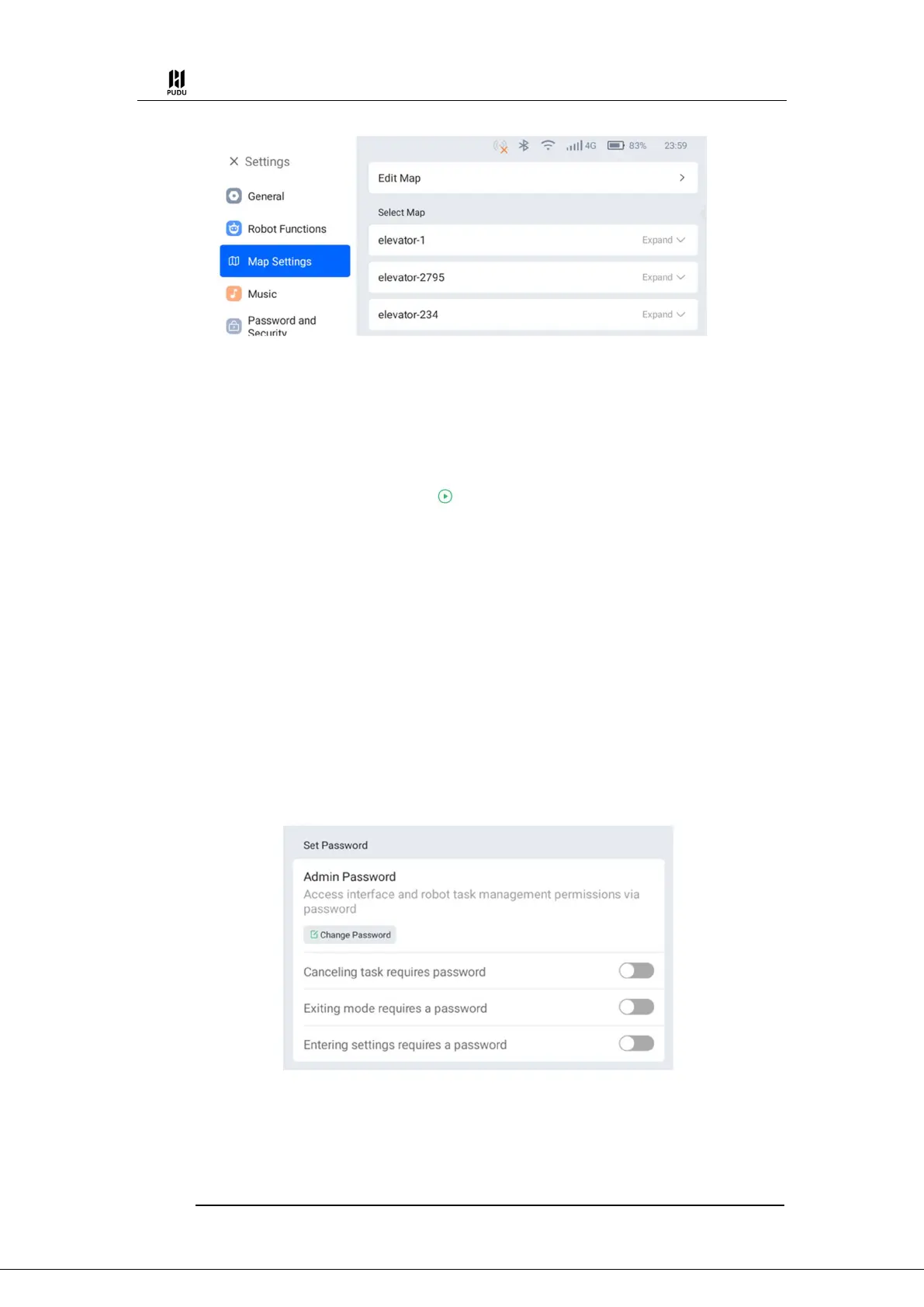
(1) Set Password
In the "Admin Password" section, users can set a 4-digit password. They can also set passwords
for different entrances as needed:
Canceling task requires password: When canceling tasks in various modes, a password is
required.
Exiting mode requires a password: When exiting any business mode, a password is
required.
Entering settings requires a password: When accessing settings and mode settings, a
password is required.
(2) Motor lock
You can set the time point for locking the robot motors in non-task states.
Lock the motor during an emergency stop: After pressing the emergency stop button, the


 To Next Page